Category: CCTV Camera

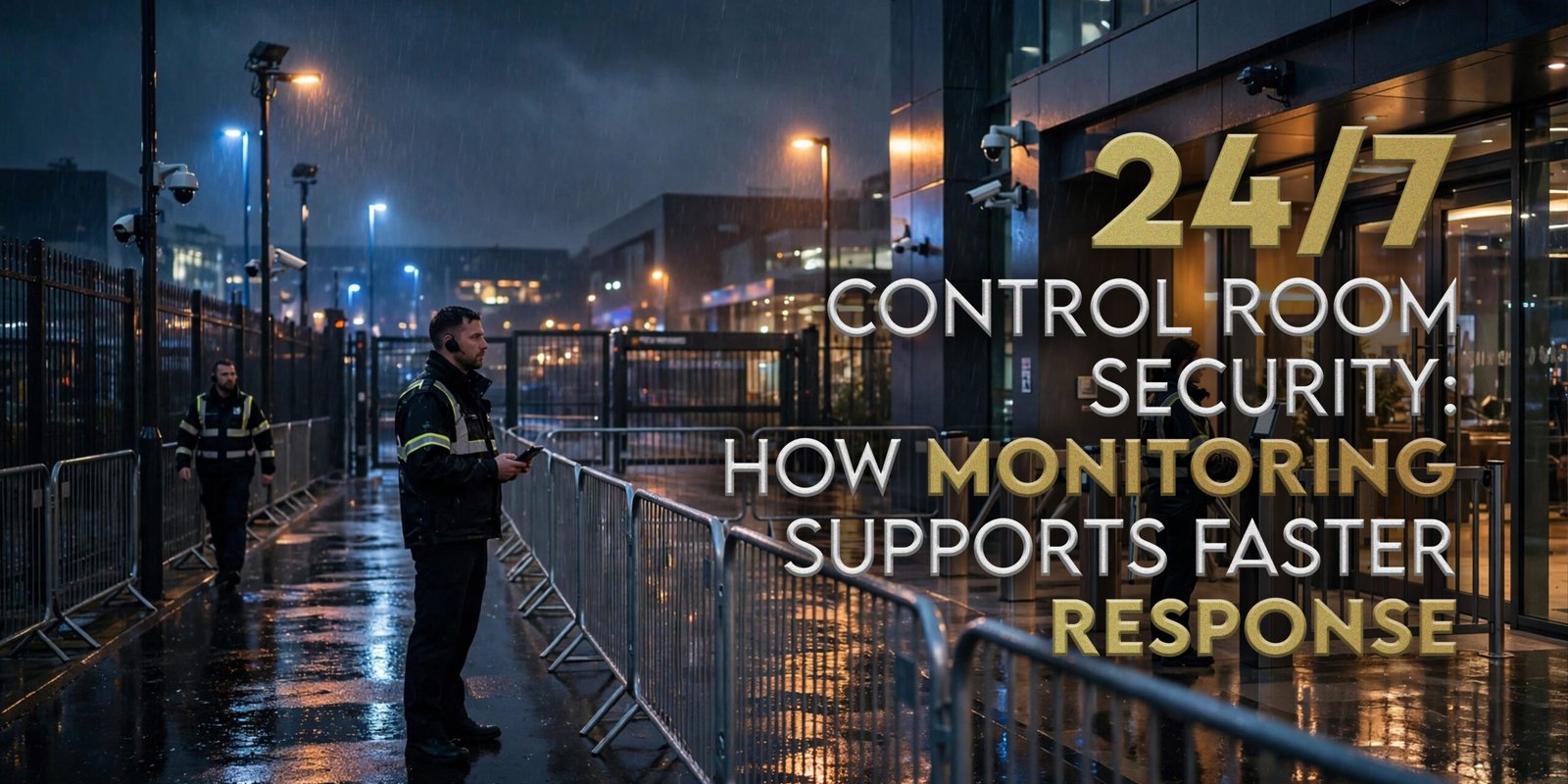
  • 24/7 Control Room Security: How Monitoring Supports Faster Response

    24/7 Control Room Security: How Monitoring Supports Faster Response

    At 02:17, a warehouse system generates an alert. Who receives it, checks it, contacts the client, coordinates a responder and records the outcome?

    24/7 control room security can centralise those decisions through monitoring, verification, triage, escalation, communication and reporting. It is most useful when systems, people and response procedures operate as one process.

    What Is 24/7 Control Room Security?

    24/7 control room security is an around-the-clock security operations function that can receive CCTV or alarm alerts, review available information, verify incidents where possible, follow site procedures, escalate events, coordinate responders and maintain incident records. The exact functions depend on the systems, site brief and service agreement.

    H&D Security currently describes continuous CCTV monitoring, alarm verification, incident triage, responder coordination and time-stamped reporting.

    24/7 Control Room Security Workflow

    StageMain PurposeTypical Output
    MonitorReceive relevant alerts or live informationAlert received
    VerifyReview available system informationBetter incident context
    TriageAssess and prioritiseAgreed priority
    EscalateFollow site procedureContact or responder selected
    CoordinateMaintain communicationResponse action arranged
    RecordLog actions and outcomeTime-stamped incident record
    ReviewIdentify follow-upClient or operational review

    How Does Control Room Monitoring Support Faster Response?

    Control room monitoring can support faster response coordination by centralising alert receipt, verification, triage, escalation and responder communication. This can reduce avoidable delays between detection and action because the next step follows a defined process rather than an improvised call chain.

    For 24/7 control room security, the operating sequence is:

    ALERT → VERIFY → TRIAGE → ESCALATE → DISPATCH → COMMUNICATE → RECORD

    However, this process does not guarantee a fixed attendance time; actual response depends on the site, responder availability and service agreement.

    What Does a Security Control Room Monitor?

    A security control room can monitor agreed CCTV feeds, alarms, analytics alerts, access-control events and site check-ins where configured.

    H&D Security currently supports CCTV, alarms, access control, analytics alerts, sensors and site check-ins, subject to system compatibility.

    What Is a CCTV Control Room?

    A CCTV control room lets authorised personnel review agreed camera feeds and alerts to support verification, escalation and reporting.

    CCTV can add useful context before escalation, although not every alert can be visually verified.

    Does a CCTV Control Room Need SIA-Licensed Operators?

    The answer depends on the activity being performed. Current SIA guidance states that a Public Space Surveillance (CCTV) licence is required for specified licensable CCTV activity, including certain uses of CCTV to identify people or monitor their activities for guarding purposes. It does not mean that every person watching every private camera automatically needs the same licence.

    Where personnel perform licensable public-space-surveillance activity, the appropriate SIA licence may be required. Check current SIA guidance against the actual activity.

    What Is Remote Security Monitoring?

    Remote security monitoring connects site systems to a remote control room so alerts can be received, reviewed and escalated off site.

    SITE SYSTEM → REMOTE CONTROL ROOM → ALERT → VERIFICATION → ESCALATION

    For suitable businesses, remote monitoring can support out-of-hours or multi-site operations when systems and procedures are properly configured.

    Remote Monitoring vs On-Site Security

    Remote monitoring and on-site personnel perform different functions.

    FactorRemote MonitoringOn-Site Security
    PresenceRemotePhysically at site
    Alert handlingCentralisedLocal
    Visual oversightVia connected systemsDirect observation plus systems
    Access dutiesLimitedCan perform agreed physical duties
    Response coordinationCan coordinateCan act on-site within brief
    ReportingCentral incident recordsShift and incident records
    Typical useMulti-site/out-of-hours monitoringStatic posts, access and site duties

    For some operations, remote and on-site services work best together.

    Can Businesses Use Both Remote Monitoring and On-Site Security?

    Yes. With 24/7 control room security, a business can combine remote monitoring with on-site personnel where the two services support different parts of the same plan.

    The control room can centralise alerts while on-site staff handle agreed physical duties.

    What Is Alarm Verification?

    Alarm verification reviews available information before the agreed escalation route, using CCTV, alarm or other connected data where available.

    Verification can add context, but the SOP should also cover alerts that remain inconclusive.

    Why Does Verification Matter?

    Verification can improve context, prioritisation and the information shared with responders or clients.

    H&D Security currently describes visual verification before responder dispatch as part of its workflow.

    What Is Security Incident Triage?

    Security incident triage assesses incoming information, applies agreed priorities and selects the next action:

    RECEIVE → ASSESS → PRIORITISE → ACT

    Triage helps avoid treating every alert as if it requires the same response.

    How Should a Control Room Prioritise Alerts?

    For 24/7 control room security, a control room should use the agreed site procedure, available verified information, client instructions, event type and escalation level. The article should not prescribe tactical thresholds because businesses and sites differ.

    Most importantly, operators need a documented process with appropriate escalation routes.

    What Is a Control-Room Escalation Matrix?

    A control-room escalation matrix defines who to contact and what broad action follows different alert types.

    Trigger / SituationInitial ActionEscalation ContactReporting Requirement
    System alertReview available informationAgreed client contactTime and action logged
    Verified site issueFollow site SOPApproved responderFull incident record
    Contact unavailableFollow fallback routeSecondary authorised contactAttempt recorded
    Serious emergencyFollow agreed emergency procedureAppropriate emergency routeActions time-stamped

    The matrix provides structure without publishing sensitive operational detail.

    Why Site-Specific SOPs Matter

    Site-specific SOPs should define contacts, operating hours, response arrangements, escalation and reporting.

    A warehouse, retail site and corporate office should not automatically use identical instructions.

    What Does Security Response Support Mean?

    Security response support coordinates agreed contacts or responders after an alert is assessed.

    The control room does not replace emergency services or on-site responders; it coordinates agreed communication and escalation.

    Control Room vs Responder: Who Does What?

    Control RoomResponder
    Receives alertsAttends site where dispatched
    Reviews available informationAssesses site conditions
    Applies agreed escalationFollows assigned site duties
    Coordinates dispatchCarries out agreed on-site actions
    Maintains communicationProvides updates
    Records timelineSupplies outcome information

    This division connects central decision-making with physical attendance.

    How Control Room Monitoring and Alarm Response Work Together

    The relationship can follow:

    ALERT → CONTROL ROOM → VERIFY → FOLLOW SOP → ESCALATE → RESPONDER → SITE ATTENDANCE → REPORT

    Where a site needs physical attendance after an agreed escalation, professional alarm response can complement the control-room function.

    H&D Security currently describes SIA-licensed responders, location-based dispatch, escalation paths and digital reporting; attendance expectations depend on the agreed service.

    Where responder attendance is required, both services should be scoped together.

    What Should Control-Room Reporting Include?

    Control-room reporting should show what was received, what action followed and the recorded outcome.

    Useful fields include date and time, site, alert source, event category, verification and escalation actions, responder or contact, status, outcome and follow-up.

    H&D Security currently describes time-stamped logs, clips, client updates and post-incident reporting within its control-room service.

    Why Time-Stamped Incident Logs Matter?

    For 24/7 control room security, time-stamped logs create a clear incident sequence for handover, client communication and review.

    Consistent logs can also highlight recurring alert patterns for review.

    Can 24/7 Control Room Security Support Multiple Sites?

    Yes. 24/7 control room security can support multiple locations when systems, contacts and site-specific escalation procedures are properly configured.

    H&D Security currently describes multi-site protocols and escalation matrices for retail, logistics, industrial and corporate estates. It does not publish a universal maximum site capacity.

    Why Multi-Site Businesses Need Site-Specific Protocols

    Different sites can have different hours, contacts, alarms and response arrangements, so one generic matrix may not fit all.

    Therefore, central monitoring should not erase site-level differences.

    24/7 Control Room Security for Warehouses and Logistics

    24/7 control room security can support warehouses and logistics sites through agreed CCTV oversight, alerts, yard or loading-area monitoring where configured, out-of-hours coordination and incident reporting.

    H&D Security currently identifies logistics and warehousing as control-room sectors and references perimeter alerts, bay or yard monitoring and responder dispatch.

    24/7 Control Room Security for Construction Sites

    For construction sites, 24/7 control room security can support out-of-hours alerts, connected systems, responder coordination and reporting. SOPs should be updated as operations change.

    24/7 Control Room Security for Retail and Commercial Estates

    For retail and commercial estates, 24/7 control room security can centralise agreed monitoring, escalation and reporting while retaining site-specific contacts.

    24/7 Control Room Security for Offices and Corporate Premises

    Corporate premises can use 24/7 control room security for out-of-hours alerts, CCTV oversight, alarm verification, escalation and reporting.

    24/7 Control Room Security for Hospitality and Venues

    Hospitality and venues can use 24/7 control room security for event-time oversight, communication, coordination and reporting without replacing on-site responsibilities.

    When Might an Ongoing Control-Room Security Contract Make Sense?

    An ongoing arrangement may suit 24-hour operations, recurring monitoring, multi-site estates, out-of-hours requirements or structured reporting.

    Businesses with recurring 24/7 control room security can review ongoing security contracts where a longer-term agreement fits the operational requirement.

    For multiple sites or recurring services, a structured security agreement can also define responsibilities, reporting and agreed service levels. A contract is not automatically necessary for every business.

    What Should Businesses Ask About Response SLAs?

    For 24/7 control room security, businesses should ask who receives alerts, how verification works, who is contacted, what responder arrangements apply, what targets are agreed and how exceptions work.

    Exact times should sit in the service agreement. Response expectations can depend on location, responder availability, site instructions and wider circumstances.

    What Systems Can Feed Into a Control Room?

    Depending on compatibility, a control room can receive information from CCTV, VMS, alarms, access-control systems, analytics and sensors.

    H&D Security states that its current control-room service integrates with CCTV, access control, alarms and IoT sensors. Its page also says it can work with most existing CCTV, VMS, alarm and access-control systems. Compatibility should still be confirmed for each proposed system before deployment.

    Can H&D Security Integrate With Existing Systems?

    H&D Security states that its service can work with many existing CCTV, VMS, alarm and access-control systems. Businesses should provide system details so compatibility can be checked.

    Need Centralised Monitoring for Your Sites?

    For businesses reviewing 24/7 control room security, the first step is defining the monitoring and response requirement.

    Businesses reviewing 24/7 control room security should prepare the number of sites, locations, operating hours, CCTV systems, alarms, relevant access-control systems, responder arrangements, key-holder contacts, escalation requirements and reporting expectations.

    You can discuss your control-room monitoring requirements with H&D Security using that information.

    Common Control-Room Monitoring Mistakes

    MistakeBetter Approach
    Monitoring without escalationCreate a written process
    Outdated contactsTest and update contacts
    No site SOPDefine site-specific instructions
    Treating every alert alikeUse agreed triage
    No verification processDefine verification where possible
    No responder arrangementConfirm escalation destinations
    No handoverDefine shift handover
    Inconsistent incident logsAgree core fields
    No client-update processDefine communication
    Untested alert routingTest integrations
    Assuming identical SIA rulesCheck the activity
    Using outdated licensing guidanceUse current SIA information
    Confusing monitoring with attendanceDefine roles
    No SLA discussionAgree expectations
    Assuming instant responseUse qualified targets
    Same protocol for every siteUse site-specific SOPs
    Not updating proceduresReview operational changes
    No performance reviewReview the service periodically

    24/7 Control Room Security Checklist

    Use this 24/7 control room security checklist:

    • Confirm each site.
    • Confirm operating hours.
    • Identify connected systems.
    • Identify CCTV feeds.
    • Identify alarm types.
    • Identify access-control alerts where relevant.
    • Define monitored events.
    • Define verification methods.
    • Define escalation levels.
    • Confirm client contacts.
    • Confirm responder contacts.
    • Confirm key-holder contacts where relevant.
    • Define emergency escalation.
    • Write the site SOP.
    • Define alert priorities.
    • Define out-of-hours procedures.
    • Confirm control-room hours.
    • Confirm operator requirements.
    • Check relevant SIA licensing requirements.
    • Define reporting format.
    • Define incident-log fields.
    • Define client updates.
    • Define handover.
    • Define responder dispatch.
    • Review response SLA.
    • Confirm geographic coverage.
    • Confirm system compatibility.
    • Test alert routing.
    • Test contact details.
    • Define false-alert handling.
    • Review applicable data-handling requirements.
    • Review the escalation matrix.
    • Review performance.
    • Update SOPs when operations change.

    Businesses handling footage, logs or personal data should follow applicable UK data-protection requirements and their own policies.

    How H&D Security Supports 24/7 Control Room Operations

    At H&D Security, our control-room support helps businesses centralise CCTV oversight, alarm verification, incident triage, escalation and responder coordination. Current first-party information also describes direct communication with on-site teams, key holders and mobile responders, plus digital time-stamped incident reporting.

    For 24/7 control room security, each site can use agreed SOPs and escalation routes instead of treating every alert identically. Businesses with recurring monitoring can also explore commercial security contracts where a structured ongoing arrangement is suitable.

    24/7 Control Room Security for Businesses in Hounslow and London

    H&D Security is based in West London and currently lists Hounslow, Heathrow and surrounding West London locations within its control-room coverage, alongside London and wider UK regions.

    For businesses in these areas, 24/7 control room security should still be scoped around the individual site, connected systems, escalation contacts and responder arrangements rather than a generic package.

    Frequently Asked Questions

    What is 24/7 control room security?

    24/7 control room security is an around-the-clock operational function that can receive CCTV or alarm alerts, review available information, verify incidents where possible, follow agreed site procedures, escalate alerts, coordinate responders and maintain incident records. The precise service depends on the site, systems, monitoring scope and service agreement, so businesses should confirm what will actually be monitored.

    How does control room monitoring support faster response?

    Control room monitoring can support faster response coordination by bringing alert receipt, verification, triage, escalation and responder communication into one structured process. Within 24/7 control room security, this may reduce avoidable delays between detection and the agreed next step. However, it does not guarantee a fixed responder attendance time, which depends on the service agreement and circumstances.

    What does a security control room monitor?

    A security control room may monitor agreed CCTV feeds, alarms, analytics alerts, access-control events, site check-ins and selected system-health information where configured. With 24/7 control room security, the monitored inputs should be documented in the service scope so operators know which alerts require review, which contacts apply and what escalation route to follow.

    What is a CCTV control room?

    A CCTV control room is an operational environment where authorised personnel review agreed camera feeds or video alerts and support verification, escalation and reporting. Within 24/7 control room security, video may provide useful context during an incident. However, CCTV does not always confirm exactly what has happened, so the escalation plan should also cover uncertain or incomplete information.

    Does a CCTV control-room operator need an SIA licence?

    It depends on the activity. Current GOV.UK guidance defines circumstances in which Public Space Surveillance CCTV activity requires the relevant SIA licence. Not every person viewing every private camera automatically falls into the same licensing position. Businesses using 24/7 control room security should therefore assess the actual monitoring activity against current SIA guidance.

    What is remote security monitoring?

    Remote security monitoring connects agreed site systems to an off-site monitoring function that can receive alerts, review available information and follow escalation procedures. For 24/7 control room security, this can support out-of-hours operations or central monitoring across several premises. The systems, contacts, responder arrangements and site-specific instructions still need to be configured appropriately.

    How does alarm verification work?

    Alarm verification means reviewing available system information before the next agreed action. Where connected data allows it, operators may review CCTV, alarm-zone information, analytics or other relevant signals. Within 24/7 control room security, the aim is to improve context and select the correct escalation path, not to claim that every alarm can always be confirmed remotely.

    What happens when a control room receives an alert?

    A typical high-level process is to receive the alert, review relevant information, verify where possible, follow the site SOP, escalate through the agreed route, coordinate an appropriate responder and record the actions and outcome. In 24/7 control room security, exact procedures vary by site and agreement, so businesses should define those steps before monitoring begins.

    What is security incident triage?

    Security incident triage means assessing incoming alerts and applying agreed priorities before deciding what action follows. It can consider the available information, site instructions, client contacts and the type of event. For 24/7 control room security, triage helps avoid treating every alert identically and gives operators a clearer route from detection to escalation.

    Can a control room monitor multiple sites?

    Yes. 24/7 control room security can support multiple sites when the relevant systems, authorised contacts, SOPs and escalation procedures have been configured for each location. Central monitoring can create consistent reporting while preserving site-specific instructions. Businesses should not assume that one escalation matrix will suit every warehouse, office, retail unit or construction location.

    How does professional alarm response work with a control room?

    The control room receives and assesses the alert, then follows the agreed escalation route. Where responder attendance is required, a professional alarm-response service can be contacted according to the service plan. The responder attends the site and reports back. This complements 24/7 control room security, but attendance times depend on the agreed service and circumstances.

    What should an escalation matrix include?

    An escalation matrix should identify alert categories at a high level, initial actions, authorised contacts, fallback contacts, responder arrangements, emergency escalation and reporting requirements. For 24/7 control room security, the matrix should remain site-specific and should be reviewed whenever contacts, operating hours or site arrangements change. Sensitive internal response details should remain within operational documentation.

    What reporting should a control room provide?

    Reporting can include the date, time, site, alert source, event category, verification activity, escalation, responder or contact, status, outcome and follow-up. The exact format varies by provider and client. 24/7 control room security works best when reporting expectations are defined before service begins so both sides understand what information will be recorded and shared.

    When does an ongoing security contract make sense?

    An ongoing contract may suit businesses with recurring monitoring, 24-hour operations, multi-site estates, regular out-of-hours activity, repeated responder coordination or structured reporting requirements. For 24/7 control room security, a contract can formalise responsibilities, site procedures and service levels. However, organisations should choose the structure that fits their actual requirement rather than assume every site needs a long-term agreement.

    How can H&D Security support 24/7 control-room requirements?

    H&D Security currently offers continuous CCTV monitoring, alarm verification, incident triage, responder dispatch, client communication, site-specific SOPs, multi-site protocols and time-stamped reporting. For 24/7 control room security, businesses can discuss system compatibility, monitored sites, escalation arrangements, responder coordination and reporting before agreeing the service scope.

    Conclusion

    24/7 control room security creates the most operational value when monitoring, verification, triage, escalation, response coordination and reporting operate as one connected process.

    MONITOR → ALERT → VERIFY → TRIAGE → ESCALATE → COORDINATE → RESPOND → REPORT → REVIEW

    Ultimately, 24/7 control room security is not simply about watching systems. It is about combining technology, people, site procedures, responders, communication and reporting so alerts move through a clearer operational process.

    Discuss Your Control Room Requirements With H&D Security

    H&D Security can discuss CCTV monitoring, alarms, site-specific procedures, escalation, responder coordination, professional alarm response, multi-site monitoring, reporting and ongoing commercial arrangements.

    For an assignment-specific discussion, request a 24/7 control-room security quote.
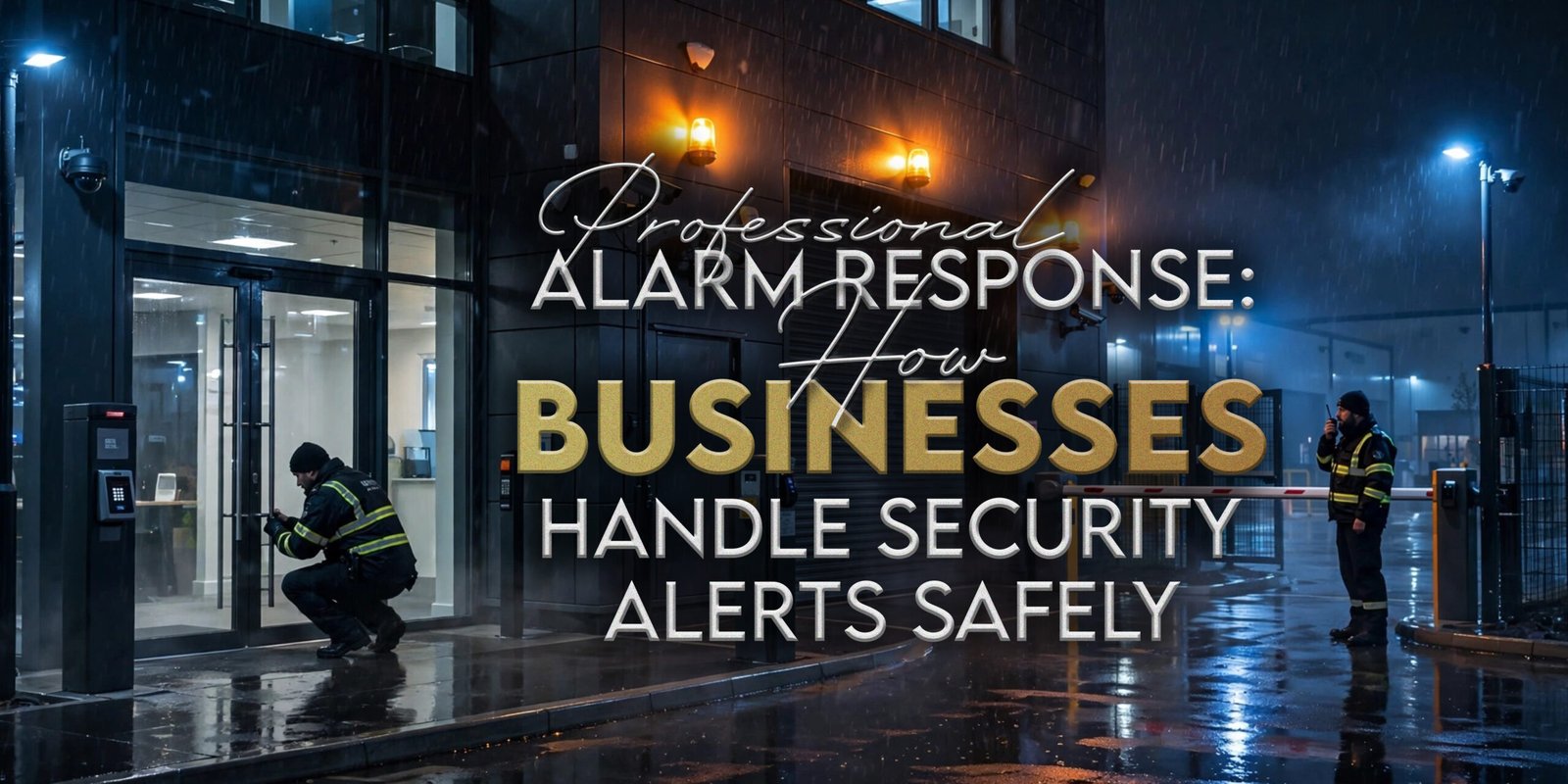
  • Professional Alarm Response: How Businesses Handle Security Alerts Safely

    Professional Alarm Response: How Businesses Handle Security Alerts Safely

    A commercial alarm can activate after normal working hours, when managers are away and employees may not be available. The cause may be authorised entry, user error, an equipment fault, an environmental trigger or an actual incident. A professional alarm response plan gives the business a defined way to verify the alert, arrange authorised attendance, use controlled key access, escalate findings and record what happened.

    H&D Security provides keyholding and alarm-response arrangements from its West London base, including agreed 24/7 cover, SIA-licensed responders, site instructions, mobile patrol coordination and time-stamped reporting. Exact attendance expectations remain location-dependent and should be defined within the service agreement.

    What Is Professional Alarm Response?

    Professional alarm response involves an authorised, trained responder attending after an alarm activation, following pre-agreed site instructions, checking accessible areas, recording findings and escalating where required. The service may include keyholding, CCTV verification, control-room coordination, client updates and a written attendance report, depending on the agreed arrangement.

    In professional alarm response, the provider may review available information, dispatch an authorised responder and use held keys where permitted. Exact procedures vary by premises, contract and operating hours, so the business should define them before the first activation.

    Why Businesses Need a Defined Alarm-Response Plan

    Professional alarm response planning helps people make consistent decisions. Without it, several employees may receive the same alert, keys may be unavailable and nobody may know who can attend or escalate.

    HSE guidance requires employers to manage lone-working risks through suitable training, supervision, monitoring and incident-response arrangements.

    A professional alarm response plan should identify contacts, key access, verification sources, responder instructions, escalation thresholds and the process for repeated false activations or faults.

    How a Professional Alarm Response Process Works

    A structured professional alarm response process commonly follows these stages:

    1. An alarm activation or alert is generated.
    2. The signal reaches the agreed monitoring or notification contact.
    3. Available CCTV, access-control or sensor information is reviewed.
    4. An authorised responder receives the latest site instructions.
    5. The responder attends under the agreed arrangement.
    6. Entry points and other authorised areas are checked.
    7. Findings are assessed without assuming criminal activity.
    8. The escalation matrix is followed.
    9. Authorised client contacts receive an update.
    10. A time-stamped attendance report records the outcome.
    11. An engineer or further attendance may be arranged where needed.
    12. Repeated or unresolved activations are reviewed.

    Professional alarm response providers may use different workflows. However, every business should know who receives the alert, who can enter, who contacts emergency services and what evidence will be recorded.

    At H&D Security, professional alarm response can include controlled keyholding, responder attendance, perimeter checks, escalation and digital reporting according to the agreed service.

    What Is a Keyholding Response?

    A keyholding response service allows an authorised provider to hold or control access to keys for a defined commercial site. When an activation occurs, an approved responder can use those keys according to the client’s instructions rather than waiting for an employee to travel to the premises.

    The SIA states that keyholding is a front-line licensable activity when security work involves keeping, or controlling access to, a key or device used to operate a lock.

    A useful keyholding response arrangement should identify authorised keys, requesters, code permissions, restricted areas, changes, lock and unlock routines, and escalation contacts.

    Keyholding supports controlled access after an alert, while lock and unlock duties follow planned schedules. H&D Security lists both options where agreed.

    Alarm Monitoring Versus Physical Attendance

    Alarm monitoring and physical attendance perform different functions. Monitoring receives or assesses signals, while attendance places an authorised person at the site.

    ServiceMain FunctionSite AttendanceInformation ProducedWhat to Confirm
    Alarm monitoringReceives and reviews signals or alertsNo, unless linked to responseSignal details, verification notes and escalation recordsMonitored hours, signal types and escalation
    Physical responseSends an authorised responderYesAttendance findings and actionsCoverage, attendance terms and site instructions
    Combined arrangementLinks monitoring, verification and dispatchYes, when dispatch criteria are metAlert, verification, attendance and final reportWho verifies, who dispatches and who updates the client

    A combined professional alarm response arrangement may use CCTV or sensor information before dispatch. Because remote information cannot explain every activation, the plan should state when attendance is required.

    What Does an Alarm Responder Check?

    An alarm responder checks the areas and information authorised in the site instructions. The scope may include main entrances, gates, loading-bay doors, accessible windows, perimeter areas, alarm panels and internal locations where entry is permitted.

    Depending on the site, a professional alarm response check may review visible damage, door positions, environmental conditions, CCTV, access events, contractor schedules and possible equipment faults. The responder should not assume that an activation proves an offence.

    What Happens If There Are Signs of Forced Entry?

    Where there are signs of an immediate threat or forced entry, a responder should avoid unnecessary entry and follow the agreed escalation procedure. The appropriate emergency service should be contacted when current circumstances require it, and authorised client representatives should be informed.

    A responsible professional alarm response procedure should preserve relevant information, record observations and follow emergency-service instructions. Nobody should enter when there are signs of immediate danger merely to confirm what happened.

    Police attendance should never be presented as automatic. Current NPCC requirements distinguish compliant monitored systems and set conditions for police response, while individual circumstances and force procedures still matter.

    Should Employees Attend Business Alarm Callouts?

    Employees may attend some business alarm callout situations where the company has assessed the risks, provided suitable training and created a clear process. However, relying on informal availability can create uncertainty around lone working, travel, authority, keys and reporting.

    HSE guidance says employers must assess and manage risks to lone workers and maintain suitable contact and response arrangements.

    A professional business alarm callout arrangement may be more structured when the alert occurs overnight, site conditions are unknown, keys need controlled access or formal reporting is required. Employees may still attend where the business has assessed the situation and provided suitable support.

    A formal professional alarm response process gives each business alarm callout clearer roles.

    How CCTV Supports Alarm Verification

    CCTV may help a monitoring team or business review the triggered area, check visible movement, identify authorised activity and determine which responder instructions apply. It may also support later reporting and preserve relevant footage.

    Businesses considering professional alarm response can review CCTV camera packages for commercial premises when planning alarm verification around entrances, yards, loading bays or restricted areas.

    However, CCTV cannot confirm every situation. Camera position, lighting, image quality, connectivity and user access all affect what can be seen.

    Where footage contains identifiable people, organisations should consider access controls, retention and information-rights responsibilities. ICO guidance explains that people may request copies of personal data held in CCTV footage and that organisations may need to redact third-party information.

    How Access Control Supports Alarm Investigation

    Access-control information may show which credential was used, when a door opened, whether entry occurred outside approved hours or whether a former credential remains active.

    Businesses can review commercial access control in Hounslow when linking entry records with professional alarm response procedures.

    Useful information may include the credential, door, time, access denial, door-held-open alert and contractor period. Access logs need careful interpretation because a valid credential does not prove who physically entered.

    Alarm Response Security for Different Business Sites

    Alarm response security should reflect how the premises operates.

    • Offices: account for cleaners, contractors, late-working staff and shared entrances.
    • Warehouses and logistics sites: document yards, gates, loading bays, vehicles and night operations.
    • Retail premises: cover shutters, rear deliveries, staff access and closing routines.
    • Construction sites: update instructions as layouts, alarms and access routes change.
    • Hotels and venues: separate guest, staff, delivery and event escalation contacts.
    • Commercial estates: define landlord, tenant and facilities responsibilities.

    A suitable professional alarm response arrangement should be specific to the site.

    Commercial Alarm Support and Control-Room Coordination

    Commercial alarm support may connect notification, CCTV verification, responder dispatch, mobile patrols, client updates and incident logging. Where a control room is included, the contract should state what it monitors and how it escalates.

    H&D Security’s current website describes optional CCTV monitoring, 24/7 control-room support, responder dispatch, patrol coordination and digital incident reports within its keyholding and alarm-response offering.

    Before appointing commercial alarm support, confirm monitored signals, operating hours, verification, dispatch criteria, contacts, emergency-service liaison, reporting and unresolved-alert procedures.

    What Should a Site Response Plan Include?

    A professional alarm response plan should include:

    • Full site address and postcode
    • Access and parking instructions
    • Key and alarm-code permissions
    • Alarm-panel location
    • Alarm zones
    • Restricted areas
    • CCTV availability
    • Access-control information
    • Primary and backup contacts
    • Alarm-engineer details
    • Utility contacts where relevant
    • Emergency contacts
    • Escalation thresholds
    • Staff and contractor schedules
    • Known system faults
    • Site hazards
    • Lone-working considerations
    • Reporting requirements
    • Reopening procedure

    What Affects Alarm-Response Time?

    Attendance time can depend on the site location, distance to the available responder, traffic, weather, road closures, time of day, key arrangements and site access. Multiple simultaneous calls may also affect attendance.

    For professional alarm response, exact expectations should be defined within the contract or service level. H&D Security states that attendance targets are location-dependent and agreed in the SLA rather than universally guaranteed.

    Businesses should ask how dispatch starts, where coverage applies, how attendance is measured, how delays are communicated and what happens when access is blocked.

    What Affects the Cost of Professional Alarm Response?

    The cost of professional alarm response may depend on the number and location of sites, operating hours, keyholding requirements, callout frequency, patrol integration, monitoring, reporting and contract length.

    When comparing professional alarm response, request a breakdown of fixed charges, callouts, additional time, monitoring, keyholding, reports, patrols, lock and unlock duties, VAT and exclusions.

    Discuss an Alarm-Response Plan for Your Site

    At H&D Security, we help businesses define verification, attendance, keyholding and escalation procedures before professional alarm response begins. Our current service information includes 24/7 arrangements where agreed, SIA-licensed responders, controlled keyholding, mobile patrols, CCTV support and time-stamped reporting.

    Businesses can request a tailored alarm-response quotation by sharing the site, operating hours, alarm type, monitoring, CCTV, access control, contacts and reporting preferences. Availability, response expectations and pricing depend on the agreed service.

    What Should an Attendance Report Include?

    A useful professional alarm response report should explain what happened, what was checked and what follow-up remains.

    A professional alarm response report may record activation, dispatch, arrival and departure times, areas checked, visible findings, alarm-panel details, CCTV or access information, people contacted, escalation actions, lawful photographs and unresolved issues.

    How to Compare Alarm-Response Providers

    For professional alarm response, compare providers through coverage, licensing, key control, verification, dispatch, escalation, reporting and pricing.

    Comparison AreaWhat to Review
    CoverageSites, hours and location exclusions
    KeyholdingAuthorisation, changes and access records
    VerificationCCTV, access logs and alarm information
    AttendanceDispatch rules and service-level wording
    EscalationClient and emergency-contact procedure
    ReportingTimings, findings, evidence and follow-up
    ChargesFixed, callout, additional time and add-ons
    ReviewRepeated activations and instruction updates

    Questions to Ask Before Appointing a Provider

    Before appointing professional alarm response, ask:

    1. Which areas and hours do you cover?
    2. How is responder attendance initiated?
    3. Who may access our keys?
    4. How are key changes recorded?
    5. Can CCTV support verification?
    6. Can access-control information be reviewed?
    7. Which SIA licences are relevant?
    8. How are attendance expectations defined?
    9. What happens when forced entry is suspected?
    10. Who contacts emergency services?
    11. What appears in the attendance report?
    12. Which fixed and callout charges apply?
    13. Can lock and unlock routines be included?
    14. How are site instructions updated?
    15. How are repeated false activations reviewed?

    Common Alarm-Response Mistakes

    Poor professional alarm response planning often creates these mistakes:

    • Relying on one employee
    • Using outdated contact details
    • Providing unclear site directions
    • Failing to identify restricted areas
    • Leaving keys without a formal record
    • Sharing alarm codes too widely
    • Failing to define escalation thresholds
    • Ignoring repeated false activations
    • Not updating instructions after building changes
    • Omitting contractor schedules
    • Failing to coordinate CCTV and access control
    • Assuming every activation is an offence
    • Assuming every activation is false
    • Choosing only by callout price
    • Failing to review attendance reports
    • Not confirming who contacts emergency services

    Professional Alarm Response Checklist

    Use this checklist before appointing professional alarm response:

    • Confirm the complete site address.
    • Document parking and access instructions.
    • Identify authorised contacts.
    • Appoint backup contacts.
    • Record alarm zones.
    • Define restricted areas.
    • Confirm keyholding arrangements.
    • Review CCTV verification.
    • Review access-control records.
    • Set escalation thresholds.
    • Provide emergency contacts.
    • Provide alarm-engineer details.
    • Explain known hazards.
    • Define reporting requirements.
    • Confirm attendance terms.
    • Compare all fixed and callout charges.
    • Review repeated activations.
    • Update instructions regularly.

    Frequently Asked Questions

    What Is Professional Alarm Response?

    Professional alarm response is an agreed service in which an authorised responder attends after an alarm activation, follows site instructions, checks permitted areas, communicates findings and escalates when required. It may include keyholding, CCTV verification, client updates and an attendance report.

    What Happens After a Commercial Alarm Activates?

    The alert reaches the agreed contact. Available information may be reviewed before a responder attends, checks authorised areas, updates contacts and records the outcome.

    What Is a Keyholding Response Service?

    A keyholding response service allows an authorised provider to keep or control access to site keys for security attendance. The arrangement should define key permissions, client contacts, restricted areas, code handling, changes and reporting.

    Should Employees Attend Business Alarm Callouts?

    Employees may attend where risks, instructions and contact arrangements have been assessed. However, a formal professional alarm response process gives each business alarm callout clearer roles.

    What Does an Alarm Responder Check?

    Checks depend on the premises and instructions. They may include entrances, gates, windows, perimeter areas, loading-bay doors, alarm panels, internal authorised areas, CCTV information, access logs, environmental conditions and signs of a system fault.

    How Quickly Can an Alarm Responder Attend?

    Attendance depends on location, responder availability, traffic, keys and access. Review the contract rather than relying on one universal time.

    What Happens If Forced Entry Is Suspected?

    The responder should avoid unnecessary entry, follow the agreed escalation plan, inform authorised contacts and contact the appropriate emergency service when circumstances require it. Nobody should enter where there are signs of immediate danger.

    Can CCTV Help Verify an Alarm?

    CCTV may show movement, authorised activity, environmental triggers or changes around the activated area. However, coverage, image quality, lighting and connectivity affect what can be confirmed.

    Can Access-Control Records Support an Investigation?

    Access records may show a credential, door and time connected with an event. They can support professional alarm response, but records should be interpreted carefully and handled under applicable data-protection procedures.

    What Should an Alarm-Attendance Report Include?

    A report may include times, areas checked, visible findings, panel or CCTV observations, contacts, actions, lawful photographs and unresolved issues.

    What Affects the Cost of Commercial Alarm Support?

    Commercial alarm support costs may depend on sites, hours, keyholding, callouts, monitoring, patrols, reporting and contract length. Compare fixed and callout-related charges.

    What Information Should I Provide When Requesting a Quotation?

    Provide the full site address, operating hours, alarm type, monitoring arrangements, keyholding needs, access instructions, restricted areas, CCTV, authorised contacts, escalation procedures, known hazards and reporting preferences.

    Build the Response Around the Site

    Effective professional alarm response begins with accurate instructions, controlled keyholding, authorised contacts and realistic escalation procedures. CCTV, access records and monitoring may support verification, but physical attendance still needs a defined scope.

    Regular reviews help remove outdated contacts, repeated false activations and instructions that no longer match the premises.

    Hounslow, Heathrow, West London and other supported businesses can request an alarm-response quote from H&D Security by sharing their keyholding, monitoring and callout requirements. A clear brief allows professional alarm response to be structured around the site rather than a generic promise.

  • CCTV Camera Packages: What Businesses Should Compare Before Buying

    CCTV Camera Packages: What Businesses Should Compare Before Buying

    Businesses often compare cctv camera packages by camera count or headline price. However, those figures do not show whether the system will capture useful detail across entrances, exits, loading bays or car parks. In practice, site layout, lighting, lens choice, recording, storage, monitoring and installation all affect the final result.

    Meanwhile, H&D Security is based in Hounslow and supports commercial premises across Hounslow, Heathrow and West London. In addition, its current CCTV content lists four-camera, eight-camera and custom options, alongside HD or 4K cameras, DVR or NVR recording, remote viewing, night vision, motion detection, weather-resistant cameras, flexible storage and live-monitoring options.

    What Do CCTV Camera Packages Include?

    CCTV camera packages usually combine cameras, mounts, a DVR or NVR, hard-drive storage, power or network equipment, cabling and viewing software. Some also include installation, remote-viewing setup, user accounts, testing, handover guidance or monitoring.

    However, cctv camera packages vary. Therefore, businesses should ask for a written list covering equipment, installation, configuration, storage, user setup, maintenance and recurring charges. H&D Security’s current installation guidance describes site assessment, positioning, cabling, recorder setup, storage configuration, remote viewing, testing and user setup as possible elements of professional installation.

    What Should Businesses Compare in CCTV Camera Packages?

    Businesses should compare camera number, camera type, resolution, lens, field of view, indoor or outdoor use, night performance, recorder type, storage, remote viewing, monitoring, installation, maintenance and total ownership cost.

    Consequently, the cheapest cctv camera packages may leave priority areas uncovered or include equipment that does not match the premises. Before buying, define the purpose of every camera, the detail required and who will use the footage.

    Four-Camera, Eight-Camera or Custom CCTV Package?

    Ultimately, the right cctv camera packages depend on layout and purpose rather than business size alone.

    PackageMay SuitTypical PrioritiesWhat to Confirm
    Four camerasSmall offices, compact shops and limited-zone premisesEntrance, rear door, reception, stockroomBlind spots, lens choice and expansion
    Eight camerasMedium offices, retail sites and small warehousesSeveral entrances, internal zones, car park, loading areaRecorder channels, storage and positioning
    Custom packageHotels, large warehouses, multi-floor offices and estatesMultiple buildings, mixed indoor and outdoor zonesIntegration, future expansion and support

    Four-Camera CCTV Camera Packages

    Four-camera cctv camera packages may suit a compact office, shop or small commercial unit with four clearly defined priority areas. For example, cameras might cover the entrance, customer area, stockroom and rear door.

    Nevertheless, windows, shelving and separate external areas may create extra coverage requirements. H&D Security’s current commercial guidance presents four-camera packages as possible options for smaller offices, shops and selected areas, subject to the layout.

    Eight-Camera CCTV Camera Packages

    Eight-camera cctv camera packages may suit an office with several entrances, a small warehouse or a retail site with stock and parking areas.

    However, eight poorly placed cameras can still leave useful detail missing. For this reason, each position should have a stated purpose. H&D Security lists eight-camera options for wider internal or external coverage, while still recommending site-led planning.

    Custom CCTV Camera Packages

    Custom cctv camera packages can suit large warehouses, hotels, construction sites, commercial estates or premises with several buildings. In addition, they may combine different camera types, resolutions, lenses and recording settings.

    A custom approach may also suit multiple viewing zones, phased expansion, mixed indoor and outdoor areas or optional monitoring.

    Start with the Purpose of Every Camera

    Each camera should answer a specific operational question. For example, one view may confirm who entered through a doorway, while another may show activity across a loading bay.

    Camera purposes can include:

    • Observing entrances
    • Reviewing till activity
    • Monitoring deliveries
    • Covering a car park
    • Supporting reception
    • Viewing a restricted area

    Most importantly, detecting movement differs from observing behaviour, recognising a person or capturing identification detail. Therefore, lens choice, focal length and field of view should follow the required outcome. Axis technical guidance identifies focal length, field of view, iris type and sensor compatibility as important lens considerations.

    Business CCTV Cameras: Which Type Suits Each Area?

    Business CCTV cameras come in several physical styles. However, camera shape alone does not determine performance, so compare the lens, sensor, position, lighting and environment.

    Camera TypeTypical UseMain AdvantageWhat to Check
    DomeOffices, retail interiors, receptionCompact housingLens, reflections and night image
    TurretIndoor or sheltered outdoor areasEasy adjustmentWeather rating and angle
    BulletExternal walls, yards, longer viewsClear directionGlare, cable protection and lens
    PTZLarge open areas with active operator useRemote movement and zoomOperator process and fixed-camera backup
    PanoramicLarge open interiorsWide sceneDetail across the full image

    Axis categorises dome, bullet, PTZ and panoramic cameras as distinct network-camera types, with PTZ designed for pan, tilt and zoom and panoramic cameras intended for wide-area coverage.

    CCTV camera packages may mix several styles because entrances, offices and loading bays have different needs.

    HD Versus 4K CCTV Cameras

    Higher resolution can provide more detail, but it also increases storage and network demand. Likewise, a 4K camera does not correct poor lighting, the wrong lens or an obstructed view.

    When comparing cctv camera packages, decide where greater detail is commercially useful. For example, an entrance may justify higher resolution, while a broad overview may not.

    Compression, frame rate and resolution all influence bandwidth and storage. Manufacturer documentation also shows that higher-resolution network video needs appropriate compression and storage planning.

    Analogue HD Versus IP CCTV

    Analogue HD and IP cameras use different connections and recording approaches.

    SystemRecorderConnectionMain AdvantageMain Consideration
    Analogue HDDVRVideo cable to recorderMay reuse compatible coaxial cablingUpgrade flexibility
    IP CCTVNVRNetwork connectionScalable digital optionsNetwork planning and compatibility
    HybridHybrid recorderMixed inputsCan support gradual migrationExact input limits

    IP cameras may support higher resolutions and network features. Meanwhile, analogue HD may suit an existing coaxial installation. Therefore, neither format is automatically better.

    H&D Security’s current technical comparison describes DVRs as commonly working with analogue cameras and NVRs with IP cameras, while highlighting cabling, compatibility and expansion as deciding factors.

    DVR Versus NVR Recording

    A DVR generally records analogue or HD-over-coax cameras connected through video cables. Meanwhile, an NVR generally records IP cameras that send video through a network.

    Before selecting cctv camera packages, confirm the recorder’s channel count, supported resolutions, storage capacity, remote-viewing functions and expansion options.

    Storage Capacity and Recording Duration

    CCTV storage depends on camera count, resolution, frame rate, compression, scene activity, recording mode and hard-drive capacity. Consequently, no universal retention estimate fits every system.

    In comparison, continuous recording normally uses more capacity than motion-based recording. Busy scenes can also produce more data than static areas.

    A quotation for cctv camera packages should state the assumptions behind any retention estimate, including:

    • Camera count and resolution
    • Frames per second
    • Compression method
    • Recording mode
    • Drive capacity
    • Overwrite behaviour

    Compression technology can materially change storage and bandwidth requirements, which is why retention should be calculated from the proposed configuration rather than guessed from camera count.

    Night Vision and Low-Light Performance

    Night performance depends on infrared illumination, ambient light, lens aperture, position and the scene. However, a “night vision” label does not guarantee useful footage.

    For example, reflective walls, windows, headlights, rain and nearby objects can reduce clarity. Therefore, cctv camera packages should be tested under relevant operating conditions, not only during daylight.

    H&D Security’s current installation guidance specifically advises businesses to consider changing lighting, reflections, headlights and day-versus-night image performance.

    Outdoor CCTV Requirements

    Outdoor cameras need suitable environmental protection, stable mounting and protected cable routes. In addition, positioning should account for rain, dust, glare, vegetation, lighting and maintenance access.

    Businesses should confirm:

    • Environmental and impact ratings
    • Mounting height
    • Cable protection
    • Low-light performance
    • Views beyond the site boundary
    • Cleaning and maintenance access

    For this reason, a specialist should assess the proposed installation where engineering or electrical work is required.

    Remote Viewing and User Access

    Compatible systems may allow authorised users to view cameras through mobile, desktop, web or local interfaces. However, remote viewing depends on the equipment, connectivity, account configuration and permissions.

    For cctv camera packages with remote access, avoid one shared login. Instead, use individual accounts, suitable authentication and a clear removal process for former users.

    The ICO advises organisations to restrict surveillance information to authorised people and apply suitable technical measures to prevent inappropriate access.

    Live and Remote Monitoring Options

    Recorded-only CCTV stores footage for later review. Live on-site monitoring involves an operator watching selected feeds at the premises, while remote monitoring uses an off-site location. Meanwhile, alert-based monitoring focuses on configured events.

    Every monitored arrangement within cctv camera packages needs written escalation instructions. Before buying, confirm:

    • Cameras and hours covered
    • Whether feeds or alerts are reviewed
    • Nominated contacts
    • Authorised actions
    • Reporting procedures
    • What happens when a contact cannot be reached

    H&D Security’s current CCTV service content distinguishes recorded footage, live monitoring, remote monitoring and on-site personnel, while noting that all options depend on coverage, instructions and response procedures.

    Commercial CCTV Setup for Different Business Sites

    CCTV camera packages should reflect how the premises operates.

    Offices and Retail Premises

    Offices may cover reception, staff entrances, corridors, delivery points and car parks. Retail sites may also need sales-floor, counter, stockroom and rear-access views.

    Warehouses and Logistics Sites

    Warehouses may need cameras around vehicle gates, loading bays, dispatch, goods-in, stock zones and external yards. Heathrow-area logistics sites may also need clear coverage of delivery routes. H&D Security’s current planning guidance uses Hounslow retail and Heathrow logistics examples when discussing site-led positioning.

    Hotels and Hospitality Premises

    Hotels may review entrances, reception, service corridors, event areas and car parks. Most importantly, camera positions should avoid unnecessary recording of private guest areas.

    Construction Sites and Car Parks

    As a result, construction layouts change as work progresses. Camera positions may need to change as access routes, equipment zones or temporary boundaries move.

    How CCTV Fits into Wider Local Security Support

    Commercial cameras may work alongside officers, access control, visitor management, mobile patrols, keyholding, alarm response and incident reporting. At the same time, cameras add visibility, while people and procedures determine the next step.

    Businesses comparing cctv camera packages can review local security agency support in Hounslow when they need a broader plan for guarding, patrols or monitored services.

    H&D Security’s current website presents commercial CCTV, officers, mobile patrols, keyholding and control-room services as parts of its wider commercial support.

    Choosing Cameras Specifically for Business Premises

    Commercial sites often have more users, longer operating hours, larger storage needs and more complex access responsibilities than a basic domestic installation.

    H&D Security’s guide to security cameras for businesses supports comparisons involving offices, warehouses, retail premises and other commercial locations.

    Before choosing cctv camera packages, review:

    • Multi-user permissions
    • Incident exports
    • Maintenance
    • Multi-site access
    • Monitoring
    • Data-protection procedures

    Installation and System Handover

    A professional proposal should describe site assessment, camera positions, cable routes, recorder location, power, network needs, testing and user setup. However, package contents vary, so businesses should confirm each item in writing.

    Useful handover points include:

    • Final camera views
    • Day and night testing
    • Storage assumptions
    • Remote access
    • Password changes
    • Footage export
    • Maintenance
    • Warranty terms

    Completed cctv camera packages should be tested against the original purpose of each camera.

    UK Data Protection and CCTV

    When CCTV records identifiable people, the organisation may have responsibilities under the UK GDPR and Data Protection Act 2018. The ICO advises organisations to document their purpose, position cameras carefully, display signs, control footage access and keep recordings only as long as needed.

    Businesses should also prepare for subject-access requests and document who may view or share footage. In addition, audio recording usually requires stronger justification because it is more intrusive than video alone.

    Review:

    • Documented purpose
    • Necessity and proportionality
    • Camera angles
    • Signage
    • User permissions
    • Retention and deletion
    • Footage exports
    • Information requests
    • Supplier responsibilities
    • Periodic review

    This is general information rather than legal advice. Organisations should review current ICO guidance and seek specialist advice where required.

    SIA Licensing for CCTV Monitoring

    Not everyone who views CCTV needs an SIA licence. However, a public-space-surveillance licence may be required when a contracted operator performs specified licensable guarding work using CCTV.

    Current SIA guidance says a CCTV licence can be required where contracted duties involve using CCTV to watch members of the public, identify individuals or guard against disorder or assault. The licensing position depends on the work performed rather than the type of camera.

    Businesses should define operator duties and review official guidance before arranging live monitoring.

    What Affects the Price of Security Camera Packages?

    The price of security camera packages can depend on camera count, style, resolution, lenses, outdoor requirements, cabling, building structure, recorder, storage, remote access, integrations and monitoring.

    Likewise, installation complexity, maintenance, multi-site access and recurring subscriptions may affect the total. Therefore, businesses should request an itemised quotation rather than compare one unexplained figure.

    H&D Security’s current guidance identifies camera count, type, resolution, layout, cable requirements, recorder, storage, remote access, monitoring and installation complexity as common price factors.

    Discuss a CCTV Package for Your Site

    At H&D Security, we help businesses compare camera count, image quality, recording, storage and monitoring before selecting cctv camera packages. Our Hounslow-based team can discuss offices, warehouses, retail premises and other commercial sites.

    Businesses can request a tailored CCTV quotation by sharing the site, priority areas, lighting, storage needs, remote-viewing requirements and monitoring preferences. Pricing and timing depend on the final scope.

    How to Compare CCTV Quotations

    Compare cctv camera packages line by line rather than using the total alone. However, a lower figure may exclude storage, configuration, cable routes, monitoring or maintenance.

    Check:

    • Camera count, type, resolution and lens
    • Indoor or outdoor suitability
    • Recorder channels and capacity
    • Hard-drive storage and retention assumptions
    • Cabling and installation
    • Remote-viewing configuration
    • Monitoring
    • User handover
    • Maintenance and warranty
    • Recurring fees
    • VAT
    • Exclusions

    CCTV camera packages are easier to compare when every provider receives the same site brief.

    Questions to Ask Before Buying

    1. What is the purpose of each camera?
    2. Why has this camera count been recommended?
    3. Which camera types, lenses and resolutions are included?
    4. Which recorder is included?
    5. How was the storage estimate calculated?
    6. Can authorised staff view cameras remotely?
    7. What happens if internet connectivity fails?
    8. Are outdoor cameras suitable for the environment?
    9. Can the system expand later?
    10. Does the quotation include configuration and testing?
    11. What maintenance is required?
    12. Are recurring fees included?
    13. Which monitoring options are available?
    14. What do the warranty and exclusions cover?

    Common CCTV Package Mistakes

    Common mistakes include choosing only by camera count, buying 4K without reviewing storage, ignoring lenses, mounting cameras too high, missing night testing, underestimating storage and sharing one remote login.

    In addition, other problems include weak user removal, poor data-protection planning, missing maintenance, hidden recurring costs and assuming cameras replace every other site procedure.

    CCTV Camera Packages Checklist

    Use this checklist before buying cctv camera packages:

    • Define each camera’s purpose.
    • Map entrances and exits.
    • Identify blind spots.
    • Review day and night lighting.
    • Choose suitable camera types.
    • Compare HD and 4K by viewing need.
    • Compare analogue HD and IP.
    • Confirm DVR or NVR capacity.
    • Check storage assumptions.
    • Review night performance.
    • Confirm outdoor suitability.
    • Plan remote-viewing permissions.
    • Decide whether monitoring is needed.
    • Review installation and handover.
    • Confirm user permissions.
    • Check maintenance and support.
    • Review UK data-protection duties.
    • Compare the complete cost.

    Frequently Asked Questions

    What Is Included in CCTV Camera Packages?

    CCTV camera packages may include cameras, mounts, a DVR or NVR, hard-drive storage, power or network equipment, cabling, viewing software and configuration. Some also include installation, remote-viewing setup, testing, user accounts, handover guidance or monitoring. Businesses should request a written list of inclusions and exclusions.

    How Many CCTV Cameras Does a Business Need?

    The correct number depends on entrances, exits, internal zones, external areas, viewing purpose, blind spots, lighting and budget. A provider should explain why each camera is required rather than recommending a fixed number from business size alone.

    Is a Four-Camera or Eight-Camera Package Better?

    Neither is automatically better. Four cameras may suit a compact premises with limited priority areas, while eight may suit several entrances, internal zones or external areas. Layout, lens choice and camera purpose should determine the package.

    Are 4K Business CCTV Cameras Worth Buying?

    4K business CCTV cameras can provide more detail where the lens, position, lighting and recorder support it. However, they also increase storage and network demand. Some views may justify 4K, while general overview areas may not need it.

    What Is the Difference Between DVR and NVR?

    A DVR generally records analogue or HD-over-coax cameras connected through video cables. An NVR usually records IP cameras that send video through a network. The suitable option depends on existing cabling, compatibility, network capacity and expansion needs.

    How Much Footage Can a CCTV System Store?

    Storage duration depends on camera count, resolution, frame rate, compression, recording mode, scene activity and drive capacity. Businesses should ask for the assumptions behind any estimate and set retention according to their documented purpose.

    Can Commercial CCTV Be Viewed Remotely?

    Compatible systems may provide remote viewing through mobile, desktop or web applications. Reliable use depends on equipment, connectivity, configuration and permissions. Businesses should use individual accounts, suitable authentication and a removal process for former users.

    What Should Outdoor CCTV Cameras Include?

    Outdoor cameras should suit the environmental conditions, mounting position and viewing purpose. Review weather and impact ratings, low-light performance, cable protection, glare, vegetation, external lighting and maintenance access.

    Can a CCTV System Connect to Remote Monitoring?

    Compatible systems may send live feeds or alerts to an off-site monitoring service. The contract should state the cameras, hours, escalation steps, nominated contacts and response arrangements. Monitoring does not guarantee that every event will be noticed.

    What Affects the Price of a Commercial CCTV Setup?

    A commercial CCTV setup may be priced according to camera count, type, resolution, lenses, cabling, recorder, storage, remote viewing, integrations, monitoring and installation complexity. Maintenance, subscriptions and multi-site access can also affect total cost.

    What UK Data-Protection Rules Apply to Business CCTV?

    Businesses recording identifiable people should consider UK GDPR and Data Protection Act responsibilities. These include a clear purpose, proportionate positioning, signage, controlled access, justified retention, information-request processes and periodic review. Current ICO guidance and specialist advice should be reviewed.

    What Should I Provide When Requesting a CCTV Quotation?

    Provide the site location, premises type, entrances, exits, indoor and outdoor areas, blind spots, lighting, existing equipment, camera objectives, storage needs, remote-viewing users, monitoring preferences and desired project timing. A detailed brief supports a clearer comparison.

    Choose CCTV Camera Packages Around the Business Need

    Useful cctv camera packages start with the purpose, site layout and required image detail. Businesses should compare camera type, resolution, lenses, lighting, recorder, storage, remote viewing, monitoring, installation and maintenance.

    Most importantly, a higher camera count or resolution does not automatically produce a better commercial system. Each view should cover a defined area and deliver suitable detail under realistic conditions.

    Hounslow, Heathrow and West London businesses can request a CCTV quote from H&D Security by sharing their premises, priority areas and viewing requirements. A tailored assessment can shape cctv camera packages around the site rather than a generic equipment list.

  • Security Cameras for Businesses: Legal, Practical and Safety Considerations

    Security Cameras for Businesses: Legal, Practical and Safety Considerations

    Security cameras for businesses are more accessible than ever, but buying cameras remains only one part of the decision. A warehouse, hotel, office, retail unit or construction site may need better visibility, yet every camera position also affects privacy, staff expectations, footage handling and response planning.

    For Hounslow and West London businesses, commercial CCTV may support entrances, loading bays, car parks, reception areas, stock rooms, event spaces and out-of-hours sites. However, cameras do not eliminate crime, replace staff procedures or guarantee useful evidence. Poor camera angles, weak lighting, unrestricted access and unclear monitoring processes can create practical and legal problems.

    This guide explains how to plan security cameras for businesses in the UK. It covers camera types, installation planning, workplace surveillance UK responsibilities, CCTV compliance UK considerations, footage retention, live monitoring, cybersecurity, SIA licensing, mobile patrols, event security and how H&D Security can support a wider commercial security plan.

    H&D Security’s website presents the company as a West London commercial security provider offering security guards, mobile patrols, key holding, alarm response, CCTV monitoring, control-room support and commercial security services across London, Heathrow, Greater London and wider UK regions where service availability applies.

    This article provides general security and data-protection information and does not constitute legal, licensing or regulatory advice. CCTV responsibilities depend on the organisation, monitoring purpose, technology and circumstances. Check current ICO, SIA and government guidance or obtain professional advice where necessary.

    Key Takeaways

    • Define the purpose before choosing security cameras for businesses, because each camera should solve a specific problem.
    • Complete a security and privacy assessment before commercial camera installation.
    • Match camera type, lens, lighting and placement to the location.
    • Control who can view, export or share footage.
    • Combine monitoring with clear response procedures, guards or mobile patrols where appropriate.
    • Review, test and maintain the CCTV system regularly.

    What Are Security Cameras for Businesses?

    Security cameras for businesses are commercial video surveillance systems that capture or transmit images to help organisations observe entrances, assets, workplaces, external areas and incidents. They may record continuously, activate after motion or form part of a monitored security system with agreed escalation procedures.

    Business CCTV cameras may include fixed cameras, dome cameras, turret cameras, bullet cameras, pan-tilt-zoom cameras, low-light cameras, thermal cameras, temporary cameras or automatic number plate recognition where suitable and lawful.

    Why Do Businesses Install CCTV?

    Businesses install CCTV for defined security and operational purposes. Common purposes include protecting people, protecting stock, monitoring entrances, managing restricted areas, recording incidents, supporting investigations, observing loading bays, monitoring car parks, protecting equipment, managing event areas, supporting health and safety and verifying alarm activations.

    However, the business should define each purpose clearly. Employee productivity monitoring should not become an automatic security purpose merely because the system can observe staff.

    For example, a warehouse may use cameras at goods-in and dispatch areas to support incident review. Meanwhile, a hotel may use cameras in reception, corridors and external areas to improve visibility while avoiding privacy-sensitive rooms. Therefore, security cameras for businesses should follow a documented need.

    Begin With a Security and Privacy Assessment

    A security and privacy assessment should happen before commercial camera installation. The ICO says organisations using CCTV should assess compliance with data protection law, including installation, management, operation, public awareness and signage.

    Use this process:

    1. Identify the problem the system should address.
    2. Review previous incidents.
    3. Map entrances and exits.
    4. Identify people who may appear in footage.
    5. Consider less intrusive alternatives.
    6. Mark privacy-sensitive areas.
    7. Define each camera’s purpose.
    8. Review lighting and visibility.
    9. Identify monitoring requirements.
    10. Decide who can access footage.
    11. Set an appropriate retention approach.
    12. Plan subject-access handling.
    13. Review cybersecurity.
    14. Decide whether a DPIA is required.
    15. Document the decision.
    16. Set a review date.

    This assessment helps businesses avoid unnecessary capture, poor angles and vague monitoring. Additionally, it creates a stronger foundation for CCTV compliance UK planning.

    Types of Business CCTV Cameras

    Security cameras for businesses should match the location, purpose and lighting conditions. No single camera type suits every site.

    Camera typeSuitable locationsMain strengthsImportant limitations
    Dome camerasOffices, hotels, retail areasDiscreet, compact, harder to see directionMay not suit long-range external coverage
    Turret camerasWarehouses, entrances, corridorsClear image, flexible angleStill needs careful mounting
    Bullet camerasExternal walls, yards, car parksVisible, longer-range optionsMore exposed to tampering
    Pan-tilt-zoom camerasLarge yards, car parks, event areasCan move and zoomMay miss areas if not actively operated
    Fisheye camerasReception areas, open spacesWide field of viewLess detail at distance
    Low-light camerasDim entrances, corridorsBetter image in poor lightStill depends on lighting and specification
    Infrared camerasNight-time external areasSupports dark conditionsReflections and range limits can affect results
    Thermal camerasPerimeters, industrial sitesDetects heat signaturesDoes not provide normal facial detail
    ANPR camerasVehicle gates, car parksSupports vehicle identificationNeeds lawful purpose and careful data handling
    Discreet cameras where lawfulSensitive investigation contextsLess visibleCan create serious privacy concerns
    Temporary camerasEvents, construction sitesFlexible deploymentNeeds clear control and removal plan
    Body-worn cameras where relevantCertain public-facing rolesCaptures close incidentsRequires strict policy and training

    Choose cameras by purpose, not by appearance alone.

    Analogue CCTV vs IP CCTV

    System type affects image quality, expansion, remote access and cybersecurity.

    FactorAnalogue CCTVIP CCTV
    CablingCoaxial cablingNetwork cabling
    Image qualityCan be adequate, depending on equipmentOften higher and more scalable
    ScalabilityMay be more limitedEasier to expand on networks
    Remote accessPossible with suitable recorderCommon, but needs strong controls
    StorageDigital video recorderNetwork video recorder, server or cloud
    Network dependenceLowerHigher
    CybersecurityStill needs secure accessStrong network security is essential
    IntegrationUsually more limitedEasier with alarms, analytics and access systems
    Installation complexityCan suit existing older systemsMay need network planning
    Suitable use casesSmaller sites or legacy upgradesMulti-site, higher-detail or integrated systems

    A suitable system depends on premises, infrastructure, security purpose and monitoring requirements. Therefore, business CCTV cameras should be specified after a site survey, not chosen by resolution alone.

    Recorded CCTV vs Live CCTV Monitoring

    Security cameras for businesses may simply record footage, or they may support live response.

    CCTV approachResponse capabilityStaffingEvidenceCost structureBest use casesLimitations
    Continuous recordingMainly after reviewLow day-to-day staffingStrong if footage is clearEquipment and storage-ledIncident investigationNo live action unless viewed
    Motion-triggered recordingAlert possible if configuredLow to moderateCaptures activity periodsDepends on systemExternal areas and quieter sitesFalse alerts or missed triggers can occur
    Periodic viewingLimited live oversightAssigned viewerUseful for checksStaff or provider timeMulti-area visibilityGaps between checks
    On-site live monitoringHigher if staff respondOn-site staff requiredStrong when procedures existStaffing-ledBusy entrances and control roomsStaff must be trained
    Remote monitoringHigher where escalation existsMonitoring providerCan include logs and clipsService-ledOut-of-hours and multi-site sitesDepends on alerts and procedures
    Alarm-linked monitoringEvent-basedMonitoring team or responderUseful for verificationService and alarm-ledPerimeters and vacant sitesNeeds clear response plan
    Guard-supported monitoringHuman response on siteSecurity personnelSupports reportingGuarding and system-ledWarehouses, hotels and eventsGuard cannot watch every camera continuously

    A recorded system cannot create a live response unless someone receives an alert, reviews it and acts under an agreed procedure.

    Where Should Businesses Position Cameras?

    Camera placement should follow the stated security purpose. Common locations include main entrances, staff entrances, reception areas, loading bays, goods-in areas, dispatch areas, external yards, car parks, vehicle gates, restricted rooms, stock areas, cash-handling areas, service corridors, building perimeters, event entrances and queue areas.

    However, camera positioning should avoid unnecessary capture of neighbouring properties, public areas beyond the stated need, private conversations, computer screens, rest areas and privacy-sensitive spaces.

    For example, warehouse CCTV may need loading-bay detail and vehicle-gate coverage. In contrast, office CCTV may need reception, visitor sign-in and out-of-hours access points. As a result, commercial camera installation should consider the task, not just the wall.

    Camera Placement Checklist

    Use this checklist before positioning security cameras for businesses:

    ☐ Each camera has a documented purpose
    ☐ Entrances and exits are assessed
    ☐ Blind spots are reviewed
    ☐ Lighting conditions are tested
    ☐ Faces or vehicle details are clear where required
    ☐ Neighbouring property capture is minimised
    ☐ Privacy-sensitive areas are excluded
    ☐ Camera height reduces tampering risk
    ☐ Weather exposure is considered
    ☐ Night-time performance is tested
    ☐ Signage locations are planned
    ☐ Network and power requirements are confirmed
    ☐ Monitoring procedures are documented
    ☐ Footage access is restricted
    ☐ Maintenance access is available

    This checklist can help facilities managers compare camera coverage before approving installation.

    Business CCTV Cameras for Different Premises

    Different premises need different business CCTV cameras and response procedures.

    PremisesPriority areasCommon camera considerationsComplementary security measures
    OfficesReception, staff entrances, restricted roomsVisitor privacy and staff transparencyReception security, access control
    WarehousesGoods-in, loading bays, yards, dispatchVehicle movement, stock detail, lightingGuards, gatehouse, mobile patrols
    Retail premisesEntrances, stock rooms, tills, delivery areasCustomer areas and staff monitoring fairnessVisible guarding, incident logs
    HotelsReception, corridors, car parks, service areasGuest privacy and discreet monitoringHotel security, event guarding
    Construction sitesGates, plant, fuel, materialsChanging layout and weather exposureMobile patrols, keyholding
    Commercial estatesCar parks, shared entrances, boundariesMulti-tenant access and reportingPatrols, estate security
    Car parksEntrances, exits, payment areas, walkwaysNumber plates, lighting and signagePatrols and escalation contacts
    Vacant premisesPerimeters, doors, windows, yardsOut-of-hours visibilityAlarm response and patrols
    Event venuesEntrances, queues, bars, restricted zonesTemporary layouts and crowd movementEvent security personnel
    Multi-tenant propertiesShared areas, reception, service corridorsTenant boundaries and access permissionsManaging-agent procedures

    Workplace Surveillance UK Responsibilities

    Workplace surveillance UK planning requires care because employees, contractors and visitors may appear in footage. Employers should consider whether monitoring is necessary, the stated purpose, worker expectations, consultation where appropriate, transparency, privacy information, less intrusive alternatives, camera scope, use of footage, access permissions, retention, fairness and potential impact on workers.

    ICO worker-monitoring guidance says employers should not use covert audio or video monitoring in areas where workers would reasonably expect privacy, such as toilets or changing rooms. It also highlights the need to consider less intrusive alternatives.

    Additionally, a general monitoring clause in an employment contract may not, by itself, justify intrusive monitoring. Therefore, security cameras for businesses should not become hidden performance-monitoring tools without proper justification and transparency.

    Areas Where Employees Expect Greater Privacy

    Businesses should use extreme caution around toilets, changing areas, shower facilities, rest rooms, medical rooms, prayer rooms and staff welfare spaces.

    A security concern does not automatically justify placing cameras inside privacy-sensitive areas. Instead, consider less intrusive alternatives. For example, monitor access points outside a changing area rather than recording the interior. Similarly, improve door controls, lighting or supervision before considering intrusive surveillance.

    This matters for CCTV compliance UK planning because privacy expectations are higher in certain spaces. Therefore, businesses should document why a camera is needed, what it captures and why less intrusive alternatives would not meet the purpose.

    CCTV Compliance UK Checklist

    Use this CCTV compliance UK checklist for general planning. It does not replace tailored legal advice.

    ☐ The CCTV purpose is documented
    ☐ A lawful basis has been considered
    ☐ Necessity and proportionality are recorded
    ☐ A DPIA has been considered
    ☐ Workers have received appropriate information
    ☐ Public-facing signs are displayed where required
    ☐ A privacy notice is available
    ☐ Camera angles are reviewed
    ☐ Audio recording is disabled unless justified
    ☐ Access permissions are restricted
    ☐ Footage exports are recorded
    ☐ Retention is linked to the stated purpose
    ☐ Subject-access procedures exist
    ☐ Data-sharing procedures are documented
    ☐ Security controls protect the system
    ☐ Processor contracts are reviewed
    ☐ Complaints can be handled
    ☐ The system receives periodic reviews

    The ICO says organisations using surveillance systems need to identify and document a lawful basis under Article 6 of the UK GDPR. It also says the system and location must achieve the specific purpose for which the organisation uses it.

    The Data (Use and Access) Act 2025 received Royal Assent on 19 June 2025 and changed parts of UK data-protection and privacy legislation. GOV.UK says it does not replace the UK GDPR, Data Protection Act 2018 or PECR, but changes them. ICO public guidance says these changes came into force in phases between June 2025 and June 2026.

    CCTV Signs and Privacy Notices

    People should know when CCTV operates. Signs should help people understand that cameras are in use, who operates the system, the purpose and where to get more information.

    A sign is not the same as a full privacy notice. A sign gives immediate awareness, while a privacy notice gives fuller information about the controller, purposes, rights, retention, access and contact route.

    ICO guidance says car park CCTV signage should be readable within and before entering the premises and should include the organisation operating the system, the purpose and a contact route for queries.

    Hidden or unclear signage undermines transparency. Therefore, plan signage as part of commercial camera installation, not after installation.

    How Long Should Businesses Keep CCTV Footage?

    There is no single retention period suitable for every business. Retention should connect to the stated purpose, and longer storage requires justification.

    The ICO says the UK GDPR and Data Protection Act 2018 do not prescribe a specific minimum or maximum retention period for surveillance information. Instead, the purpose should determine the necessary retention period.

    Incident footage may need separate handling if it supports an investigation, insurance matter or legal process. However, routine footage should not remain stored indefinitely just because the system has capacity.

    Document the decision, review it and make sure authorised people understand when footage should be deleted or preserved.

    Who Should Be Allowed to View CCTV?

    CCTV access should be limited to named authorised personnel. Depending on the organisation, this may include security managers, trained control-room operators, data-protection personnel, police requests handled through the correct procedure, insurers, legal advisers, subject-access teams, external monitoring companies and maintenance contractors.

    Good controls include:

    • Role-based access
    • Strong passwords
    • Access logs
    • Export records
    • Secure sharing
    • Confidentiality rules
    • Regular access reviews

    Too many users increase the risk of misuse. Therefore, businesses should restrict who can watch, download, export or share CCTV footage.

    Handling Subject Access Requests

    People may have rights relating to footage containing their personal data. A business needs a process for locating relevant footage, checking whether third-party privacy applies, exporting footage securely and responding within current legal requirements.

    ICO subject-access guidance, updated in July 2026 to reflect the Data (Use and Access) Act 2025, says organisations should have processes to respond without undue delay and within one month of receipt.

    However, CCTV requests can involve other people in the footage. Therefore, businesses should verify the current ICO requirements, consider redaction where needed and keep a record of decisions.

    Audio Recording and Business CCTV

    Audio recording is more intrusive than video because it can capture private conversations, staff comments, customer discussions and unrelated personal information.

    ICO guidance says audio monitoring, particularly continuous audio recording, is usually more privacy intrusive than purely visual recording. It also says workplace surveillance using audio should generally occur only in rare circumstances.

    Organisations should not activate audio merely because a camera includes a microphone. Instead, they should define a clear purpose, assess necessity, consider alternatives, explain the practice transparently and restrict access.

    Covert CCTV Monitoring

    Covert CCTV monitoring should not become a routine management tool. It may require exceptional circumstances, serious suspected wrongdoing, narrow scope, limited duration, senior authorisation, documentation, legal advice, protection of uninvolved people, secure deletion and regular review.

    For most business CCTV cameras, overt and transparent monitoring is the safer default. If managers feel covert monitoring is necessary, they should pause and review current ICO guidance before proceeding.

    Additionally, covert monitoring in toilets, changing rooms or other highly private spaces creates serious concerns. Businesses should consider less intrusive methods before any surveillance decision.

    Facial Recognition, Analytics and ANPR

    Advanced systems may include facial recognition, biometric identification, people counting, behaviour analytics, automatic alerts, ANPR, watchlists and automated decisions.

    These tools can create additional privacy, accuracy, bias and legal risks. For example, facial recognition may involve biometric data if it uniquely identifies individuals. ICO surveillance guidance says organisations need an Article 9 condition if actively processing special category data, such as biometric data used to uniquely identify individuals.

    Similarly, ANPR and analytics need a defined purpose, appropriate signage, data controls and regular review. More technology does not automatically mean better protection.

    Cybersecurity for Commercial CCTV Systems

    A camera system can create a security weakness if poorly protected. Cybersecurity should form part of commercial camera installation and ongoing maintenance.

    Review:

    • Changing default passwords
    • Multi-factor authentication where available
    • Software updates
    • Secure remote access
    • Network separation
    • Encryption
    • User permissions
    • Deleting former-user accounts
    • Secure mobile applications
    • Router security
    • Vendor access
    • Export security
    • Backup procedures
    • Incident response
    • Device replacement

    ICO surveillance guidance says recorded information should be stored securely in a way that maintains confidentiality, integrity and availability. Therefore, CCTV security includes both physical camera coverage and digital system protection.

    Commercial Camera Installation Planning

    Commercial camera installation should begin with a site survey and a documented purpose. Businesses should review cable routes, power, network capacity, storage, internet connectivity, indoor and outdoor conditions, camera mounting, lighting, weather resistance, vandal resistance, maintenance access, signage, testing, handover documentation and user training.

    Do not choose cameras solely by resolution. A high-resolution camera can still fail if the lens, angle, lighting or placement is wrong.

    For example, a loading-bay camera may need a different field of view from a reception camera. Meanwhile, a car park camera may need low-light performance and clear vehicle visibility.

    Questions to Ask a CCTV Installer or Security Provider

    Before approving security cameras for businesses, ask:

    1. What problem will each camera address?
    2. Which areas will each camera capture?
    3. Which neighbouring or public areas may appear?
    4. What image detail will the camera provide?
    5. How will it perform at night?
    6. Where will footage be stored?
    7. Who will control the footage?
    8. Who can access the system?
    9. How will remote access be protected?
    10. Does the system capture audio?
    11. Can audio be disabled?
    12. How will alerts be handled?
    13. Does live monitoring form part of the service?
    14. Which operator licences may apply?
    15. How will footage be exported?
    16. What maintenance does the system need?
    17. How will faults be reported?
    18. What cybersecurity measures are included?
    19. What documentation will we receive?
    20. What is included in the quotation?
    21. What work sits outside the quotation?
    22. How can the system expand later?
    23. How will cameras integrate with patrols or guards?
    24. What happens when an alarm activates?

    Businesses that have identified their premises, camera objectives, operating hours, monitoring needs and privacy concerns can discuss your commercial CCTV requirements with H&D Security. Clear information helps the team assess suitable camera coverage, monitoring, guarding and patrol options.

    When Does CCTV Monitoring Require Licensed Personnel?

    SIA licensing depends on the actual activity and context. GOV.UK guidance says a public space surveillance CCTV licence may be needed when someone uses CCTV to identify people or monitor their activities for guarding premises against disorder or damage, or guarding people against injury or assault from unlawful conduct.

    GOV.UK also says a public space surveillance CCTV licence is required where a person uses CCTV to watch members of the public or identify people and uses CCTV to identify trespassers or protect property under a contract for services.

    This does not mean every employee viewing any internal camera automatically needs an SIA licence. Instead, the duties, purpose, employer arrangement and contract context matter. Businesses should check current SIA guidance if a CCTV operator, control room or external monitoring provider is involved.

    Combining CCTV With Security Guards

    CCTV and security guards can work together through entrance monitoring, loading-bay checks, car park observation, incident verification, dispatching on-site guards, preserving evidence, restricted-area monitoring, event crowd observation and control-room communication.

    However, CCTV cannot physically manage an entrance. Meanwhile, guards cannot continuously view every camera while completing patrols, visitor checks or incident reporting.

    A blended plan can support business CCTV cameras more effectively. For example, a guard can check a camera alert, speak with a visitor, verify a delivery and record an incident. The camera adds visibility, while the guard adds judgement and action.

    Combining CCTV With Mobile Security Patrols

    CCTV and mobile patrols may work together through alarm verification, perimeter inspections, external checks, vacant-property visits, multi-site coverage, lock and unlock duties, incident reporting, photographic evidence and escalation to nominated contacts.

    H&D Security’s mobile patrol page describes high-visibility patrols, lock and unlock routines, alarm checks, perimeter inspections, digital reports, photos, video and incident logs for commercial sites. Businesses can combine CCTV with mobile patrol support where the risk assessment supports this approach.

    However, mobile response should follow agreed procedures. No business should assume immediate attendance unless the service plan confirms the response process for that site.

    CCTV and Security at Business Events

    Events may need temporary cameras, venue CCTV, entrance monitoring, queue areas, ticket checks, bars, restricted zones, VIP areas, backstage spaces, car parks, crowd movement, incident evidence and control-room communication.

    Event organisers should define who controls footage, who can view it, how long it is kept and how incident footage will be handled after the event.

    H&D Security’s event security article says event security should be planned before doors open and should consider entrances, queues, restricted areas, guest movement, contractors, alcohol areas and incident procedures. Organisers can combine event CCTV with licensed security personnel when planning hotel functions, conferences, exhibitions or public-facing events.

    Security Guards, CCTV Operators and Event Stewards

    Job titles alone do not determine licensing. The duties performed matter.

    RoleTypical purposeExample dutiesLicence considerations
    Security guardProtect premises, property or peopleAccess control, patrols, incident reportingSecurity guarding licence may apply
    Door supervisorLicensed venue and entry controlEntry refusal, licensed-area support, searches where lawfulDoor supervisor licence may apply
    CCTV operatorMonitor people through CCTVPublic-space surveillance, incident escalationPublic space surveillance licence may apply
    Event stewardGuest guidance and flow supportDirections, seating help, basic informationPure stewarding may not require SIA licence
    Control-room operatorMonitoring and coordinationCCTV review, alarm verification, dispatch supportLicence depends on activities
    Mobile patrol officerSite checks and escalationPerimeter checks, lock-up, incident logsLicence depends on duties

    GOV.UK event guidance says pure stewarding duties such as directing people to seats, toilets or first-aid facilities may not need an SIA licence, but security-related activities can be licensable. For event planning, security guards for events should be matched to actual duties.

    Common CCTV Planning Mistakes

    MistakePractical or legal riskBetter approach
    Installing cameras without a defined purposeExcessive or unclear monitoringDocument the security purpose first
    Buying by resolution alonePoor coverage despite sharp imagesReview lens, angle and lighting
    Ignoring privacyComplaints and compliance riskAssess necessity and proportionality
    Recording neighbouring property unnecessarilyExcessive captureAdjust angles and masking
    Using cameras in sensitive staff areasSerious privacy concernsMonitor access points instead
    Activating audio without justificationIntrusive monitoringDisable audio unless clearly justified
    Keeping footage indefinitelyUnnecessary personal dataLink retention to purpose
    Giving too many people accessMisuse riskLimit access by role
    Using default passwordsCybersecurity weaknessChange passwords immediately
    Ignoring software updatesVulnerability riskSchedule updates and checks
    Failing to test night imagesUnusable footage after darkTest low-light performance
    Positioning cameras against bright lightWashed-out imagesAdjust angle and lighting
    Having no monitoring procedureMissed alertsDefine who responds
    Having no response planDelayed escalationCreate contact and action steps
    Failing to display appropriate signsPoor transparencyPlan signage before launch
    Using CCTV to monitor staff without transparencyWorkplace surveillance UK concernsExplain purpose and limits
    Relying on CCTV instead of physical securityNo on-site actionCombine with guards or patrols where needed
    Ignoring system maintenanceCamera failures go unnoticedSchedule testing
    Failing to document footage exportsWeak audit trailKeep export records
    Choosing a provider only by pricePoor system fitCompare scope and support

    Security Cameras for Businesses in Hounslow and West London

    Security cameras for businesses in Hounslow and West London may support offices, Heathrow-area hotels, warehouses, logistics sites, retail premises, construction sites, commercial estates, car parks, hospitality venues, event locations and landlord-managed properties.

    Local planning factors may include long operating hours, early deliveries, late dispatches, public-facing entrances, vehicle movement, multi-tenant access, car parks, out-of-hours premises, event activity and existing guarding arrangements.

    For example, a logistics site may need loading-bay cameras, vehicle-gate visibility and alarm-linked monitoring. Meanwhile, a hotel may need reception, corridor and car park coverage while maintaining a guest-friendly atmosphere. Therefore, commercial camera installation should reflect the premises and service style.

    How H&D Security Supports Commercial CCTV Planning

    H&D Security is based in West London and its commercial services page says it supports offices, warehouses, construction sites, retail premises, car parks, commercial estates, vacant properties and hospitality venues. It also says the team reviews premises, access points, operating hours, staff movement, visitor flow and risk level before recommending a solution.

    The same page lists CCTV monitoring and installation services, including camera setup, live monitoring, alarm-linked response, remote surveillance and digital reporting across commercial sites. Its control-room page describes continuous CCTV monitoring, alarm verification, incident coordination, digital reporting, patrol check-ins, system health checks and integration with CCTV, alarms and access control.

    Where appropriate, businesses can arrange out-of-hours security patrols alongside camera coverage. Event organisers can plan event security before doors open when temporary CCTV, guest movement and licensed security duties need coordination. To discuss camera coverage, monitoring, guarding or patrol support, businesses can request a tailored security quotation.

    H&D Security should not be presented as guaranteeing legal compliance, crime prevention, police attendance, perfect camera coverage, uninterrupted system operation or identification of every person. A responsible plan should define purpose, limits, monitoring, escalation and review procedures.

    Information to Give H&D Security

    Before discussing security cameras for businesses, prepare:

    ☐ Business name
    ☐ Site address
    ☐ Property type
    ☐ Operating hours
    ☐ Main security concerns
    ☐ Existing camera system
    ☐ Existing alarm system
    ☐ Existing guards or patrols
    ☐ Number of entrances
    ☐ Staff entrances
    ☐ Vehicle gates
    ☐ Loading bays
    ☐ Car parks
    ☐ Restricted areas
    ☐ Areas requiring monitoring
    ☐ Night-time lighting
    ☐ Monitoring hours
    ☐ Alert procedures
    ☐ Required reporting
    ☐ Privacy concerns
    ☐ Existing policies
    ☐ Desired start date

    A complete brief helps the security provider assess coverage, monitoring and response options more accurately.

    Frequently Asked Questions

    Are security cameras for businesses legal in the UK?

    Yes, security cameras for businesses can be legal in the UK when organisations use them for a clear, lawful and proportionate purpose. Businesses should consider UK GDPR, the Data Protection Act 2018 and current ICO guidance. They should also review transparency, signage, privacy notices, retention, access controls and worker expectations.

    What should businesses check before installing CCTV?

    Businesses should check the security purpose, site risks, camera positions, blind spots, lighting, image quality, privacy impact, worker information, footage access, retention, cybersecurity, monitoring process and escalation route. They should document decisions before commercial camera installation rather than buying equipment first.

    Do businesses need signs for CCTV?

    Yes, businesses usually need clear signage where CCTV captures identifiable people and transparency is required. Signs should help people understand CCTV operates, who is responsible, why it is used and how they can request more information. A sign supports awareness, but it does not replace a fuller privacy notice.

    What lawful basis can a business use for CCTV?

    A business must identify and document an appropriate lawful basis under UK GDPR when CCTV captures personal data. The right basis depends on the purpose and circumstances. ICO guidance says consent is often difficult in public-space surveillance, so organisations often consider legitimate interests or public task where applicable.

    Does a business need a CCTV policy?

    Yes, many businesses should maintain a CCTV policy or equivalent written procedure. It can explain the purpose, camera locations, access permissions, retention, exports, subject-access handling, monitoring rules, incident escalation and review dates. A written policy helps staff understand how business CCTV cameras should be used.

    Is a data-protection impact assessment required?

    A DPIA may be required where CCTV is likely to create high risk to individuals. ICO guidance says organisations must perform a DPIA for processing likely to result in high risk, and surveillance systems often need careful impact assessment. Businesses should check current ICO guidance for their situation.

    How long can a business keep CCTV footage?

    A business should keep CCTV footage only as long as necessary for the stated purpose. There is no universal UK retention period for every business. Incident footage may need separate handling, but routine footage should not remain stored indefinitely merely because the recorder has capacity.

    Can employers use CCTV to monitor staff?

    Employers can use CCTV in the workplace only where the purpose is lawful, necessary, proportionate and transparent. Workplace surveillance UK guidance requires careful consideration of worker expectations and less intrusive alternatives. CCTV should not become hidden productivity monitoring without clear justification and appropriate information.

    Can businesses record audio with CCTV?

    Businesses should be very cautious with CCTV audio recording. Audio can capture private conversations and is usually more intrusive than video alone. Organisations should not activate microphones simply because the camera has one. They should define a strong purpose, assess necessity, explain the use and restrict access.

    Can cameras monitor staff changing rooms?

    Cameras should not normally monitor staff changing rooms, toilets, showers or other areas where people expect high privacy. A security concern does not automatically justify recording private interiors. Businesses should consider less intrusive alternatives, such as monitoring access points outside the area where appropriate.

    Who can view business CCTV footage?

    Only authorised people should view business CCTV footage. This may include trained security managers, control-room operators, data-protection staff or approved external monitoring providers. Access should use strong passwords, role-based permissions, access logs, export records and regular reviews. Casual viewing should be avoided.

    How should businesses handle subject access requests?

    Businesses should have a process for locating relevant footage, verifying the requester, protecting third-party privacy, exporting securely and responding within current legal requirements. ICO subject-access guidance has been updated following the Data (Use and Access) Act 2025, so businesses should check current guidance.

    Does a CCTV operator need an SIA licence?

    A CCTV operator may need an SIA public space surveillance licence when the activity falls within licensable security work, such as using CCTV to identify people or monitor activities for guarding purposes under a contract for services. Not every internal camera viewer automatically needs the same licence.

    What is the difference between recorded and monitored CCTV?

    Recorded CCTV stores footage for later review. Monitored CCTV involves live, periodic or alarm-linked viewing by authorised people or a control room. Recorded systems help after an incident, while monitored systems can support real-time escalation where someone receives and acts on alerts.

    Can CCTV replace security guards?

    No, CCTV cannot fully replace security guards. Cameras can improve visibility, record activity and support incident review. However, they cannot physically manage entrances, check credentials, speak with visitors, complete patrols or provide an on-site presence. Some sites benefit from combining cameras with guards.

    Can mobile patrols respond to camera alerts?

    Yes, mobile patrols can support camera alerts where that service is agreed, available and suitable for the site. Cameras may verify activity, while patrols can complete perimeter checks, external inspections, lock-up routines or incident reporting. However, businesses should not assume immediate response without an agreed procedure.

    How should CCTV be planned for an event?

    Event CCTV should be planned around entrances, queue areas, bars, restricted zones, VIP areas, backstage spaces, car parks, crowd movement and incident reporting. Organisers should define who controls footage, who can view it, how long it is kept and how it connects with event security personnel.

    What should commercial camera installation include?

    Commercial camera installation should include a site survey, documented camera purposes, power and network planning, camera positioning, storage, remote access controls, signage, testing, cybersecurity, maintenance access, handover documentation and user training. The installer should also explain what is included and excluded from the quotation.

    How does H&D Security support business CCTV?

    H&D Security’s website lists CCTV monitoring and installation services, control-room support, security guards, mobile patrols, keyholding, alarm response and event security. Support depends on the premises, operating hours, camera objectives, monitoring needs and agreed service plan. Businesses should provide a clear site brief.

    How can a business request a security quotation?

    A business can request a security quotation by sharing its site address, property type, operating hours, existing CCTV or alarms, main concerns, camera objectives, monitoring hours, privacy concerns and desired response procedures. Clear information helps H&D Security assess suitable CCTV, guarding and patrol options.

    Build a CCTV System Around Purpose, Privacy and Response

    Security cameras for businesses should start with purpose. A camera system needs a defined reason, suitable placement, controlled access, realistic retention, cybersecurity protection, maintenance and response procedures. Without these basics, even expensive cameras can create gaps, confusion or privacy risk.

    Camera placement matters because each angle affects image quality and privacy. Additionally, workers, customers and visitors need appropriate transparency where the law requires it. Recorded footage also needs a clear process, because footage that nobody reviews may not support live response.

    Guards and mobile patrols can complement business CCTV cameras where a site needs human judgement, perimeter checks, alarm verification or incident reporting. However, CCTV is not a guarantee. The system should receive regular reviews as the premises, risks and operating hours change.

    Businesses reviewing security cameras for businesses can provide H&D Security with details about their premises, operating hours, camera objectives, existing systems and monitoring requirements. Request a commercial security quote to explore CCTV monitoring, guarding, mobile patrol and event security options suited to the site.

  • Commercial CCTV Systems: Choosing Cameras for Shops, Offices and Warehouses

    Commercial CCTV Systems: Choosing Cameras for Shops, Offices and Warehouses

    Commercial CCTV systems can support shops, offices, warehouses, hotels and other business premises, but choosing cameras is not as simple as picking the highest resolution. Image quality depends on purpose, positioning, lighting, viewing distance, lens choice, storage settings and how people will review footage.

    A shop may need cameras around entrances, tills and stockrooms. An office may focus on reception, delivery points and restricted areas. Meanwhile, a warehouse may need wider coverage across loading bays, vehicle gates and aisles. In addition, privacy planning should begin before installation because CCTV can capture staff, visitors, customers, neighbouring premises or public areas.

    In simple terms, commercial CCTV systems should match the business purpose, property layout and operational procedures. H&D Security’s website confirms support for CCTV packages, camera installation, remote viewing, night vision, motion detection, weather-resistant options and live-monitoring options for commercial premises. (handdsecurity.co.uk)

    This guide explains camera types, storage, monitoring, privacy duties, site planning and how CCTV can work alongside wider H&D Security services.

    This article provides general commercial and technical information only. It does not replace legal, data-protection, electrical, fire-safety or professional advice.

    How Do You Choose a Commercial CCTV System?

    Choose a commercial CCTV system by defining each camera’s purpose, the areas requiring coverage, lighting, viewing distance and required image detail. Then compare camera type, resolution, storage, monitoring, network requirements and privacy obligations. A site assessment can help match equipment to entrances, tills, offices, loading bays, car parks and warehouse aisles.

    What Are Commercial CCTV Systems?

    Commercial CCTV systems are camera, recording and monitoring arrangements designed for business premises. They may include cameras, lenses, recording equipment, monitors, storage, network connections, remote-access tools, power supplies, cabling, mounting equipment, software, user permissions, signage and maintenance arrangements.

    Some systems also include video analytics, motion alerts, remote access or live monitoring, depending on the equipment and service agreement. However, the right configuration depends on the business purpose and physical site.

    For example, a small retail unit may need a simple camera layout, while a multi-zone warehouse may need separate views for loading bays, entrances, dispatch and external yards. Therefore, commercial CCTV systems should start with a site review rather than a fixed camera count.

    Why Do Businesses Install CCTV?

    Businesses install CCTV for legitimate operational purposes such as monitoring entrances and exits, reviewing reported incidents, observing till areas, monitoring stockrooms, checking loading-bay activity, supporting car park management and reviewing delivery activity.

    CCTV may also support lone-worker procedures, restricted-area monitoring, access-point reviews, security officers and business asset management. However, cameras should not be described as a guarantee against every incident.

    GOV.UK says businesses can use CCTV at commercial premises but must follow data-protection law, including signage, access controls and keeping images only as long as needed. (gov.uk)

    Consequently, commercial CCTV systems should balance operational value with privacy responsibilities.

    What Should a CCTV Site Assessment Include?

    A CCTV site assessment should examine the business objective, property layout, existing risks, entrances, exits, lighting, viewing distance, required image detail, camera mounting height and blind spots.

    It should also review public areas, neighbouring premises, staff areas, network availability, power, storage needs, monitoring arrangements, privacy impact, signage, maintenance access and future expansion.

    H&D Security’s camera-installation guidance states that site assessment should include entrances, staff doors, fire exits, reception areas, loading bays, delivery points, car parks, rear access, stock rooms, cash-handling areas, external boundaries, corridors and stairwells. It also mentions lighting, obstructions, internet access, power and existing recorders as planning factors. (handdsecurity.co.uk)

    Therefore, camera quantity should follow operational need rather than guesswork.

    Which Camera Types Suit Commercial Premises?

    Different commercial security cameras suit different areas. The right choice depends on viewing distance, lighting, mounting position, image detail, weather exposure and how the footage will be used.

    Dome Cameras

    Dome cameras often suit indoor business areas where a low-profile camera appearance matters. Their casing can also make casual repositioning more difficult. However, suitability still depends on angle, lighting and required detail.

    Turret Cameras

    Turret cameras can offer flexible positioning and clear infrared performance in suitable conditions. They may work well around entrances, corridors, stockrooms and some external areas, depending on the model.

    Bullet Cameras

    Bullet cameras suit longer directional views, such as yards, loading routes, car parks and external approaches. However, installers should still check glare, mounting height and weather exposure.

    PTZ Cameras

    PTZ cameras can pan, tilt and zoom. They may suit wide areas where operators need to move the view. However, when a PTZ camera points one way, it may not record another area unless the system is planned carefully.

    Fisheye Cameras

    Fisheye cameras provide wide-area views from a single location. However, the image can look distorted, so businesses should check whether the footage gives enough detail for the intended purpose.

    Varifocal Cameras

    Varifocal cameras allow the field of view to be adjusted during setup. They can help when the exact viewing angle needs fine-tuning, such as around tills, entrances or loading points.

    Thermal Cameras

    Thermal cameras detect heat patterns and may suit specialist perimeter or low-visibility applications. However, they do not identify personal details in the same way as standard cameras.

    ANPR Cameras

    ANPR cameras capture number plates when positioned and configured correctly. They need careful planning around angle, lighting, speed, data use and privacy obligations.

    No business needs every camera type. Instead, commercial CCTV systems should match each camera to a clear purpose.

    What Resolution Do Business CCTV Cameras Need?

    Business CCTV cameras need enough detail for the intended task. Resolution matters, but it is only one part of usable footage.

    Businesses should consider pixel density, field of view, identification needs, viewing distance, digital zoom limits, storage impact, network impact, lens selection and lighting. A higher megapixel number does not automatically produce better usable images if the camera is badly positioned or the lens is wrong.

    For example, a camera covering a wide warehouse aisle may show activity but not enough detail for close identification. Meanwhile, a well-positioned lower-resolution camera may perform better for a focused entrance view.

    Therefore, commercial CCTV systems should compare resolution with lens choice, lighting and camera distance.

    How Does Lighting Affect Image Quality?

    Lighting can affect footage as much as the camera itself. Daylight, artificial lighting, shadows, bright entrances, backlighting, reflective surfaces, low-light areas, headlights and uneven lighting can all reduce useful detail.

    Infrared cameras may help at night, while colour-at-night cameras may suit some low-light areas where enough ambient light exists. However, neither option fixes poor positioning, glare or unsuitable lighting.

    Wide dynamic range can help with strong contrast, such as bright shop entrances or office lobbies with glass doors. In practice, installers should assess the premises during relevant operating conditions, not only in daylight.

    Where Should Shops Position CCTV Cameras?

    Retail CCTV security should focus on areas where the business has a clear operational reason to record. Common areas include entrances, exits, till points, customer-service desks, high-value displays, stockrooms, delivery areas, staff-only doors, external approaches, car parks and cash-handling areas where appropriate.

    However, businesses should avoid unnecessary intrusion into private staff or customer spaces. For example, changing rooms, toilets and similar privacy-sensitive areas require very careful consideration and are usually difficult to justify.

    ICO guidance says businesses must consider necessity, proportionality and people’s reasonable expectations, especially where people have a heightened expectation of privacy. (ico.org.uk)

    Therefore, retail CCTV security should use targeted positioning rather than blanket recording.

    What Should Office CCTV Systems Cover?

    Office CCTV systems may cover main entrances, reception, visitor access points, delivery points, server-room entrances, restricted areas, external doors, bicycle storage, car parks and shared building entrances.

    However, employee monitoring requires careful justification and transparency. Businesses should not point cameras at individual desks simply because the technology allows it.

    ICO guidance says workplace surveillance should be targeted at areas of particular risk, confined to areas where privacy expectations are low, and supported by clear notices and workforce consultation where appropriate. It also says continuous monitoring of particular individuals is only likely to be justified in the rarest circumstances. (ico.org.uk)

    As a result, office CCTV systems should support access and incident review without becoming excessive employee monitoring.

    How Should Warehouses Plan CCTV Coverage?

    Warehouse surveillance systems should reflect the size, height, layout and movement patterns of the site. Common areas include loading bays, goods-in, goods-out, vehicle gates, pedestrian entrances, emergency exits, high-value stock areas, racking aisles, packing areas, dispatch zones, external yards, car parks, plant areas, restricted rooms and boundary points.

    Warehouses can be harder to cover because of dust, long viewing distances, changing stock, high racking, large doors, shadows, moving vehicles and night-time activity. Therefore, warehouse surveillance systems need careful lens, lighting and mounting decisions.

    CCTV can also work alongside guarding. H&D Security’s warehouse page says warehouse guards may support gatehouses, loading bays, visitor control, patrols, CCTV monitoring and incident reporting, depending on the agreed contract. (handdsecurity.co.uk)

    Businesses can also review warehouse security guard services when they need camera coverage to work with patrols, gate duties and access procedures.

    How Can CCTV Support Hotel Operations?

    Hotel CCTV planning should support hospitality operations without harming guest experience. Relevant areas may include entrances, reception, corridors, bars, restaurants, event spaces, staff entrances, loading areas, car parks and external approaches.

    Hotels must also balance operational need with guest privacy. For example, cameras in reception may be easier to justify than cameras in areas where guests expect privacy.

    H&D Security’s hotel page says hotel security services may include entrance monitoring, patrols, CCTV observation, incident response, guest assistance, access management, event support and incident reporting. (handdsecurity.co.uk)

    For hotels, commercial CCTV systems often work best when they form part of wider hotel security services and clear hospitality procedures.

    Indoor vs Outdoor Commercial Cameras

    Indoor and outdoor cameras face different conditions. Outdoor cameras may need weather resistance, stronger mounting, cable protection, infrared performance, cleaning access and protection from temperature changes.

    Indoor cameras may focus on reception areas, corridors, stockrooms, tills, internal doors and office entrances. However, businesses should not assume an indoor camera will perform reliably outside.

    For outdoor cameras, viewing distance, environmental exposure, wind, rain, glare, dust and night-time lighting all matter. Consequently, commercial CCTV systems should specify which cameras are internal, external or suitable for both.

    IP CCTV vs Analogue CCTV

    IP CCTV systems use network-connected cameras and often support higher resolutions, remote management, easier scaling and more flexible integration. However, they need proper network planning and cybersecurity controls.

    Analogue CCTV systems may use existing cabling and DVR-based recording. They can still suit some upgrade paths, especially where a business already has usable infrastructure.

    Neither option is automatically superior. H&D Security’s camera-installation content explains that DVR and NVR systems record footage differently, with DVR usually working with analogue cameras and NVR usually working with IP cameras. It also says existing equipment, cable routes, image requirements, remote access and scalability all matter. (handdsecurity.co.uk)

    Therefore, commercial CCTV systems should compare infrastructure, future expansion and management needs before choosing IP, analogue or hybrid recording.

    Local Storage, Cloud Storage or Hybrid Recording?

    CCTV footage can be stored locally, in the cloud or through a hybrid setup. Local NVR or DVR storage can give on-site control and predictable capacity, while cloud storage can support remote access and off-site retention depending on the provider.

    However, cloud storage may involve subscription costs, internet dependence, data-location considerations and account-security requirements. Local storage may require physical access, recorder maintenance, capacity planning and backup procedures.

    Hybrid arrangements may combine both approaches. Therefore, businesses should compare storage capacity, footage retrieval, cybersecurity, user permissions, internet reliability and business continuity.

    How Long Should CCTV Footage Be Kept?

    Businesses should choose CCTV retention based on the stated purpose rather than keeping footage indefinitely. There is no single universal period that applies to every commercial CCTV system.

    ICO guidance says the UK GDPR and Data Protection Act 2018 do not prescribe a specific minimum or maximum retention period for surveillance systems. Instead, the purpose should determine the retention period, and organisations should keep footage for the shortest period needed. (ico.org.uk)

    Factors may include incident discovery time, investigation needs, industry requirements, storage capacity, access requests, legal holds, automated deletion and documented retention policy.

    Should Commercial CCTV Include Audio?

    Commercial CCTV should not include audio simply because a camera supports it. Audio recording can be more intrusive than video-only recording, especially in workplaces or customer-facing areas.

    ICO guidance says organisations should use audio recording only in rare circumstances, after considering less intrusive methods and documenting why audio is necessary. It also says individuals should receive additional information when audio recording takes place. (ico.org.uk)

    Advanced functions also require caution. Facial recognition, biometric analysis, behaviour analytics, people tracking, ANPR, demographic analysis, employee productivity monitoring, emotion recognition and automated alerts may require additional assessment, transparency and documented necessity.

    What Is Remote CCTV Monitoring?

    Remote CCTV monitoring can mean live monitoring by an agreed team, recorded footage review, motion-triggered alerts, on-site monitoring, mobile application access or alarm-linked video verification.

    Live monitoring does not automatically come with every camera package. It depends on the equipment, monitoring arrangement, escalation procedure and service contract.

    H&D Security’s camera-installation content explains that recorded CCTV, remote viewing, live monitoring and motion or event alerts can work together, but each option has a different purpose. (handdsecurity.co.uk)

    Therefore, commercial CCTV systems should define who reviews footage, what triggers action and how incidents are recorded.

    How Can CCTV Work with Security Officers?

    CCTV and security officers can complement each other. Cameras may help teams observe more than one area, review incidents, direct patrols, verify alerts, monitor access points and record relevant activity.

    Security officers may inspect areas outside the camera view, speak with visitors, respond according to site instructions, conduct patrols, manage access, report hazards and escalate incidents.

    For warehouses, businesses may combine CCTV with warehouse security guards when vehicle gates, loading bays, visitor control and patrols need human support. For hospitality sites, managers may combine hotel CCTV with trained security personnel where guest areas, events and reception support require a measured approach.

    Cameras should support wider procedures. They should not be treated as a complete replacement for trained personnel where on-site response is needed.

    Plan Camera Coverage Around Your Premises

    Commercial CCTV systems should start with the premises, not the product list. Businesses should define property type, areas requiring observation, viewing distance, lighting, required image detail, operating hours, storage needs, monitoring, privacy boundaries, network capacity, integration with guards and future expansion.

    For example, a shop may prioritise tills, exits and stockrooms. Meanwhile, a warehouse may prioritise loading bays, vehicle gates and dispatch. An office may prioritise reception, visitor entry and delivery points.

    At H&D Security, businesses can discuss camera coverage for offices, shops, warehouses and hospitality premises. If your site needs practical planning, you can discuss your commercial CCTV requirements and share the property type, entrances, blind spots, lighting and monitoring priorities.

    How Much Do Commercial CCTV Systems Cost?

    Commercial CCTV systems cost depends on camera number, camera type, resolution, lens, internal or external installation, cabling, network upgrades, power requirements, recording equipment, storage duration, monitoring, mounting height, access equipment, lighting improvements, software, analytics, maintenance, cybersecurity, existing equipment and property size.

    A small shop with four cameras will not need the same scope as a warehouse with external yards and multiple viewing zones. Therefore, businesses should not rely on generic prices without a site-specific scope.

    A useful quote should cover equipment, installation, cabling, recorder, storage, configuration, user training, signage, monitoring, software subscriptions, maintenance, warranty, exclusions and future expansion.

    What Are Common Commercial CCTV Mistakes?

    Common mistakes include installing cameras without a clear purpose, choosing cameras by resolution alone, ignoring lighting, creating blind spots and mounting cameras too high.

    Other mistakes include:

    • Failing to capture useful detail
    • Keeping footage indefinitely
    • Using weak passwords
    • Sharing user accounts
    • Ignoring software updates
    • Using inadequate signage
    • Capturing unnecessary areas
    • Recording audio without adequate justification
    • Failing to test footage export
    • Ignoring storage calculations
    • Having no maintenance plan
    • Having no privacy policy
    • Having no procedure for access requests
    • Assuming cameras replace guards
    • Choosing only by headline price

    Ultimately, commercial CCTV systems should be reviewed as an operational and privacy process, not only as hardware.

    How Should Businesses Choose a CCTV Provider?

    Businesses should choose a CCTV provider by reviewing commercial experience, site-assessment process, understanding of different property types, camera-selection knowledge, lighting assessment, storage calculations and privacy awareness.

    A useful provider checklist includes:

    • Commercial premises experience
    • Site-assessment process
    • Camera-selection knowledge
    • Lighting assessment
    • Storage planning
    • Privacy awareness
    • Cybersecurity planning
    • Installation quality
    • Cabling approach
    • User permissions
    • Footage export support
    • Training
    • Maintenance discussion
    • Monitoring options
    • Upgrade planning
    • Clear pricing
    • Written scope
    • Exclusions
    • Wider guarding support
    • Incident-response planning

    H&D Security’s website confirms services including CCTV monitoring, mobile patrols, key holding, alarm response, commercial security and control-room support. (handdsecurity.co.uk)

    Therefore, businesses should ask how CCTV connects with the wider site procedure, not only how many cameras will be fitted.

    Combine Cameras with Wider Site Security

    Commercial CCTV systems become more useful when they connect with patrols, access rules, incident reporting and response procedures. A camera may show an event, but the business still needs to decide who reviews it, who responds and how the incident is recorded.

    For warehouses, H&D Security’s warehouse content confirms guarding support around access control, gatehouses, loading bays, CCTV monitoring and incident reporting. (handdsecurity.co.uk) Businesses can review security support for warehouse operations when planning camera coverage around people, vehicles and stock movement.

    For hotels, H&D Security’s hotel page confirms support across entrance monitoring, patrols, CCTV observation, incident response, guest assistance, access management, event support and reporting. (handdsecurity.co.uk)

    If your business needs a joined-up plan, you can request a commercial security assessment and explain your premises, operating hours, access points and monitoring needs.

    How H&D Security Supports Commercial Premises

    H&D Security supports commercial premises with CCTV planning, security camera installation, CCTV monitoring, warehouse guarding, hotel security, mobile patrols, manned guarding, site-specific security arrangements and commercial quotations where suitable.

    The company’s camera-installation page confirms CCTV package options, camera installation, DVR or NVR recording, remote viewing, motion detection, weather-resistant cameras, multiple viewing zones and live-monitoring options. (handdsecurity.co.uk)

    However, the appropriate solution depends on the property, operating hours, access points, incident history, lighting, privacy boundaries and monitoring needs. H&D Security should be approached with site details rather than a fixed assumption.

    Businesses can request a tailored CCTV quotation and share the property type, areas requiring coverage, storage needs and wider guarding requirements.

    Commercial CCTV Systems Comparison Table

    Camera or System TypeSuitable AreasMain StrengthLimitationWhat to Confirm
    Dome cameraOffices, shops, corridorsLow-profile indoor coverageMay not suit long external viewsMounting position and lens
    Turret cameraEntrances, corridors, stockroomsFlexible positioningDepends on lighting and modelNight-time performance
    Bullet cameraYards, car parks, loading routesDirectional external coverageVisible and angle-specificWeather rating and glare
    PTZ cameraWide areas needing operator controlPan, tilt and zoomCan miss other areas when movedPatrol presets and monitoring
    Fisheye cameraOpen indoor areasWide-area viewImage distortionDetail level after dewarping
    Varifocal cameraTills, entrances, focused viewsAdjustable field of viewNeeds correct setupFinal focus and viewing angle
    Thermal cameraSpecialist perimeter useHeat detectionLimited personal detailPurpose and operator response
    ANPR cameraVehicle entrances and car parksNumber plate captureNeeds exact positioningLighting, angle and data use
    IP CCTVMulti-camera networked sitesScalable and flexibleNeeds cybersecurity planningNetwork capacity and access
    Analogue CCTVExisting cable-based sitesMay use existing infrastructureUpgrade limits can applyDVR, image needs and cabling
    Cloud recordingRemote access and off-site storageFlexible retrievalInternet and subscription dependenceData location and user rights
    Local NVR recordingOn-site recordingLocal control and capacityNeeds recorder maintenanceStorage size and retention
    Commercial CCTV systemsShops, offices, warehouses and hotelsPlanned camera, storage and monitoring setupMust match purpose and privacy dutiesSite survey and written scope

    Commercial CCTV Planning Checklist

    ✓ CCTV purpose defined
    ✓ Property areas mapped
    ✓ Entrances reviewed
    ✓ Exits reviewed
    ✓ Public areas identified
    ✓ Staff areas identified
    ✓ Privacy-sensitive areas excluded
    ✓ Camera objectives recorded
    ✓ Viewing distances measured
    ✓ Required image detail defined
    ✓ Lighting checked
    ✓ Night-time conditions reviewed
    ✓ Camera type selected
    ✓ Lens selected
    ✓ Resolution confirmed
    ✓ Frame rate considered
    ✓ Mounting height confirmed
    ✓ Blind spots reviewed
    ✓ External weather exposure checked
    ✓ Vandal resistance considered
    ✓ Cabling planned
    ✓ Network capacity reviewed
    ✓ Cybersecurity requirements recorded
    ✓ Recorder selected
    ✓ Storage period justified
    ✓ Storage capacity calculated
    ✓ Monitoring arrangements agreed
    ✓ User permissions created
    ✓ Strong passwords required
    ✓ Software-update process agreed
    ✓ Signage planned
    ✓ Privacy notice prepared
    ✓ DPIA considered
    ✓ Audio recording disabled unless justified
    ✓ Footage export tested
    ✓ Access-request procedure documented
    ✓ Maintenance scheduled
    ✓ Incident-response procedure agreed
    ✓ Guarding integration reviewed
    ✓ Quotation scope checked
    ✓ Exclusions recorded
    ✓ Future expansion considered

    Frequently Asked Questions

    Frequently Asked Questions About Commercial CCTV Systems

    What do commercial CCTV systems include?

    Commercial CCTV systems can include cameras, lenses, cabling, power supplies, recorders, monitors, storage, remote-access tools, software, user permissions, signage and maintenance arrangements. Some systems may also include motion alerts, live monitoring or analytics, depending on the equipment and service scope.

    How do businesses choose the right CCTV cameras?

    Businesses choose the right CCTV cameras by defining the purpose, viewing distance, lighting, required detail, mounting location and storage needs. A site assessment should review entrances, exits, tills, offices, loading bays, car parks and privacy boundaries before equipment is selected.

    What cameras work well in retail premises?

    Retail premises may use dome, turret, bullet or varifocal cameras depending on the area. Entrances, exits, tills, stockrooms, customer-service desks and delivery points may all need different views. Retail CCTV security should also avoid unnecessary recording in privacy-sensitive areas.

    What should office CCTV systems cover?

    Office CCTV systems should usually focus on access points, reception, visitor entry, delivery points, external doors, restricted rooms, bicycle storage, car parks and shared entrances. Employee monitoring should be carefully justified, transparent and proportionate.

    How should warehouses plan CCTV coverage?

    Warehouses should plan CCTV coverage around loading bays, goods-in, goods-out, vehicle gates, pedestrian entrances, dispatch, racking aisles, high-value stock, yards and boundary points. Warehouse surveillance systems should also consider dust, height, lighting, vehicle movement and long viewing distances.

    Is IP CCTV better than analogue CCTV?

    IP CCTV is not automatically better than analogue CCTV. IP systems can support scalability, higher resolution and remote management, while analogue systems may use existing cabling and DVR recording. The right choice depends on infrastructure, image requirements, budget and upgrade plans.

    How much footage storage does a business need?

    Footage storage depends on camera number, resolution, frame rate, bitrate, recording hours, motion settings, retention purpose and local or cloud storage. Businesses should calculate storage before installation and avoid keeping recordings longer than needed for the stated purpose.

    How long should commercial CCTV footage be kept?

    Commercial CCTV footage should be kept only as long as the business genuinely needs it for its documented purpose. ICO guidance says UK GDPR and the Data Protection Act 2018 do not set a specific universal minimum or maximum retention period for surveillance footage.

    Do businesses need CCTV signs?

    Yes, businesses generally need clear CCTV signage. GOV.UK says businesses using CCTV must tell people they may be recorded, usually through clearly visible and readable signs. Signage should support transparency and explain who operates the system and why.

    Can commercial CCTV record audio?

    Commercial CCTV can include audio only where the business can justify it, but audio is usually more intrusive than video. ICO guidance says audio recording should be used only in rare circumstances and after considering less intrusive alternatives, transparency and data-protection impact.

    Can CCTV work alongside warehouse or hotel security officers?

    Yes, CCTV can work alongside officers by supporting observation, incident review, access monitoring and patrol direction. However, cameras do not replace people where the site needs visitor communication, patrols, access management or on-site response. Businesses can review warehouse guarding alongside camera coverage where relevant.

    How can H&D Security support commercial CCTV requirements?

    H&D Security can discuss commercial CCTV systems, camera installation, CCTV monitoring, warehouse guarding, hotel security, mobile patrols, manned guarding and commercial quotations where suitable. Businesses can share their property layout, operating hours, priority areas, storage needs and monitoring requirements before requesting a quote.

    Conclusion

    Commercial CCTV systems work best when each camera matches the premises, purpose and operating procedure. Shops, offices and warehouses all need different planning because entrances, tills, reception areas, loading bays, car parks and stock areas create different viewing needs.

    Lighting, positioning, lens choice, storage, monitoring and privacy duties matter as much as camera resolution. In addition, CCTV should connect with wider procedures, including access rules, patrols, incident reporting and authorised footage access.

    H&D Security supports businesses with CCTV packages, camera installation, monitoring options, guarding and mobile patrols where suitable. To plan your next system, speak with H&D Security about your premises and share your property type, location, areas requiring coverage and monitoring needs.

    Discuss Your Commercial CCTV Requirements

    If your business is comparing commercial CCTV systems, start with the site layout, lighting, viewing distance, operating hours, storage needs and monitoring priorities. A shop, office, warehouse or hotel will each need a different camera plan.

    H&D Security can discuss CCTV and wider commercial security support around your property and operational requirements. The right scope depends on entrances, blind spots, public areas, staff areas, external spaces, access procedures and response arrangements.

    To begin, request a tailored commercial CCTV quotation and provide the property type, location, areas requiring coverage, current concerns and monitoring needs.

  • Security Camera Installation: What Businesses Should Know Before Fitting Cameras

    Security Camera Installation: What Businesses Should Know Before Fitting Cameras

    Choosing cameras before assessing your site can leave important areas uncovered or create unnecessary costs. Security camera installation should start with the purpose of the system, property layout, entrances, exits, blind spots, lighting, image detail, storage, remote viewing, live monitoring, escalation procedures and data-protection responsibilities.

    H&D Security provides professional CCTV packages and camera installation for commercial premises, including four-camera, eight-camera and custom CCTV options. Depending on the site, businesses can discuss HD cameras, 4K cameras, DVR or NVR recording, remote viewing applications, night vision, motion detection, weather-resistant cameras, flexible storage choices, multiple viewing zones and live-monitoring options.

    What Does Security Camera Installation Include?

    Security camera installation may include site assessment, coverage planning, camera selection, camera positioning, cable routing, recorder setup, storage configuration, remote-viewing setup, image testing, user setup, final checks and basic operating guidance. The exact work depends on the property, equipment, package and monitoring requirements.

    In practice, professional CCTV fitting connects each camera to a clear purpose. For example, one camera may cover a front entrance, while another may focus on a loading bay or car park.

    Therefore, businesses should treat security camera installation as a planning process, not only a fitting job.

    What Should Businesses Decide Before Fitting Cameras?

    Businesses should decide why they need cameras before choosing equipment. This helps managers avoid weak coverage, confusing footage access and poor positioning.

    Before fitting cameras, define:

    • Why the cameras are needed
    • Which areas require coverage
    • Which activities require recording
    • Whether live monitoring is needed
    • Who can access footage
    • How footage will be stored
    • How long recordings will remain available
    • What happens after an alert
    • Whether the system must work with existing equipment
    • Whether external cameras need weather resistance
    • Whether remote viewing is required

    If these questions remain unanswered, security camera installation may create gaps or higher costs later. Instead, the system should match the property and operating requirements from the start.

    Site Assessment Before Security Camera Installation

    A site assessment before security camera installation should examine the areas that matter most to daily operations. This includes entrances, staff doors, fire exits, reception areas, loading bays, delivery points, car parks, rear access, stock rooms, cash-handling areas, external boundaries, corridors and stairwells.

    In addition, the assessment should review lighting, obstructions, internet access, power availability, existing cables and existing recorders. Each camera position should connect to a purpose, such as monitoring access, reviewing deliveries or covering a blind spot.

    For example, a warehouse near Heathrow may need cameras around loading bays and vehicle gates. Meanwhile, a Hounslow retail premises may focus on entrances, sales floors and stock rooms.

    How Many Cameras Does a Business Need?

    The number of cameras depends on property size, layout, entrances, internal zones, external areas, viewing detail, blind spots, storage, budget and monitoring requirements. Security camera installation should not start with a fixed camera count before the site has been reviewed.

    Four-Camera Package

    A four-camera package may suit small offices, shops, smaller commercial premises, selected entrances or limited external areas. However, it will not suit every small site automatically.

    For example, a small shop may use cameras for the entrance, sales floor, stock room and rear door. Still, the final layout should depend on blind spots, lighting and the viewing angle.

    Eight-Camera Package

    An eight-camera package may suit larger commercial premises, multi-storey buildings, warehouses, stock areas and wider internal or external coverage. It can help businesses separate multiple viewing zones.

    For example, a warehouse may need cameras across dispatch, vehicle access, loading bays and storage. However, camera positions should still match the site layout.

    Custom CCTV Package

    A custom package may suit complex layouts, multiple buildings, large warehouses, multi-zone commercial sites and properties combining internal and external coverage.

    Custom security camera installation can also help businesses discuss flexible storage, remote viewing or optional monitoring. Therefore, it works well where a standard package may not cover the site properly.

    Commercial Security Cameras: Features to Compare

    Commercial security cameras should match the site environment and viewing need. Businesses should compare HD or 4K image options, night vision, motion detection, weather resistance, field of view, camera type, remote viewing, storage, recording mode, user permissions, alert settings, maintenance and compatibility with existing equipment.

    A higher image option can help in some areas, but placement still matters. For example, a poorly positioned 4K camera may still miss the activity that matters.

    Security camera installation should consider how each camera will perform during the day, at night and in changing weather or lighting conditions.

    DVR Versus NVR Camera Systems

    DVR and NVR systems record camera footage in different ways. A DVR usually works with analogue cameras connected by video cables, while an NVR usually works with IP cameras that send data through a network.

    Neither option is always better for every business. Existing equipment, cable routes, image requirements, remote access, scalability and installation complexity all matter.

    Security camera installation should review whether the business needs a DVR recorder, NVR recorder, hybrid system or cloud-supported option based on the site and equipment.

    CCTV Installation for Businesses with Different Site Types

    CCTV installation for businesses should match the industry, site layout and operating hours. A warehouse, shop, hotel, office, construction site and event venue all need different coverage.

    Warehouses and Logistics Sites

    Warehouses may need cameras around loading bays, dispatch areas, goods-in areas, vehicle gates, storage zones, external boundaries and night operations.

    A logistics facility near Heathrow may also need clear coverage of delivery areas and vehicle access points. However, managers should still check lighting and blind spots before fitting cameras.

    Shops and Retail Premises

    Retail premises may need cameras at entrances, sales floors, stock rooms, service counters, delivery areas and external frontage.

    In addition, retailers should control who can view recorded footage. This matters because staff, visitors and customers may all appear on recordings.

    Offices and Commercial Buildings

    Offices may need coverage around reception, main entrances, staff access, shared corridors, car parks and delivery points.

    For multi-tenant buildings, managers should consider shared areas carefully. Therefore, camera positioning and signage need clear planning.

    Hotels and Hospitality Premises

    Hotels may need cameras across entrances, reception areas, service corridors, event spaces, loading zones, car parks and public areas.

    However, hospitality sites also need to consider guest comfort and privacy. Security camera installation should focus on suitable commercial spaces, not unnecessary recording.

    Construction Sites

    Construction sites often need cameras around site gates, equipment areas, material storage, perimeters, delivery zones and unattended periods.

    Because layouts can change, construction managers should review camera positions as the site develops.

    Event Venues

    Event venues may need cameras around entrances, queues, public spaces, restricted areas, back-of-house areas, crowd movement and control-room visibility.

    Cameras can support event teams, but they should sit within a wider event plan.

    Business Surveillance Systems: Recording, Viewing and Monitoring

    Business surveillance systems can include recorded CCTV, remote viewing, live monitoring and motion or event alerts. These options can work together, although each one has a different purpose.

    Recorded CCTV

    Recorded CCTV keeps footage available for later review, subject to storage and retention settings. It can help businesses check incidents, deliveries, access activity or operational issues.

    Remote Viewing

    Remote viewing allows authorised users to view compatible camera feeds through an application or connected device. However, remote viewing depends on the chosen equipment, internet connection and access settings.

    Live Monitoring

    Live monitoring means a CCTV operator or control room watches selected feeds under an agreed procedure. It does not automatically come with every camera package.

    Motion or Event Alerts

    Compatible systems may send alerts when they detect configured activity. However, alerts need careful settings to reduce unnecessary notifications.

    Security camera installation should define which of these functions the business actually needs before equipment is fitted.

    Planning a Camera Security Setup Around Blind Spots

    A camera security setup should identify blind spots before installation begins. Common problem areas include rear entrances, loading bays, stairwells, service corridors, car parks, areas behind shelving, building corners, fire exits, delivery routes, temporary structures, glare-affected areas and poorly lit zones.

    Camera height, viewing angle, distance and obstructions all matter. For example, a camera mounted too high may show movement but not enough useful detail.

    Because of this, security camera installation should review live images after fitting, not only where the camera sits on the wall.

    Indoor Versus Outdoor Cameras

    Indoor and outdoor cameras face different conditions. Outdoor cameras may need weather resistance, stronger mounting, cable protection, low-light performance and more frequent inspection.

    Meanwhile, indoor cameras may focus on reception areas, corridors, stock rooms, tills or internal access routes. However, businesses should not assume that every camera can work outdoors.

    Weather, temperature changes, night conditions, lighting, mounting position, image distance and maintenance all affect long-term performance.

    Why Lighting Matters When Positioning Cameras

    Lighting can affect image quality as much as camera choice. Low light, bright entrances, window glare, headlights, reflections, uneven lighting, shadows and seasonal changes can all reduce useful footage.

    Night vision can help in darker conditions, but it does not fix every positioning issue. Therefore, security camera installation should test views during relevant operating conditions where possible.

    A camera facing a bright entrance may struggle at certain times of day. Similarly, a poorly lit rear access route may need a different camera position or lighting review.

    Remote Viewing and Mobile Access

    Remote viewing can help authorised users check compatible camera feeds from a mobile application or connected device. This may suit managers who oversee multiple sites, out-of-hours access or delivery areas.

    However, businesses should manage access carefully. User permissions, login controls, password management, account removal and system updates all matter.

    Remote access also depends on the selected equipment and internet connection. Therefore, security camera installation should include a discussion about who needs access and why.

    Storage and Recording Requirements

    Storage requirements depend on the number of cameras, image quality, frames per second, recording hours, recording mode, required days, local or cloud storage, legal purpose, internal policy and recorder capacity.

    Businesses should not choose a universal retention period without considering their purpose. UK data-protection law does not set one simple retention period for every CCTV system.

    Instead, organisations should decide how long to keep footage based on a documented purpose and retain only what they need. Security camera installation should include storage planning before the system goes live.

    UK CCTV Rules Businesses Should Consider

    Businesses using CCTV should consider legal and privacy responsibilities. This section provides general information only and does not replace legal advice.

    Organisations should think about lawful purpose, appropriate camera positioning, necessity, proportionality, clear signage, access controls, retention rules, subject access requests, staff training, data-sharing procedures, system controls and data-protection impact assessments where required.

    In addition, businesses should review current Information Commissioner’s Office guidance and obtain professional advice where needed. Security camera installation should never ignore UK GDPR, the Data Protection Act 2018 or privacy obligations.

    Can Cameras Replace Security Personnel?

    Cameras can provide visibility and recorded evidence, but they cannot physically manage entrances, communicate with visitors, conduct patrols or respond on site like trained personnel.

    Some businesses may only need cameras and recording. However, others may need CCTV to work alongside security officers, door supervisors, reception security, mobile patrols, control-room operators, event personnel or alarm response.

    Therefore, security camera installation should form part of a broader review when the site has public access, late trading, events, deliveries or operational risks.

    Combining Cameras with Door Supervisor Services

    Cameras can support entrance awareness, queue observation, restricted-area monitoring, incident review and communication between entrance teams and control rooms.

    This can help licensed premises, hotels, public-facing venues and busy commercial sites where people need direct management at the entrance. However, cameras do not replace trained personnel who manage face-to-face situations.

    Businesses that need entrance support can combine CCTV with professional door supervisor services from H&D Security where appropriate.

    Security Cameras for Events and Venues

    Events and venues may use cameras to support entrances, crowd movement, queues, restricted areas, vehicle access, control rooms, back-of-house areas and incident review.

    For example, an event venue may want CCTV to support the entrance team and control-room communication. However, camera coverage should support the event plan rather than replace trained staff.

    Event organisers can also discuss professional event security services with H&D Security when planning venue operations, temporary events or crowd-facing sites.

    Common Security Camera Installation Mistakes

    Many businesses make security camera installation decisions too quickly. They buy cameras before completing a proper site assessment or choose quantity over useful coverage.

    Common mistakes include:

    • Installing too few cameras
    • Ignoring lighting
    • Mounting cameras too high
    • Mounting cameras too low
    • Leaving blind spots
    • Failing to plan storage
    • Forgetting remote-access needs
    • Using unsuitable indoor cameras outside
    • Failing to define user permissions
    • Ignoring privacy obligations
    • Installing cameras without signage
    • Failing to test recorded images
    • Not reviewing coverage after layout changes
    • Assuming live monitoring comes with every package
    • Choosing an installer only on price
    • Failing to plan maintenance

    A better approach starts with purpose, site assessment and clear recording requirements.

    Questions to Ask a CCTV Installation Company

    Before choosing a provider, businesses should ask practical questions about planning, equipment, installation and support.

    Useful questions include:

    • Will you assess the property before recommending equipment?
    • Which areas should each camera cover?
    • How many cameras does the site require?
    • Are HD and 4K options available?
    • Does the system use DVR or NVR recording?
    • Can authorised users view cameras remotely?
    • Does the package include storage?
    • How much storage does the business need?
    • Are the external cameras weather resistant?
    • Does the system provide night vision?
    • Can the system send motion alerts?
    • Is live monitoring available?
    • Does installation include cable routing?
    • Will the installer configure remote viewing?
    • What maintenance does the system need?
    • What warranty applies?
    • Can the system expand later?
    • Can it connect with existing cameras?
    • Who provides technical support?
    • Which work appears in the written quote?

    The answers can help managers compare the full service, not only the camera count.

    Professional Installation Versus Self-Installation

    Professional installation and self-installation both have advantages, but commercial premises often need more planning. A small system may look simple, yet poor positioning can reduce useful coverage.

    Professional security camera installation can help with site assessment, camera positioning, cable routing, recorder setup, remote-viewing setup, image testing, troubleshooting and compatibility checks.

    Self-installation may reduce fitting cost, but it places more responsibility on the user. Therefore, businesses should consider complexity, site layout and future support before deciding.

    Practical Examples of Business Camera Planning

    These examples show common planning situations. They are not real H&D Security client projects.

    A small shop compares a four-camera package for its entrance, sales floor, stock room and rear door. The manager checks lighting and viewing angles before confirming.

    A warehouse considers eight cameras for loading bays, dispatch, vehicle access and storage areas. The business also reviews night vision and storage requirements.

    A hotel needs cameras across entrances, reception, service corridors and its car park. The manager also considers privacy signage and authorised access.

    An office wants remote viewing for its entrance and delivery areas. Therefore, the business checks user permissions and internet requirements.

    A construction site requires weather-resistant external cameras for equipment areas and temporary boundaries. However, the site manager reviews camera positions as the layout changes.

    An event venue wants CCTV to support its entrance and control-room teams. As a result, the venue reviews camera views alongside staffing plans.

    A multi-site business needs a custom system with separate viewing zones. The business checks remote access, user accounts and monitoring options before choosing a setup.

    Get a CCTV Installation Plan for Your Business

    Security camera installation should start with a proper site assessment, clear camera count, practical positioning, suitable storage and the right monitoring approach. H&D Security offers four-camera, eight-camera and custom CCTV package options for homes, offices, shops, warehouses, commercial premises, gardens, driveways, car parks, entrances, delivery areas and multi-zone properties.

    Businesses can also discuss remote viewing, night vision, motion detection, weather-resistant camera options and live-monitoring options. The right setup depends on your property type, location, priority areas, existing equipment and preferred features.

    If your business needs professional support, request a security camera installation quote from H&D Security and share your site type, location, entrances, blind spots, storage needs, remote-viewing requirements and monitoring preferences.

    DVR and NVR Comparison Table

    System TypeCommon Camera TypeHow Footage Reaches the RecorderMain AdvantageMain Consideration
    DVRAnalogue camerasVideo cables connect to the recorderMay suit existing analogue systemsCabling and upgrade flexibility
    NVRIP camerasCameras transmit data through a networkFlexible digital system optionsNetwork planning and compatibility
    Hybrid systemMixed compatible camerasUses supported analogue and network inputsMay support gradual upgradesEquipment compatibility
    Cloud-supported systemCompatible connected camerasFootage or events use online servicesRemote access and off-site featuresSubscription, internet and data controls

    Installation Method Comparison Table

    Installation MethodMain AdvantageMain LimitationBest Suited ForKey Question
    Professional installationAssessment, fitting and configuration supportHigher initial costCommercial premises and complex layoutsWhat does the written quote include?
    Self-installationLower fitting costGreater chance of positioning or setup errorsSimple systems with capable usersCan the user configure and maintain it correctly?
    Upgrade of an existing systemMay reuse compatible equipmentOlder components may limit optionsBusinesses with existing camerasWhich parts remain compatible?
    Custom installationDesigned around the propertyRequires detailed planningLarge or multi-zone sitesWhich areas and functions have priority?

    Business CCTV Planning Checklist

    Before requesting security camera installation, prepare:

    ✓ Property type
    ✓ Site address
    ✓ Main entrances
    ✓ Staff entrances
    ✓ Fire exits
    ✓ Reception areas
    ✓ Loading bays
    ✓ Delivery areas
    ✓ Car parks
    ✓ Stock rooms
    ✓ Cash-handling areas
    ✓ External boundaries
    ✓ Internal corridors
    ✓ Stairwells
    ✓ Existing cameras
    ✓ Existing recorders
    ✓ Internet access
    ✓ Power availability
    ✓ Lighting conditions
    ✓ Blind spots
    ✓ Preferred camera count
    ✓ HD or 4K preference
    ✓ DVR or NVR requirements
    ✓ Storage needs
    ✓ Remote viewing needs
    ✓ Live monitoring interest
    ✓ Motion detection interest
    ✓ Night vision requirements
    ✓ Weather-resistant camera needs
    ✓ User permissions
    ✓ Data-retention policy
    ✓ CCTV signage requirements
    ✓ Escalation procedures
    ✓ Written quote requirements

    FAQ Section

    What is included in professional security camera installation?

    Professional security camera installation may include site assessment, camera positioning, cable routing, recorder setup, storage configuration, remote-viewing setup, image testing, user setup, final checks and basic operating guidance. The exact work depends on the selected package and property.

    How many cameras does a commercial property need?

    A commercial property needs enough cameras to cover priority areas such as entrances, exits, reception, loading bays, stock rooms, car parks and blind spots. The correct number depends on layout, viewing detail, storage needs and budget.

    What is the difference between DVR and NVR?

    A DVR usually records footage from analogue cameras connected by video cables. An NVR usually records footage from IP cameras that transmit data through a network. The right option depends on equipment, cabling, scalability and compatibility.

    Can I view my business cameras on a mobile phone?

    Yes, compatible systems may allow authorised users to view cameras through a mobile application or connected device. Remote viewing depends on equipment, internet access, user permissions and configuration.

    Are outdoor commercial security cameras weather resistant?

    Some outdoor commercial security cameras offer weather-resistant options, but businesses should check the selected equipment. Outdoor cameras must suit rain, temperature changes, mounting position, lighting and cable protection.

    Does CCTV installation include storage?

    Some CCTV packages include storage options, but storage requirements vary. The business should check recorder capacity, recording quality, camera count, recording mode and how long footage needs to remain available.

    Do UK businesses need CCTV signs?

    UK businesses using CCTV should normally display clear signage and explain the purpose of recording. Organisations should review current ICO guidance, UK GDPR duties and professional advice where necessary.

    How long should a company retain CCTV footage?

    A company should retain CCTV footage only for as long as it needs for its documented purpose. There is no single retention period that suits every business, so organisations should set a clear policy.

    Can cameras work alongside door supervisors?

    Yes, cameras can work alongside door supervisors by supporting entrance awareness, queue observation, incident review and communication. Door supervisors still manage direct interaction and site procedures.

    Is live monitoring included with every CCTV system?

    No, live monitoring is not included with every CCTV system. Businesses should confirm whether the package includes recorded footage only, remote viewing, motion alerts or an agreed live-monitoring service.

    Can H&D Security install a custom camera system?

    Yes, H&D Security offers custom CCTV package options for properties that need more tailored coverage. A custom arrangement may suit larger sites, multi-zone buildings, warehouses or mixed internal and external areas.

    How much does commercial CCTV installation cost?

    Commercial CCTV installation cost depends on camera count, camera type, resolution, property layout, cable requirements, recorder, storage, remote access, monitoring, installation complexity and existing equipment. Businesses should request a tailored quote.

    How can a business request a CCTV installation quote?

    A business can request a quote by sharing its property type, location, priority areas, existing cameras, preferred camera count, storage needs, remote-viewing requirements and monitoring preferences.

  • CCTV Security Services: Monitoring, Cameras and Business Protection Compared

    CCTV Security Services: Monitoring, Cameras and Business Protection Compared

    CCTV may record activity, provide live visibility and support incident reviews, but the value of any system depends on camera placement, monitoring arrangements, lighting, response procedures and personnel support. CCTV security services help businesses compare cameras, monitoring and wider site requirements before deciding what fits their premises.

    H&D Security supports businesses and commercial premises across London, Hounslow, Heathrow and West London. The right setup may include cameras, CCTV operators, security officers, door supervisors, event personnel, mobile patrols, keyholding or alarm response, depending on the site and agreed service.

    What Are CCTV Security Services?

    CCTV security services may include camera assessment, recorded surveillance, live monitoring, remote monitoring, CCTV operators, incident review, alarm integration, response procedures, testing and wider commercial security support. The exact arrangement depends on the site, existing equipment, monitoring need and agreed service.

    In simple terms, CCTV equipment captures footage, while CCTV monitoring services involve people or systems reviewing selected camera feeds or alerts. Meanwhile, wider business security support may include officers, door supervisors, event staff or mobile response.

    Therefore, businesses should not treat CCTV security services as one fixed package. A warehouse near Heathrow, a retail site in Hounslow and an event venue in Greater London may all need different arrangements.

    CCTV Cameras, Monitoring and On-Site Personnel Compared

    CCTV security services work best when decision-makers understand the difference between cameras, recording, live monitoring and personnel.

    CCTV Cameras

    Cameras capture live or recorded images from selected areas. They can cover entrances, exits, reception areas, car parks, loading bays, stock rooms, corridors and external boundaries.

    However, camera effectiveness depends on position, lighting, image quality, coverage and the procedure that follows when something happens.

    Recorded CCTV

    Recorded CCTV stores footage for later review, subject to system settings and retention arrangements. It can help with incident investigation, operational review and checking past activity.

    On the other hand, recorded systems do not create active awareness unless someone reviews the footage at the relevant time.

    Live CCTV Monitoring

    Live CCTV monitoring involves trained operators watching selected camera feeds and following agreed escalation steps. This can help businesses identify activity as it happens, depending on the monitoring arrangement.

    However, live monitoring still depends on camera coverage, operator instructions and response procedures.

    Remote CCTV Monitoring

    Remote CCTV monitoring means operators review footage or alerts from an off-site control room, where the service allows it. This can suit out-of-hours monitoring, multi-site businesses or unattended commercial premises.

    Nevertheless, businesses must define who responds, how quickly contact should happen and what steps the operator should follow.

    On-Site Security Personnel

    On-site officers, door supervisors or event staff can observe conditions directly and take site-specific action within their responsibilities. CCTV security services may work alongside personnel rather than replace them.

    For example, cameras may show activity near an entrance, while trained staff manage access, communication and reporting on the ground.

    How CCTV Monitoring Services Work

    CCTV monitoring services usually follow a defined process. First, cameras cover agreed areas. Next, the system sends live images, recorded footage or alerts to a monitoring location.

    Then, an operator reviews relevant footage and follows the agreed site procedure. In some cases, the operator records the incident, contacts a nominated person or escalates the matter according to the contract.

    The exact process depends on the equipment, site, service agreement and response plan. Therefore, businesses should ask what happens after the operator identifies an issue, not only who watches the camera feed.

    CCTV security services should always connect monitoring with clear operational steps.

    Recorded CCTV Versus Live Monitoring

    Recorded CCTV helps businesses review footage after an incident. Live monitoring may support earlier awareness because an operator can review selected feeds during agreed hours.

    However, neither option guarantees that every event will be noticed or stopped. Recorded footage may help later, while live monitoring needs operators, instructions and escalation procedures.

    Businesses should compare:

    • Real-time visibility
    • Post-incident review
    • Staffing requirements
    • Operating hours
    • Escalation steps
    • Ongoing costs
    • Storage arrangements
    • False alerts
    • Site coverage
    • Human judgement
    • Privacy requirements

    In practice, many commercial sites use both recording and monitoring. This gives the business a record of events and an agreed process for selected live activity.

    Commercial CCTV Systems for Different Business Sites

    Commercial CCTV systems should match the site layout, operating hours and business purpose. The same camera arrangement will not suit every location.

    Warehouses and Logistics Sites

    Warehouses often need visibility across loading bays, dispatch areas, vehicle entrances, goods-in zones, storage areas, external perimeters, night operations and access points.

    For example, a logistics site near Heathrow may want cameras around loading doors and vehicle routes. However, the business should still review blind spots, lighting and who responds to out-of-hours alerts.

    Retail Premises

    Retail sites may use cameras around entrances, sales floors, stock rooms, service areas, cash-handling locations, delivery points and out-of-hours activity.

    Business CCTV security for retail premises should consider customer areas and staff-only zones separately. In addition, managers should check who can access footage and how long recordings remain available.

    Offices and Commercial Buildings

    Offices and commercial buildings may need coverage at reception areas, entrances, shared corridors, car parks, delivery points and out-of-hours access routes.

    Because many offices have visitors, tenants and staff using the same spaces, camera positioning and signage need careful planning.

    Hotels and Hospitality Sites

    Hotels may consider cameras at entrances, reception areas, service corridors, loading areas, public spaces, event rooms and car parks.

    However, hospitality sites also need to consider guest experience and privacy. Therefore, camera coverage should focus on appropriate commercial areas and clear operational needs.

    Construction Sites

    Construction sites may need cameras around site entrances, equipment areas, material storage, temporary boundaries, delivery zones and out-of-hours activity.

    Because layouts can change often, managers should review camera coverage when boundaries, storage areas or site routes move.

    Events and Venues

    Event venues may use CCTV to support entrance monitoring, queue observation, public areas, back-of-house zones, restricted areas, crowd movement and control rooms.

    CCTV security services for events should support the event plan, not replace trained event personnel.

    Business CCTV Security: What Cameras Can and Cannot Do

    Business CCTV security can support visibility, recorded evidence, operational review, entry and exit monitoring, incident investigation, staff awareness, out-of-hours observation and monitoring selected areas.

    However, cameras have limitations. Blind spots, poor lighting, blocked views, equipment faults, incorrect positioning, lack of active monitoring, slow escalation, unclear images and missing procedures can reduce value.

    Because of this, CCTV security services work best as part of a broader site plan. Businesses should review cameras, staffing, response procedures and operating hours together.

    Security Cameras for Businesses: Key Features to Compare

    Security cameras for businesses vary by image quality, low-light performance, field of view, indoor or outdoor suitability, weather resistance, position, motion detection, remote access, storage capacity and retention settings.

    In addition, businesses should compare system integration, alerts, maintenance, user permissions, scalability and access controls. These details matter because a camera that works in one site may not fit another.

    Before choosing a system, managers should assess entrances, exits, lighting, blind spots, loading bays, car parks, reception areas and internal routes. CCTV security services should start with site needs, not only equipment choice.

    When CCTV Should Work Alongside Door Supervisors

    Cameras can provide wider visibility, while door supervisors can manage face-to-face situations at entrances and licensed premises. This matters for hotels, venues, retail locations and busy commercial sites where public interaction affects daily operations.

    Door supervisors may support entry checks, queue management, refusals, venue access, incident reporting and communication with control rooms. Meanwhile, CCTV can help teams monitor entrances and review activity.

    Businesses that want entrance support can combine CCTV with professional door supervisor services where appropriate. However, cameras should not replace every front-line role.

    How CCTV Supports Event Security Operations

    CCTV may support event security by helping teams observe entrances, queues, public areas, back-of-house spaces, restricted zones, vehicle access and crowd movement.

    For example, an event venue may use cameras to support communication between a control room and staff at entrance points. However, the event still needs trained people who understand the site plan, audience flow and agreed procedures.

    H&D Security can support businesses that want to combine CCTV with professional event security services for venues, temporary events and operational planning.

    CCTV security services can add useful visibility, but event security still depends on planning, staffing and communication.

    Remote Monitoring Versus On-Site CCTV Operators

    Remote monitoring and on-site CCTV operators solve different problems. Remote monitoring can suit out-of-hours coverage or multi-site oversight, while on-site operators may understand a complex location more directly.

    CCTV security services may include either approach, depending on the site and service arrangement. However, both need clear escalation procedures and communication routes.

    Consider:

    • Location of operators
    • Site knowledge
    • Number of feeds
    • Operating hours
    • Communication process
    • Escalation steps
    • Response arrangements
    • Cost structure
    • Site complexity
    • Public interaction

    For example, a warehouse may use remote monitoring overnight, while a venue may prefer on-site monitoring during busy event hours.

    Common CCTV Blind Spots Businesses Overlook

    Businesses often miss areas that do not look important during normal working hours. However, those spaces may matter during deliveries, closures or layout changes.

    Common blind spots include:

    • Loading bays
    • Rear entrances
    • Stairwells
    • Service corridors
    • Car parks
    • Delivery areas
    • External boundaries
    • Fire exits
    • Stock rooms
    • Areas blocked by shelving
    • Poorly lit areas
    • Seasonal layout changes
    • Temporary event structures

    Therefore, businesses should review camera coverage whenever the site layout, stock location or operating pattern changes.

    CCTV and UK Data-Protection Responsibilities

    Businesses that use CCTV must consider data protection and privacy responsibilities. This section gives general information only and does not replace legal advice.

    Organisations should consider lawful purpose, appropriate signage, limited footage access, data retention, subject access requests, staff training, camera positioning, unnecessary intrusion, documented procedures, data-controller responsibilities, current ICO guidance and UK GDPR considerations.

    Before choosing CCTV security services, businesses should review current Information Commissioner’s Office guidance and obtain professional advice where needed.

    Questions to Ask Before Choosing CCTV Security Services

    Before choosing CCTV security services, businesses should ask practical questions about coverage, monitoring and response procedures.

    Useful questions include:

    • Which areas need coverage?
    • Does the site need recording, live monitoring or both?
    • Who will watch the cameras?
    • What happens when an operator identifies an issue?
    • Which hours require monitoring?
    • How will footage be stored?
    • How long will footage remain available?
    • Who can access recordings?
    • Are cameras suitable for current lighting?
    • Does the site have blind spots?
    • Should officers support the system?
    • How will alarms or alerts integrate?
    • Who receives escalation calls?
    • How often will the system be tested?
    • What happens during equipment failure?
    • Does the site need mobile or keyholding support?

    These questions help managers compare service quality, not only camera quantity.

    Common Mistakes When Planning Business CCTV

    Many businesses choose cameras before assessing the site. This can lead to poor coverage, weak image quality or unclear procedures.

    Common mistakes include:

    • Focusing only on camera quantity
    • Ignoring lighting
    • Leaving blind spots
    • Installing cameras without response procedures
    • Giving too many people footage access
    • Keeping footage longer than necessary
    • Failing to review privacy requirements
    • Assuming cameras replace personnel
    • Ignoring maintenance
    • Failing to update coverage after site changes
    • Using unclear escalation procedures
    • Not training relevant staff
    • Selecting a system only on price

    A better approach starts with the site, then reviews equipment, monitoring and response.

    How to Compare CCTV Security Providers

    Businesses should compare providers by commercial-site experience, monitoring arrangements, operator responsibilities, response procedures, hours of coverage, reporting, communication and maintenance responsibilities.

    In addition, check data-handling procedures, integration with existing cameras, support for on-site personnel, door supervision options, event security support, mobile response, contract terms and pricing clarity.

    A provider should explain the limits of CCTV clearly. They should also help the business understand how cameras, monitoring and personnel may work together.

    Practical CCTV Scenarios for Businesses

    These examples are general scenarios, not real H&D Security client case studies.

    A warehouse needs better visibility across loading bays and dispatch doors. The manager reviews camera positioning, lighting and out-of-hours monitoring.

    A retailer wants live monitoring outside normal opening hours. The business checks escalation procedures, nominated contacts and response arrangements.

    A hotel needs camera coverage around entrances, reception and service areas. The manager compares guest-facing areas with back-of-house access routes.

    An event venue wants cameras to support entrance and crowd-management teams. The event organiser combines camera coverage with trained staff and clear communication.

    An office building wants recorded footage and an agreed escalation process. The facilities manager reviews access points, retention arrangements and footage permissions.

    A construction site requires external monitoring during unattended hours. The site manager reviews temporary boundaries, material storage and lighting.

    A licensed venue wants cameras to support door supervisors. The venue checks how camera feeds, radio communication and incident reporting will work together.

    Plan the Right CCTV Coverage for Your Premises

    CCTV security services should match your site layout, operating hours, blind spots, camera positions and response procedures. The right arrangement may include recorded footage, live monitoring, security officers, door supervisors, event personnel, mobile patrols, keyholding or alarm response.

    H&D Security supports businesses, commercial premises, events and venues across London, Hounslow, Heathrow, West London, Greater London, Middlesex and Surrey. The suitable combination depends on site size, public interaction, access points, existing equipment, monitoring requirements and budget.

    If your business wants to compare cameras, monitoring and wider site support, request a CCTV security quote from H&D Security and share your site type, location, operating hours, existing cameras and monitoring needs.

    9. CCTV Options Comparison Table

    CCTV OptionHow It WorksMain AdvantageMain LimitationBest Suited For
    Recorded CCTVStores footage for later reviewUseful for investigationNo active live responseLower-risk or review-focused sites
    Live on-site monitoringOperator watches feeds from the premisesStrong site awarenessRequires on-site resourcesComplex or busy locations
    Remote monitoringOff-site operators review feeds or alertsCan cover out-of-hours periodsDepends on communication and response plansMulti-site or unattended premises
    CCTV with security officersCameras support personnel on the groundCombines visibility with physical presenceHigher operational costBusy, public-facing or higher-risk sites
    CCTV with door supervisorsCameras support entrance teamsBetter entrance awarenessLimited to agreed operating areasLicensed premises and venues
    CCTV with mobile responseMonitoring links to a response procedureAdds a physical escalation optionResponse times varyOut-of-hours commercial sites

    10. Business CCTV Planning Checklist

    Before choosing CCTV security services, review:

    ✓ Site type
    ✓ Operating hours
    ✓ Public access areas
    ✓ Staff-only areas
    ✓ Entrances and exits
    ✓ Loading bays
    ✓ Car parks
    ✓ Reception areas
    ✓ Internal corridors
    ✓ External boundaries
    ✓ Existing cameras
    ✓ Lighting conditions
    ✓ Blind spots
    ✓ Recording requirements
    ✓ Live monitoring needs
    ✓ Remote monitoring needs
    ✓ Data retention
    ✓ Footage access permissions
    ✓ Privacy signage
    ✓ UK GDPR considerations
    ✓ Escalation procedures
    ✓ Nominated contacts
    ✓ On-site personnel requirements
    ✓ Door supervision needs
    ✓ Event security needs
    ✓ Mobile patrol or alarm response options
    ✓ Testing and maintenance arrangements
    ✓ Budget and contract terms

    11. FAQ Section

    What do CCTV security services include?

    CCTV security services may include camera assessment, recorded surveillance, live monitoring, remote CCTV monitoring, CCTV operators, incident review, alarm integration, testing and wider site response procedures. The exact service depends on the business premises and agreed arrangement.

    What is the difference between CCTV and live monitoring?

    CCTV cameras capture live or recorded images from selected areas. Live monitoring adds operator review during agreed times, so someone can follow escalation procedures when they notice relevant activity.

    Can CCTV monitoring services operate overnight?

    Yes, CCTV monitoring services can operate overnight where the service arrangement supports it. However, businesses should confirm monitoring hours, operator responsibilities, escalation procedures, nominated contacts and any response arrangements.

    Are commercial CCTV systems suitable for small businesses?

    Yes, commercial CCTV systems can suit small businesses when the setup matches the site. A small retail unit, office or warehouse should still assess camera position, lighting, data retention and response procedures.

    Do security cameras for businesses need regular maintenance?

    Yes, security cameras for businesses should receive regular checks. Maintenance can help identify blocked views, poor lighting, damaged equipment, recording issues, access problems or changes in site layout.

    Can cameras replace security officers?

    Cameras should not automatically replace security officers. CCTV can provide visibility and recorded footage, while officers can assess situations on site and act according to agreed instructions.

    Can CCTV support door supervisors?

    Yes, CCTV can support door supervisors by helping teams observe entrances, queues and nearby activity. However, door supervisors still manage face-to-face situations, access control and communication at the premises.

    How can CCTV support event venues?

    CCTV can support event venues by improving visibility across entrances, queues, public areas, restricted spaces and back-of-house zones. It should work alongside event planning, trained personnel and clear communication.

    What should a business do about CCTV blind spots?

    A business should assess blind spots during a site review and after any layout change. Common areas include loading bays, rear entrances, car parks, stairwells, service corridors and stock rooms.

    How long should a business keep CCTV footage?

    Retention periods depend on the business purpose, system settings and data-protection requirements. Organisations should review current ICO guidance, UK GDPR responsibilities and professional advice where needed.

    Does business CCTV need warning signs?

    Businesses generally need appropriate signage when using CCTV. However, exact requirements can depend on the location, purpose and data-protection responsibilities, so organisations should review current ICO guidance.

    How much do CCTV security services cost?

    CCTV security services cost depends on site size, camera numbers, equipment, monitoring hours, storage, installation, integration and response arrangements. Businesses should request a tailored quote rather than relying on generic prices.

    How can a company request a CCTV security quote?

    A company can request a CCTV quote by sharing its site type, location, operating hours, current cameras, monitoring needs, blind spots, response expectations and wider business security requirements.

  • CCTV Monitoring for Businesses: How It Reduces Risk After Hours

    CCTV Monitoring for Businesses: How It Reduces Risk After Hours

    Businesses cannot rely on cameras alone without proper monitoring, clear response procedures and after-hours visibility. Theft, vandalism, unauthorised access, poor response planning and blind spots can affect stock, staff confidence, operations and property condition. Therefore, CCTV monitoring for businesses gives UK companies a more active way to watch key areas when teams are not on site.

    A camera that only records may help with review after an incident. However, monitored CCTV can support real-time awareness, escalation and reporting. This matters for retail stores, warehouses, construction sites, offices, hospitality venues, car parks, storage yards and commercial properties that close overnight.

    This guide explains how CCTV monitoring for businesses, after hours CCTV monitoring, remote surveillance UK, commercial CCTV security and business crime prevention work together.

    Quick Answer: What Is CCTV Monitoring for Businesses?

    CCTV monitoring for businesses helps companies watch premises remotely, identify suspicious activity, support after-hours response, improve incident awareness and strengthen business crime prevention through monitored camera systems and clear escalation procedures. It gives managers better visibility when sites are closed or lightly staffed.

    General Business Guidance Note

    This article gives general business security guidance only. It does not replace legal, insurance, data protection, GDPR, health and safety or compliance advice. Where CCTV recording, monitoring, signage, privacy, staff areas, evidence handling or response procedures are mentioned, businesses should check current UK guidance and seek professional advice where needed.

    Key Takeaways

    • CCTV monitoring for businesses supports after-hours visibility, incident awareness and response planning.
    • After hours CCTV monitoring should cover entrances, car parks, loading bays, rear access points and stock areas.
    • Remote surveillance UK support works best when camera feeds, escalation contacts and site maps stay clear.
    • Commercial CCTV security should include camera coverage, lighting, data awareness, signage and reporting procedures.
    • Business crime prevention works best when CCTV monitoring connects with staff procedures, access control and regular risk reviews.

    What Is CCTV Monitoring for Businesses?

    CCTV monitoring for businesses means camera systems are watched live, scheduled or alarm-triggered by trained operators or a monitoring team. Instead of only recording footage, the system helps the business identify activity, review alerts and follow agreed escalation steps.

    It can support:

    • Retail stores
    • Warehouses
    • Offices
    • Construction sites
    • Industrial estates
    • Hospitality venues
    • Car parks
    • Commercial properties
    • Storage yards
    • Shopping centres
    • Schools and training centres where relevant
    • Distribution centres
    • Multi-site businesses
    • Sites closed overnight

    For example, a warehouse may need camera checks around loading bays after closing. Meanwhile, a hospitality venue may need monitoring around external areas after staff leave.

    In simple terms, CCTV monitoring for businesses turns passive camera coverage into a more practical visibility and response tool.

    Why CCTV Monitoring for Businesses Matters After Hours

    CCTV monitoring for businesses matters after hours because many incidents happen when staff are not present, when access points are quieter or when the site has reduced supervision.

    After-hours risks may include:

    • Out-of-hours activity
    • Site closures
    • Unauthorised access
    • Vandalism
    • Theft attempts
    • False alarms
    • Lone worker concerns
    • Car park movement
    • Loading bay activity
    • Stock area concerns
    • Office access issues
    • Retail premises after closing

    For example, a distribution centre may receive late deliveries, while an office building may have cleaners or contractors entering after normal hours. Therefore, managers need a clear view of what happens outside the working day.

    After hours CCTV monitoring helps businesses separate normal activity from concerns that need action.

    How CCTV Monitoring for Businesses Reduces Risk

    CCTV monitoring for businesses reduces risk by improving awareness, escalation and documentation. It does not remove every problem, but it can help businesses respond more quickly and review incidents with clearer information.

    CCTV Monitoring for Businesses Supports Live or Scheduled Monitoring

    Live or scheduled monitoring allows operators to check cameras at agreed times, after alarms or during high-risk periods. This can support sites closed overnight or businesses with irregular movement.

    CCTV Monitoring for Businesses Improves Suspicious Activity Awareness

    Monitoring helps identify unusual movement around entrances, yards, loading bays, car parks and rear access points. As a result, businesses can follow agreed response procedures faster.

    CCTV Monitoring for Businesses Supports Incident Recording

    When operators spot activity, they can follow reporting procedures and help managers keep clearer records. This supports incident review and business crime prevention planning.

    CCTV Monitoring for Businesses Gives Managers Better Site Visibility

    Remote site visibility helps managers understand what happens outside normal opening hours. This can reduce pressure on internal teams and support better decision-making.

    After Hours CCTV Monitoring: What Should It Cover?

    After hours CCTV monitoring should focus on the areas most likely to create concern when the site is closed or lightly staffed.

    It should cover:

    • Entrances and exits
    • Car parks
    • Loading bays
    • Stockrooms
    • Warehouses
    • Rear access points
    • Perimeter areas
    • Office access points
    • Retail floors after closing
    • External yards
    • Alarm-triggered checks
    • Escalation routes

    For example, a retail store may need camera monitoring around the front entrance, stockroom and rear delivery area. Meanwhile, a construction site may need coverage around gates, equipment zones and temporary access routes.

    Effective CCTV monitoring for businesses starts with understanding the site layout, not simply installing more cameras.

    Remote Surveillance UK: How Does It Work?

    Remote surveillance UK support usually involves monitored camera feeds, alert handling and escalation procedures from an off-site location. The business agrees what operators should check, when they should escalate and who they should contact.

    Remote surveillance UK may include:

    • Monitored camera feeds
    • Alert handling
    • Operator review
    • Incident escalation
    • Reporting
    • Agreed contact lists
    • Response procedures
    • Site maps
    • Camera placement review
    • Clear communication with the business

    For example, if movement appears near a rear gate after closing, the monitoring team can review the camera, check the site procedure and contact the agreed person or response route.

    Remote surveillance UK works best when the provider understands the premises, camera layout and escalation process clearly.

    Commercial CCTV Security: What Businesses Should Check

    Commercial CCTV security should focus on coverage, visibility, compliance awareness and response. Cameras need to cover useful areas, and staff should understand how monitoring fits into wider site management.

    Check:

    • Camera coverage
    • Camera quality
    • Lighting
    • Blind spots
    • Monitoring hours
    • Signage
    • Data handling awareness
    • Access permissions
    • Incident logs
    • Maintenance checks
    • Response process
    • Provider communication

    For example, a camera facing a loading bay may not help much if poor lighting makes after-hours visibility weak. Likewise, a system may record activity, but managers still need an agreed response route.

    Therefore, CCTV monitoring for businesses should include both technical checks and operational procedures.

    Business Crime Prevention: Where CCTV Monitoring Helps Most

    Business crime prevention works best when CCTV monitoring supports the wider site plan. Cameras, staff procedures, access control, lighting, guard response, incident reporting, stock control and risk reviews should work together.

    CCTV monitoring can help with:

    • Out-of-hours access awareness
    • Car park activity
    • Loading bay checks
    • Stock area visibility
    • Perimeter movement
    • Retail floor monitoring after closing
    • Incident review
    • Repeat pattern spotting
    • Escalation support
    • Manager reporting

    For example, a business may notice repeated movement near a rear access point. With clear logs and camera review, managers can update procedures and improve future planning.

    That is why CCTV monitoring for businesses plays an important role in business crime prevention, especially outside trading hours.

    CCTV Monitoring for Businesses vs Standard CCTV Recording

    CCTV OptionBest ForMain BenefitMain LimitationPlanning Tip
    Standard CCTV recordingReview after incidentsKeeps footage for later reviewNo live response by itselfCheck retention and access rules
    CCTV monitoring for businessesAfter-hours visibility and escalationSupports active awarenessNeeds clear proceduresDefine escalation contacts
    Alarm-triggered monitoringActivity alertsFocuses operator attentionDepends on alert setupTest triggers regularly
    Remote surveillance UKMulti-site or out-of-hours sitesOff-site monitoring supportNeeds strong communicationShare site maps
    Combined CCTV and guardingHigher-risk sitesLinks visibility with physical responseNeeds planningAlign camera and guard routes

    This table shows why monitored systems and recorded-only systems serve different purposes.

    CCTV Monitoring for Businesses and Event Security Planning

    Events create temporary movement, visitor flow, car park pressure, access routes and staff areas that may need closer observation. CCTV monitoring can support event security when organisers want better visibility around busy areas.

    This guide on event security planning explains security planning for events, incident planning for busy sites and event security support.

    CCTV monitoring can support:

    • Event sites
    • Temporary crowds
    • Access points
    • Car parks
    • Staff areas
    • Visitor flow
    • Incident planning
    • Temporary camera support
    • Movement around restricted areas

    For example, a business hosting a public-facing event may use CCTV support for event security alongside guards and visitor procedures.

    In this setting, CCTV monitoring for businesses can help event teams maintain better visibility during high-activity periods.

    How to Choose a Security Company for CCTV Monitoring

    Choosing the right monitoring provider matters because response procedures, reporting and communication can affect the value of the service.

    This guide on how to choose a security company explains what to review when choosing a security provider.

    Assess:

    • Monitoring experience
    • Response process
    • Communication standards
    • Reporting quality
    • Licensing where relevant
    • Service coverage
    • Site understanding
    • Long-term fit
    • Escalation handling
    • Business sector experience

    For example, a warehouse and a retail site may need different camera priorities. A professional security company should understand site movement, opening hours and risk areas before recommending support.

    When you compare security companies, review service quality and response standards rather than choosing only by price.

    Which Businesses Need CCTV Monitoring Most?

    Some businesses have greater need for after-hours visibility because they hold stock, operate across large premises or have repeated incidents.

    Businesses that may need CCTV monitoring for businesses include:

    • Retail shops
    • Warehouses
    • Offices
    • Construction sites
    • Car parks
    • Industrial units
    • Storage yards
    • Hospitality venues
    • Multi-site businesses
    • Businesses with high-value stock
    • Sites with repeated incidents
    • Sites closed overnight

    For example, a warehouse may need monitoring around loading bays and stock areas. Meanwhile, a construction site may need remote surveillance UK support around perimeter areas, gates and equipment zones.

    The right setup depends on the business type, opening hours, camera coverage and response needs.

    How to Set Up CCTV Monitoring for Businesses

    A strong setup process helps monitoring work properly from the start.

    Follow these steps:

    • Identify key risk areas
    • Review current camera coverage
    • Check lighting
    • Confirm monitoring hours
    • Create escalation contacts
    • Define incident response steps
    • Check data protection responsibilities
    • Review signage needs
    • Test camera visibility
    • Agree reporting format
    • Review monitoring performance
    • Update procedures regularly

    For example, if your site has blind spots near a rear entrance, fix the coverage issue before relying on monitoring. Likewise, if nobody knows who the monitoring team should contact, escalation may slow down.

    Planned CCTV monitoring for businesses works best when cameras, procedures and contact lists stay current.

    CCTV Monitoring Costs UK: What Affects the Price?

    CCTV monitoring costs in the UK can vary because each business has different premises, cameras and monitoring needs.

    Cost factors may include:

    • Number of cameras
    • Monitoring hours
    • Site size
    • Number of sites
    • Risk level
    • Response requirements
    • Reporting needs
    • Existing camera setup
    • Installation or upgrade needs
    • Out-of-hours monitoring
    • Event or temporary monitoring
    • Contract length

    For example, a single office may need fewer monitored cameras than a multi-site warehouse operation. Meanwhile, after hours CCTV monitoring can differ from full-time monitoring.

    The best way to understand cost is to request a quote based on your actual premises, camera coverage and response requirements.

    Need After-Hours Monitoring for Your Premises?

    If your premises closes overnight, operates across a large site or faces repeated incidents, now is the right time to review your monitoring setup.

    H&D Security can support UK businesses with after hours CCTV monitoring, remote surveillance UK support, commercial CCTV security and business crime prevention planning.

    You can get a CCTV monitoring quote or request CCTV monitoring for businesses based on your premises, opening hours, risk areas, camera coverage and response needs.

    CCTV Monitoring for Businesses Checklist

    Use this checklist before choosing monitoring support.

    • Review current camera coverage
    • Check entrances and exits
    • Check car parks and yards
    • Identify blind spots
    • Confirm monitoring hours
    • Define escalation contacts
    • Check signage and privacy requirements
    • Review incident reporting process
    • Confirm after-hours response steps
    • Test camera visibility at night
    • Review commercial CCTV security needs
    • Request monitoring support before incidents increase

    This checklist helps businesses plan CCTV monitoring for businesses with clearer priorities.

    Common CCTV Monitoring Mistakes to Avoid

    Assuming Cameras Alone Solve Every Issue

    Cameras need monitoring, review and response procedures to support decision-making.

    Ignoring Blind Spots

    Blind spots can leave key areas without useful visibility.

    Not Checking Night Visibility

    Poor lighting can reduce the value of after-hours monitoring.

    Forgetting Signage Requirements

    Businesses should review signage and data-protection duties before using CCTV.

    Not Defining Escalation Contacts

    Monitoring teams need clear contact routes.

    Poor Incident Reporting

    Weak reporting makes repeat issues harder to understand.

    Choosing Only by Price

    Low-cost support may not match the site’s response needs.

    Not Reviewing Monitoring Hours

    Monitoring should match real business risk periods.

    Ignoring Car Parks and Loading Bays

    External areas often need as much attention as internal spaces.

    Not Checking Data Handling Responsibilities

    CCTV footage involves data handling responsibilities that need proper review.

    Forgetting Staff Communication

    Staff should understand how CCTV monitoring works and what procedures apply.

    Not Reviewing Camera Coverage After Site Changes

    New layouts, stock movements or building changes can create new blind spots.

    Avoiding these mistakes makes CCTV monitoring for businesses more effective.

    People Also Ask

    What is CCTV monitoring for businesses?

    CCTV monitoring for businesses means cameras are watched live, scheduled or alarm-triggered to support incident awareness, after-hours visibility and response procedures.

    How does after hours CCTV monitoring work?

    After hours CCTV monitoring uses monitored camera feeds, alerts, operator review, agreed contact lists and escalation procedures when activity appears outside normal business hours.

    What is remote surveillance UK?

    Remote surveillance UK means camera feeds are reviewed from an off-site monitoring location, with agreed reporting and response procedures for the business.

    Does commercial CCTV security help reduce business crime?

    Commercial CCTV security can support business crime prevention by improving visibility, recording incidents, supporting response procedures and helping managers review repeat patterns.

    How do I choose a CCTV monitoring provider?

    Choose a CCTV monitoring provider by checking monitoring experience, communication, reporting, response procedures, site understanding, coverage needs and long-term service fit.

    How do I request CCTV monitoring for my business?

    To request CCTV monitoring for businesses, share your site type, camera coverage, opening hours, risk areas, monitoring needs and escalation contacts with H&D Security.

    Conclusion

    CCTV monitoring for businesses helps companies improve after-hours visibility, support business crime prevention, strengthen incident response, reduce pressure on managers and build a more controlled commercial environment.

    It can support retail stores, warehouses, offices, construction sites, car parks, hospitality venues, storage yards and sites closed overnight. However, the best results come from clear camera coverage, strong communication, proper reporting and agreed response procedures.

    When businesses combine monitored CCTV with lighting, access control, staff procedures, incident reporting and regular reviews, commercial CCTV security becomes a more practical part of the wider security plan.

    Strengthen Your Site Monitoring Before Problems Grow

    Need CCTV monitoring for businesses, after hours CCTV monitoring, remote surveillance UK support, commercial CCTV security, or business crime prevention support? Request a quote from H&D Security today and get monitoring support built around your premises, opening hours, risk areas, camera coverage, and response needs.

    You can also speak to H&D Security about event monitoring, multi-site support, after-hours procedures and commercial CCTV security for your business.

  • CCTV Monitoring for Businesses: How to Choose the Right Commercial Security Setup

    CCTV Monitoring for Businesses: How to Choose the Right Commercial Security Setup

    CCTV monitoring for businesses helps UK companies improve visibility, manage incidents and build a stronger commercial security setup. Cameras alone do not always give businesses enough control. Without the right monitoring plan, blind spots, poor camera placement, weak response procedures, after-hours risks, theft and high-footfall pressure can still affect daily operations.

    A retail store may need visibility around tills, stock rooms and busy entrances. A warehouse may need camera coverage near goods-in, goods-out, loading bays and external boundaries. Meanwhile, an office or commercial landlord may need business surveillance around receptions, car parks, shared access points and staff-only areas.

    Therefore, choosing the right CCTV monitoring for businesses setup means looking beyond equipment. Businesses need clear camera placement, remote CCTV monitoring options, response procedures, maintenance support and wider security planning.

    This guide explains how CCTV monitoring works, what commercial CCTV UK users should check and how H&D Security can help businesses choose a setup that fits their building, risk level and operating hours.

    Quick Answer: What Is CCTV Monitoring for Businesses?

    CCTV monitoring for businesses means using cameras, recording systems and live or remote monitoring support to watch key commercial areas, review incidents and follow agreed response procedures. It helps businesses improve visibility around entrances, stock areas, car parks, delivery bays, staff-only zones and out-of-hours premises.

    Key Takeaways

    • CCTV monitoring for businesses works best when cameras connect to clear response procedures.
    • Remote CCTV monitoring can support after-hours sites, car parks, warehouses and external areas.
    • Commercial CCTV UK setups should consider camera quality, placement, recording, lighting and maintenance.
    • Crime prevention cameras need careful positioning around entrances, stock areas, tills and loading bays.
    • Business surveillance should form part of wider security planning, not work as a standalone fix.

    What Is CCTV Monitoring for Businesses?

    CCTV monitoring for businesses is the process of using cameras and monitoring systems to view, record and manage activity across commercial premises. It may involve on-site viewing, remote CCTV monitoring, motion alerts, incident escalation or evidence review.

    A good setup can support:

    • Retail stores
    • Shopping centres
    • Warehouses
    • Offices
    • Business parks
    • Industrial units
    • Construction sites
    • Car parks
    • Hospitality venues
    • High-footfall premises
    • Multi-site businesses
    • Commercial landlords
    • Out-of-hours premises
    • Staff-only areas
    • Delivery bays

    The goal is not only to install cameras. Instead, CCTV monitoring for businesses should help the business understand what needs watching, when monitoring should happen and what response should follow if something looks wrong.

    For example, a camera covering a loading bay may help review delivery activity. However, remote CCTV monitoring can add more value if the site needs out-of-hours alerts and escalation procedures.

    Why CCTV Monitoring for Businesses Matters in the UK

    CCTV monitoring for businesses matters because commercial premises face different risks during trading hours, after closing and during busy periods.

    Common concerns include:

    • Unauthorised access
    • After-hours activity
    • Retail theft
    • Workplace incidents
    • Building entry points
    • Blind spots
    • Staff concerns
    • Visitor movement
    • Stock areas
    • Car parks
    • Delivery areas
    • Shared access routes
    • Commercial security planning

    A standard camera may record what happened. However, a monitored setup can help businesses identify activity sooner and follow a planned response. This matters for sites that operate late, hold stock, receive deliveries, manage visitors or experience high footfall.

    Because every premises works differently, CCTV monitoring for businesses should match the building layout, opening hours, staffing levels and risk profile.

    How Remote CCTV Monitoring Works

    Remote CCTV monitoring allows trained monitoring teams or authorised users to view camera activity from another location. This can help businesses that need support outside normal working hours or across multiple sites.

    CCTV Monitoring for Businesses with Live Camera Monitoring

    Live camera monitoring can help businesses review important areas during agreed times. This may include entrances, yards, car parks, stock areas or loading bays.

    CCTV Monitoring for Businesses After Hours

    Out-of-hours monitoring can support premises when staff leave the site. This may suit offices, warehouses, industrial units, retail parks and construction sites.

    CCTV Monitoring for Businesses with Motion Alerts

    Motion alerts can flag movement in agreed areas. However, businesses need clear rules so alerts do not create unnecessary noise or missed follow-up.

    Remote CCTV monitoring may include:

    • Live camera monitoring
    • Out-of-hours monitoring
    • Motion alerts
    • Incident escalation
    • Monitoring stations
    • Keyholder contact
    • Audio warnings where suitable
    • Evidence review
    • Site-specific response procedures
    • Integration with guards or patrols

    This approach works best when the provider understands the site layout and escalation process. For example, a warehouse may need different monitoring rules from a retail store or office building.

    Commercial CCTV UK: What Businesses Should Look For

    A strong commercial CCTV UK setup should combine camera quality, suitable placement, recording options and response planning.

    Businesses should review:

    Camera Quality

    Clear footage helps businesses review incidents properly. Poor quality can reduce the value of recorded evidence.

    Coverage Areas

    Camera placement should cover high-risk areas without leaving obvious blind spots.

    Recording Quality

    Recording quality should support later review. Storage, retention and access rules should also match business needs.

    Remote Access

    Remote access can help managers view sites when they cannot attend in person.

    Monitoring Options

    Businesses should decide whether they need live monitoring, remote CCTV monitoring, alerts or standard recording.

    Night Visibility

    Night visibility matters for car parks, yards, loading bays, external routes and out-of-hours premises.

    Data Handling

    Businesses should handle footage responsibly and keep access controlled.

    Installation Planning

    Installation should follow the site layout, lighting conditions, access points and operational needs.

    Maintenance Support

    Commercial CCTV UK systems need maintenance, cleaning, checks and occasional adjustment.

    Response Procedures

    Every monitored system needs a clear response plan. Otherwise, alerts may not lead to useful action.

    The best CCTV monitoring for businesses setup combines technology with planning.

    Crime Prevention Cameras: Where Should Businesses Place Them?

    Crime prevention cameras can help businesses improve visibility in areas where incidents, theft or unauthorised access may occur. However, placement matters more than camera numbers alone.

    Useful camera locations include:

    • Entrances
    • Exits
    • Reception areas
    • Stock rooms
    • Loading bays
    • Car parks
    • Till areas
    • Staff-only zones
    • Delivery points
    • High-footfall areas
    • External boundaries
    • Shared access points

    For example, retail stores often need cameras around tills, entrances and stock rooms. Warehouses may need coverage near loading bays, goods-in, goods-out and external boundaries. Offices may need business surveillance near receptions, car parks and visitor access points.

    Before adding cameras, businesses should walk the site and identify blind spots. Then they should place cameras where they support clear visibility and response planning.

    Business Surveillance for Retail, Offices and Warehouses

    Business surveillance needs to match the sector. A retail site, office and warehouse all face different activity patterns.

    Retail Sites

    Retail sites need support for customer flow, stock areas, tills, entrances and high-footfall spaces. Busy shops may also need stronger monitoring during peak trading, promotions and seasonal periods.

    Offices

    Offices need support for reception areas, staff-only areas, car parks, shared access routes and visitor access. Commercial landlords may also need CCTV monitoring for communal spaces.

    Warehouses

    Warehouses need support for goods-in, goods-out, loading bays, stock movement and out-of-hours activity. Camera coverage can also help review delivery issues.

    Industrial Units

    Industrial units need support for external areas, access points, equipment areas and delivery routes.

    In each setting, CCTV monitoring for businesses should match real site activity. Therefore, businesses should avoid using the same camera plan for every location.

    CCTV Monitoring vs Standard CCTV Recording

    CCTV monitoring and standard CCTV recording can both support a commercial security plan. However, they work differently.

    CCTV OptionWhat It DoesBest ForMain LimitationPlanning Tip
    Standard CCTV recordingRecords footage for later reviewLower-risk areas and evidence reviewMay not support live responseCheck recording quality and access
    Remote CCTV monitoringAllows off-site viewing and escalationOut-of-hours sites and high-risk areasNeeds clear response proceduresDefine alerts and keyholder process
    Motion alert CCTVFlags movement in selected zonesExternal areas and closed premisesCan create false alertsSet zones carefully
    On-site monitored CCTVStaff view cameras from the premisesLarge venues and staffed control roomsNeeds trained staffAssign clear monitoring duties
    CCTV with guards or patrolsCombines visibility with physical responseHigher-risk or large sitesCosts more than recording aloneUse for sites needing active response

    This table shows why CCTV monitoring for businesses should reflect site risk, opening hours and response needs.

    How CCTV Monitoring Helps with Business Security Challenges

    Businesses often face issues that cameras alone cannot solve without a wider plan. These can include theft, unauthorised access, weak after-hours control, poor visibility and blind spots.

    H&D Security covers wider business security challenges that UK companies should review when planning commercial protection. CCTV monitoring can support this process by improving visibility, response planning, incident review and access control.

    For example, a business may notice repeat activity near a rear entrance. CCTV monitoring can help identify the pattern. However, the business may also need better lighting, access control, mobile patrols or on-site guarding.

    Therefore, CCTV monitoring for businesses should sit within wider business security planning.

    CCTV Monitoring for High-Footfall Retail Premises

    High-footfall retail premises need careful monitoring because customer movement, queue pressure and stock activity can change quickly.

    CCTV monitoring can support:

    • Busy entrances
    • Customer flow
    • Stock risk
    • Till areas
    • Queues
    • Staff support
    • Incident response
    • Delivery areas
    • Shared retail spaces
    • Seasonal trading periods

    H&D Security explains the need for retail security for high-footfall premises because busy sites often face pressure from several directions at once. Retail business surveillance can help managers review incidents, spot patterns and support staff during busier periods.

    For shops, shopping centres and retail parks, CCTV monitoring for businesses should focus on both customer-facing areas and stock movement zones.

    When CCTV Monitoring Should Work Alongside Security Guards

    Some businesses need more than remote CCTV monitoring. They may need a combined approach that includes guards, patrols, keyholding, alarm response or access control.

    A combined approach can suit:

    • Larger warehouses
    • Retail parks
    • High-footfall premises
    • Construction sites
    • Industrial units
    • Multi-site businesses
    • Out-of-hours sites
    • Commercial buildings with shared access

    Security guards can provide on-site presence, while CCTV monitoring improves visibility. Mobile patrols can check wider premises, while remote CCTV monitoring can support after-hours alerts. Likewise, keyholding and alarm response can help businesses follow agreed escalation steps.

    As a result, CCTV monitoring for businesses works best when businesses choose a setup that matches their risk level and response needs.

    CCTV Monitoring Costs UK: What Affects the Price?

    CCTV monitoring costs in the UK vary because every site has different requirements.

    Common cost factors include:

    Number of Cameras

    More cameras usually mean higher installation, maintenance and monitoring costs.

    Site Size

    Large premises need more planning, cable routes, coverage checks and monitoring zones.

    Monitoring Hours

    Out-of-hours monitoring may cost less than 24-hour monitoring, depending on the setup.

    Camera Quality

    Higher-quality cameras may cost more, but they can improve footage clarity.

    Existing CCTV Setup

    If a business already has cameras, the provider may need to review compatibility.

    Installation Requirements

    Installation complexity can affect labour, access and equipment needs.

    Remote Monitoring Needs

    Remote CCTV monitoring may need additional setup, alert rules and response planning.

    Maintenance Support

    Ongoing maintenance helps keep cameras aligned, clean and operational.

    Response Process

    Keyholder contact, audio warnings, patrol response or guard integration can affect the overall cost.

    Number of Locations

    Multi-site businesses may need centralised monitoring and site-specific procedures.

    Business Risk Level

    Higher-risk sites may need stronger coverage and longer monitoring hours.

    Out-of-Hours Coverage

    Sites that operate late or sit empty overnight may need more structured monitoring.

    CCTV Monitoring for Businesses Checklist

    Use this checklist before choosing CCTV monitoring for businesses.

    • Identify high-risk areas
    • Review camera placement
    • Check blind spots
    • Confirm monitoring hours
    • Plan response procedures
    • Review access points
    • Check lighting conditions
    • Confirm recording quality
    • Review staff-only zones
    • Check car park coverage
    • Consider remote CCTV monitoring
    • Review delivery bays and loading areas
    • Check external boundaries
    • Plan maintenance checks
    • Speak to a professional CCTV monitoring provider

    This checklist helps businesses move from basic cameras to a more practical monitoring plan.

    Common CCTV Monitoring Mistakes Businesses Should Avoid

    Installing Cameras Without a Monitoring Plan

    Cameras need clear purpose, placement and response procedures.

    Ignoring Blind Spots

    Blind spots can reduce the value of the whole system.

    Choosing Poor Camera Locations

    Poor placement may miss entrances, stock areas or key movement routes.

    Not Reviewing Night Visibility

    Cameras should work effectively during the hours the business needs them most.

    Forgetting Car Parks and Loading Bays

    External areas often need as much attention as internal spaces.

    Not Planning Incident Escalation

    Monitoring only helps when the response process is clear.

    Using CCTV Without Regular Maintenance

    Dirty, damaged or misaligned cameras can create weak coverage.

    Not Training Staff on Reporting Procedures

    Staff should know how to report incidents and who handles footage review.

    Choosing Only by Price

    Low-cost options may not provide the coverage, clarity or support the business needs.

    Not Reviewing Business Surveillance Needs Regularly

    Business surveillance needs change as sites, stock, staff and opening hours change.

    Forgetting High-Footfall Risks

    Busy premises need monitoring that accounts for queues, customer flow and stock movement.

    Not Linking CCTV With Wider Security Planning

    CCTV should support the wider commercial security plan.

    Avoiding these mistakes helps CCTV monitoring for businesses deliver stronger practical value.

    How Better CCTV Monitoring Strengthens Commercial Security Planning

    Better CCTV monitoring for businesses can improve visibility, support incident response, reduce blind spots, help manage high-footfall sites, support workplace security and strengthen commercial security planning.

    A strong setup helps businesses:

    • Monitor key areas
    • Review incidents more clearly
    • Support staff reporting
    • Improve response planning
    • Understand site activity
    • Identify repeat patterns
    • Manage after-hours risks
    • Support guards or patrols
    • Improve building access control
    • Strengthen business surveillance

    However, CCTV monitoring should not replace good planning. Instead, it should support a wider commercial security setup that includes people, procedures, maintenance and regular reviews.

    People Also Ask

    What is CCTV monitoring for businesses?

    CCTV monitoring for businesses means using cameras, recording systems and live or remote monitoring support to watch key commercial areas, review incidents and follow agreed response procedures.

    How does remote CCTV monitoring work?

    Remote CCTV monitoring works by allowing authorised monitoring teams or users to view camera activity from another location, review alerts, contact keyholders and follow site-specific escalation procedures.

    Is CCTV monitoring better than standard CCTV recording?

    CCTV monitoring can offer more active support than standard recording because it can include alerts, live review and escalation. Standard CCTV recording mainly helps with later footage review.

    What businesses need commercial CCTV monitoring?

    Retail stores, warehouses, offices, industrial units, construction sites, business parks, hospitality venues, car parks and multi-site businesses may need commercial CCTV monitoring.

    Where should businesses place CCTV cameras?

    Businesses should place cameras around entrances, exits, reception areas, stock rooms, loading bays, car parks, till areas, staff-only zones, delivery points and high-footfall spaces.

    How much does CCTV monitoring cost in the UK?

    CCTV monitoring costs depend on site size, number of cameras, monitoring hours, camera quality, installation needs, maintenance support, response procedures and business risk level.

    Conclusion

    CCTV monitoring for businesses helps UK companies improve visibility, support incident response and strengthen commercial security planning. However, cameras alone do not solve every problem. Businesses need the right monitoring setup, clear camera placement, strong response procedures and regular maintenance.

    Remote CCTV monitoring can support after-hours premises, warehouses, car parks, delivery bays, retail sites and industrial units. Meanwhile, commercial CCTV UK setups should consider coverage areas, night visibility, recording quality, data handling and integration with guards or patrols where needed.

    For retail stores, offices, warehouses, business parks, commercial landlords and high-footfall premises, CCTV monitoring for businesses works best when it forms part of a wider security plan.

    Strengthen Your Business CCTV Monitoring Setup

    Need CCTV monitoring for businesses across your retail site, office, warehouse, or commercial premises? Request a quote from H&D Security today and get commercial CCTV support built around your building, risk level, operating hours, and security needs.

    Whether you need remote CCTV monitoring, commercial CCTV UK support, crime prevention cameras, business surveillance planning or a wider commercial security setup, H&D Security can help you choose the right approach.

  • Security Guards vs CCTV UK: Which Is Better?

    Security Guards vs CCTV UK: Which Is Better?

    Choosing between security guards and CCTV can feel difficult for UK businesses. Both options protect premises, reduce risk, support incident management, and improve visibility. However, they work in very different ways.

    CCTV gives you monitoring, footage, evidence, and remote visibility. Security guards provide human judgement, visible deterrence, immediate action, staff reassurance, and on-site control. Therefore, the better option depends on your risk level, business type, opening hours, property layout, footfall, stock value, and response needs.

    For many businesses, the real question is not only “security guards vs CCTV UK . which is better?” The smarter question is, “Which setup gives our site the right balance of prevention, response, evidence, and cost control?”

    A small office may only need CCTV and access control. Meanwhile, a warehouse with high-value stock may need CCTV monitoring, mobile patrols, and professional security guards. Similarly, a retail store facing repeated theft may need a visible guarding presence rather than cameras alone.

    This guide explains the difference between security guards vs CCTV UK options, when each one works best, and when a combined approach gives stronger protection.

    What Do Security Guards Provide?

    Security guards provide active, on-site protection. Unlike CCTV, guards can assess behaviour, speak to people, control access, respond to incidents, support staff, and make decisions in real time.

    Professional security guards can support many commercial environments, including retail stores, warehouses, logistics yards, construction sites, offices, hospitality venues, events, and commercial buildings.

    Key Benefits of Security Guards

    Security guards can help with:

    • Visible deterrence
    • Access control
    • Visitor management
    • Staff and customer reassurance
    • Incident response
    • Patrols
    • Opening and closing support
    • Bag checks where appropriate
    • Reception security
    • Queue control
    • Conflict management
    • Emergency support
    • Stockroom or loading bay monitoring
    • Reporting and escalation

    In a security guards vs CCTV UK comparison, guards stand out because they can intervene while an incident is happening. CCTV may record the event, but a trained officer can take immediate action, follow procedure, and support people on site.

    What Does CCTV Provide?

    CCTV provides visual monitoring and recorded evidence. It helps businesses observe activity, review incidents, support investigations, and discourage opportunistic behaviour.

    Modern CCTV can also support remote monitoring, motion detection, alerts, and integration with alarm systems. As a result, CCTV monitoring UK services can give businesses stronger visibility without placing guards in every area.

    Key Benefits of CCTV

    CCTV can support:

    • Evidence collection
    • Remote monitoring
    • Incident review
    • Site visibility
    • Deterrence through camera presence
    • Staff safety support
    • Insurance records
    • Alarm verification
    • High-risk area monitoring
    • Out-of-hours observation
    • Multi-site visibility
    • Support for police reports where needed

    However, CCTV has limits. Cameras cannot physically stop someone, manage conflict, escort visitors, check access points, or reassure staff in the same way a guard can.

    Therefore, the CCTV vs guards UK decision should focus on risk, not just cost.

    Security Guards vs CCTV UK: Key Differences

    The best business security comparison UK approach looks at prevention, response, evidence, cost, and site needs.

    AreaSecurity GuardsCCTV
    DeterrenceStrong visible human presenceVisible camera deterrence
    ResponseImmediate on-site actionDepends on monitoring and response process
    EvidenceIncident reports and witness supportVideo footage and timestamps
    CostUsually higher ongoing costLower ongoing cost after installation
    FlexibilityCan adapt to changing situationsLimited by camera position and coverage
    Customer ReassuranceStrong, especially in public-facing sitesLimited reassurance
    Conflict HandlingCan de-escalate and support staffCan only record the situation
    Access ControlCan check visitors, staff, and deliveriesCan monitor access points
    Out-of-Hours CoverGuards or mobile patrols can attendCCTV can monitor remotely
    Best ForHigher-risk, public-facing, active sitesMonitoring, evidence, lower-risk areas

    In simple terms, CCTV sees and records. Security guards observe, judge, communicate, and respond.

    Deterrence Value: Which Works Better?

    Deterrence matters because preventing incidents usually costs less than dealing with them afterwards.

    Security guards often provide stronger visible deterrence because people can see a trained officer on site. This can discourage theft, trespassing, anti-social behaviour, unauthorised access, and aggressive behaviour.

    CCTV can also deter risk, especially when cameras appear clearly and signs explain monitoring. However, some offenders may still take risks if they believe nobody watches the footage live or responds quickly.

    When Guards Offer Stronger Deterrence

    Guards usually offer stronger deterrence in:

    • Retail stores with regular shoplifting
    • Construction sites with valuable equipment
    • Warehouses with high-value stock
    • Events with public access
    • Commercial buildings with visitor traffic
    • Hospitality venues during busy periods
    • Logistics yards with vehicle movement

    When CCTV May Provide Enough Deterrence

    CCTV may work well in:

    • Small offices
    • Low-risk commercial units
    • Storage areas with limited access
    • Sites with strong locks and alarms
    • Premises that mainly need evidence collection
    • Areas where remote monitoring works effectively

    Ultimately, the security guards vs CCTV UK decision depends on whether your site needs observation only, or active deterrence and response.

    Real-Time Response and Incident Handling

    Real-time response is one of the biggest differences between manned guarding vs CCTV.

    A security guard can respond immediately. They can approach a situation, contact management, call emergency services, protect staff, guide visitors, secure an area, and record the incident.

    CCTV can alert a monitoring team or provide footage after the event. However, if nobody responds quickly, the camera may only show what went wrong.

    Why Response Matters

    Fast response can reduce:

    • Theft losses
    • Property damage
    • Staff stress
    • Customer disruption
    • Operational downtime
    • Evidence gaps
    • Escalation risk
    • Emergency confusion

    For example, if someone tries to access a restricted warehouse zone, a guard can challenge them immediately. Meanwhile, CCTV can record the attempt, but it cannot physically prevent entry unless monitoring links to a response process.

    Monitoring and Evidence Collection

    CCTV plays a major role in evidence collection. Footage can help managers review incidents, identify patterns, support insurance claims, and improve procedures.

    However, footage quality and camera placement matter. Poor angles, blind spots, low-resolution cameras, and weak recording systems can reduce CCTV value.

    What CCTV Evidence Can Support

    CCTV can help with:

    • Theft investigation
    • Trespassing review
    • Accident review
    • Delivery dispute checks
    • Stockroom monitoring
    • Customer complaint review
    • Staff safety incidents
    • Vehicle movement checks
    • Out-of-hours activity
    • Police support where appropriate

    In addition, CCTV can help businesses spot recurring issues. For instance, a warehouse may discover that stock loss happens around loading times. A retail store may identify theft patterns near specific displays.

    Why Guards Still Add Value

    Security guards can provide written incident reports, witness accounts, and immediate observations. Moreover, guards can explain what happened before, during, and after an incident.

    For strong security risk management, many businesses benefit from both video evidence and professional reporting.

    Cost Considerations

    Cost often influences the security guards vs CCTV UK decision. CCTV may appear cheaper because it involves equipment and monitoring rather than full-time on-site personnel. However, cost should never be the only factor.

    A cheaper setup may cost more later if it fails to prevent theft, damage, downtime, or customer disruption.

    CCTV Cost Factors

    CCTV costs may include:

    • Camera installation
    • Monitoring services
    • Maintenance
    • System upgrades
    • Recording storage
    • Remote access
    • Alarm integration
    • Repairs
    • Additional cameras for blind spots

    Security Guard Cost Factors

    Security guard costs may include:

    • Hourly guarding rates
    • Shift coverage
    • Out-of-hours support
    • Supervisor oversight
    • Mobile patrol visits
    • Site-specific duties
    • Incident reporting
    • Emergency support

    Why Weak Security Can Cost More

    Businesses should compare security spend against potential losses. Theft, vandalism, stock shrinkage, downtime, emergency repairs, and reputational damage can all cost more than planned security support.

    If you are reviewing the financial impact of weak protection, H&D Security explains the wider cost of a security breach in the UK and why businesses should treat security as a risk management investment rather than just an expense.

    Therefore, the cheapest option may not always provide the best value.

    False Alarms and CCTV Monitoring

    False alarms can waste time, create unnecessary callouts, and reduce confidence in security systems. CCTV monitoring can help by checking whether an alarm signal reflects a real incident or a harmless trigger.

    For example, movement from animals, weather, loose materials, or harmless activity may activate an alarm. Without verification, businesses may send someone unnecessarily or ignore repeated alerts over time.

    How CCTV Monitoring Helps

    CCTV monitoring can:

    • Verify alarm activations
    • Reduce unnecessary callouts
    • Support faster decision-making
    • Help monitoring teams assess risk
    • Provide footage for incident review
    • Improve out-of-hours awareness
    • Support remote response

    For businesses relying on cameras and alarm systems, this guide on how CCTV monitoring reduces false alarms explains how monitored systems can improve response quality and reduce wasted time.

    In a CCTV vs guards UK comparison, monitored CCTV can bridge part of the gap between passive recording and active response. However, high-risk sites may still need guards or mobile patrols when a physical presence matters.

    Staff and Customer Reassurance

    Security is not only about stopping theft. It also affects how staff, customers, visitors, and contractors feel on site.

    Security guards provide reassurance because people can see someone present, alert, and ready to help. This matters in retail stores, hospitality venues, events, commercial buildings, and late-opening sites.

    Where Human Presence Helps

    A guard can:

    • Support staff during conflict
    • Help customers or visitors
    • Manage access points
    • De-escalate tense situations
    • Reassure lone workers
    • Support closing routines
    • Respond to emergencies
    • Communicate with management

    CCTV does not offer the same reassurance. Although cameras may discourage incidents, they cannot speak to a worried staff member or guide people during a live situation.

    Therefore, public-facing businesses often need more than cameras alone.

    High-Risk Sites Need Stronger Protection

    Some businesses face higher risks because of what they store, where they operate, or how many people access the site.

    High-risk sites may include:

    • Construction sites
    • Warehouses
    • Logistics yards
    • Retail stores with high theft levels
    • Events with large crowds
    • Commercial buildings with public access
    • Sites storing tools, plant, or vehicles
    • Premises with repeated incidents
    • Businesses operating late or overnight

    For these environments, CCTV alone may not provide enough protection. A combined setup with CCTV monitoring, guards, mobile patrols, access control, and incident reporting often works better.

    Why Risk Level Should Drive the Decision

    A low-risk site may only need CCTV. However, a site with repeated theft, high-value stock, public access, or staff safety concerns may need professional security guards.

    In other words, the best answer to security guards vs CCTV UK depends on the actual risk profile.

    When CCTV Alone May Be Enough

    CCTV alone may suit some businesses, especially where risk remains low and the main requirement is visibility or evidence collection.

    CCTV Alone May Work If:

    • The site has low public access
    • Stock value is limited
    • The premises already have strong locks and alarms
    • Incidents rarely happen
    • Staff do not face regular conflict
    • The business mainly needs evidence
    • Remote monitoring can trigger suitable response
    • The site has clear camera coverage
    • There are no major blind spots

    For example, a small office with controlled access may not need a full-time guard. Instead, CCTV, alarms, and visitor procedures may provide enough protection.

    However, businesses should review this regularly because risk can change over time.

    When Security Guards Are Necessary

    Security guards become necessary when a business needs human judgement, immediate response, visible deterrence, or active control.

    Guards May Be Needed If:

    • Theft happens repeatedly
    • Staff face abuse or conflict
    • Public access is high
    • The site holds valuable stock or equipment
    • Contractors and visitors enter regularly
    • Out-of-hours risks are serious
    • CCTV captures incidents but does not stop them
    • Access control needs active management
    • Events require crowd support
    • Managers need reliable incident reports

    For example, a retail store with frequent shoplifting may need a visible officer. A construction site with plant machinery may need patrols or guarding. Meanwhile, an event venue may need trained security to manage access, queues, and incidents.

    When a Combined Approach Works Best

    For many UK businesses, the strongest answer is not guards or CCTV. Instead, the best setup combines both.

    CCTV provides visibility and evidence. Guards provide action and judgement. Together, they create a more complete security system.

    Benefits of Combining Guards and CCTV

    A combined approach can:

    • Improve deterrence
    • Support live monitoring
    • Strengthen incident response
    • Reduce blind spots
    • Improve evidence collection
    • Support staff and customers
    • Control access more effectively
    • Reduce false alarms
    • Help managers review incidents
    • Improve out-of-hours protection

    For example, CCTV can alert a guard to suspicious activity near a loading bay. The guard can then attend, investigate, report, and escalate if needed.

    This approach often works well for warehouses, logistics yards, retail stores, construction sites, and commercial buildings.

    Security Guards vs CCTV UK: Which Option Fits Your Site?

    Different sectors need different security setups. Therefore, businesses should choose based on site risk, not assumptions.

    Practical Examples by Business Type

    Retail Stores

    Retail stores often face shoplifting, staff safety concerns, customer conflict, and stockroom risks.

    For low-risk shops, CCTV may help with evidence and deterrence. However, stores with repeated theft, high-value stock, or difficult incidents often need professional security guards.

    Warehouses

    Warehouses need strong control around stock, loading bays, staff entrances, and vehicle movement.

    CCTV can monitor activity and support investigations. Meanwhile, guards or mobile patrols can check access points, loading areas, and out-of-hours activity.

    Construction Sites

    Construction sites face theft of tools, plant, fuel, materials, and equipment.

    CCTV can monitor key areas, but many sites also need patrols, access control, and on-site security because risks often increase overnight.

    Offices

    Offices may need CCTV, access control, and visitor management.

    A small office may not need guards. However, larger offices, shared commercial buildings, or premises with public access may benefit from reception security or manned guarding.

    Logistics Yards

    Logistics yards involve goods movement, vehicles, drivers, loading bays, and time-sensitive operations.

    CCTV can track activity. In addition, guards can manage gatehouse control, check access, and support incident reporting.

    Hospitality Venues

    Hospitality venues may face customer disputes, late-night risks, crowd pressure, and staff safety concerns.

    CCTV can support incident review. However, visible security can help manage conflict and reassure staff during busy periods.

    Events

    Events require active security because people, movement, queues, access points, and emergencies need live management.

    CCTV can support monitoring, but guards remain essential for crowd control, incident response, and public-facing support.

    Which Security Option Does Your Business Need?

    Use this checklist to compare your needs.

    Risk Level

    • Do incidents happen regularly?
    • Do you store high-value stock or equipment?
    • Does your site attract trespassing or theft?
    • Do staff raise safety concerns?

    Site Layout

    • Are there multiple entrances or exits?
    • Do blind spots exist?
    • Are stockrooms or yards difficult to monitor?
    • Does the site need patrols?

    Public Access

    • Do customers, visitors, contractors, or drivers enter regularly?
    • Do staff manage difficult behaviour?
    • Is customer reassurance important?
    • Do you need visible support?

    Response Needs

    • Do you need immediate on-site action?
    • Can remote monitoring trigger suitable response?
    • Do emergencies need trained staff on site?
    • Would delayed response increase losses?

    Evidence and Reporting

    • Do you need CCTV footage?
    • Do managers need written incident reports?
    • Do you review recurring patterns?
    • Can you link footage to incidents?

    Budget and Value

    • Are you comparing cost against risk?
    • Would theft or downtime cost more than security support?
    • Could a combined approach reduce losses?
    • Does your current setup protect the site properly?

    If you need visibility only, CCTV may be enough. However, if you need intervention, reassurance, and active control, guards may be necessary. In many cases, a combined approach delivers stronger protection.

    Common Mistakes Businesses Make When Choosing Between Guards and CCTV

    Mistake 1: Choosing Based Only on Cost

    Some businesses choose CCTV because it appears cheaper. However, they may still suffer losses if nobody responds quickly.

    Better Fix

    Compare cost against risk, incident history, stock value, and response needs.

    Mistake 2: Assuming CCTV Stops Incidents

    CCTV can deter and record, but it cannot physically intervene.

    Better Fix

    Use CCTV with monitoring, patrols, or guards when incidents require active response.

    Mistake 3: Using Guards Without Clear Duties

    A guard without clear instructions may not deliver the best value.

    Better Fix

    Define patrol routes, access control duties, reporting rules, escalation steps, and priority areas.

    Mistake 4: Ignoring Blind Spots

    Poor camera placement can leave key areas uncovered.

    Better Fix

    Review camera angles, lighting, recording quality, and high-risk areas regularly.

    Mistake 5: Forgetting Staff Reassurance

    Businesses sometimes focus only on assets and forget staff safety.

    Better Fix

    Consider how guards, patrols, and visible security can support staff confidence.

    Mistake 6: Not Reviewing Risk After Growth

    A setup that worked for a small site may fail after expansion.

    Better Fix

    Review security when you add stock, extend hours, increase footfall, or open new locations.

    Mistake 7: Treating Guards and CCTV as Opposites

    Guards and CCTV often work better together.

    Better Fix

    Build a security setup that combines monitoring, deterrence, response, and reporting where needed.

    How to Choose the Right Security Setup

    The right setup depends on your risk level, site layout, opening hours, staff needs, budget, and incident history.

    Ask These Questions First

    Before choosing, ask:

    • What are we trying to prevent?
    • What has happened before?
    • Which areas are most vulnerable?
    • Do we need evidence, response, or both?
    • Do staff need visible support?
    • How quickly must someone respond?
    • Would a combined setup work better?
    • Do we need mobile patrols?
    • Would CCTV monitoring reduce false alarms?
    • How much would a serious incident cost?

    A professional security review can help you answer these questions properly.

    How H&D Security Can Help

    H&D Security supports UK businesses with practical, professional, and commercially focused security solutions.

    Whether you need CCTV monitoring, manned guarding, mobile patrols, access control support, incident reporting, or a combined security setup, the right plan should match your real risk.

    H&D Security can support:

    • Retail security
    • Warehouse security
    • Construction site security
    • Office security
    • Logistics yard security
    • Event security
    • Hospitality venue security
    • Commercial building security
    • CCTV monitoring support
    • Mobile patrols
    • Professional security guards

    The goal is not to sell the same solution to every business. Instead, H&D Security helps organisations choose the right level of protection for their site, people, assets, and operating hours.

    Conclusion: Security Guards vs CCTV UK . Which Is Better?

    The answer depends on what your business needs.

    CCTV works well for monitoring, evidence collection, alarm verification, and lower-risk sites. However, security guards provide visible deterrence, immediate response, staff reassurance, access control, and live incident handling.

    For high-risk sites, public-facing businesses, warehouses, construction sites, logistics yards, events, and premises with repeated incidents, guards often provide the active support that CCTV alone cannot deliver.

    In many cases, the best solution combines both. CCTV gives visibility and evidence, while security guards provide action, judgement, and reassurance.

    If you are comparing security guards vs CCTV UK options for your business, H&D Security can help you choose a setup that matches your risk, budget, premises, and operational needs.

    Contact H&D Security today to discuss professional security guards, CCTV monitoring, mobile patrols, and commercial security services for your business.

    FAQs

    Are security guards better than CCTV?

    Security guards are better than CCTV when a business needs immediate response, visible deterrence, access control, staff reassurance, and live incident handling. However, CCTV is useful for monitoring, evidence collection, and remote visibility. Many UK businesses get the best result by combining both.

    Is CCTV enough for a business?

    CCTV may be enough for a low-risk business with limited public access, strong locks, good lighting, and few previous incidents. However, if the site faces theft, staff conflict, trespassing, high-value stock risk, or out-of-hours threats, CCTV alone may not provide enough protection.

    When do businesses need security guards?

    Businesses may need security guards when incidents happen regularly, staff need support, visitors or contractors enter the site, stock value is high, public access is heavy, or a fast on-site response matters. Guards also help with retail security, construction sites, warehouses, events, and commercial buildings.

    How does CCTV monitoring reduce false alarms?

    CCTV monitoring reduces false alarms by allowing trained operators to check live or recorded footage before escalating an alarm. As a result, businesses can avoid unnecessary callouts, respond faster to genuine incidents, and improve confidence in their security system.

    Should security guards and CCTV be used together?

    Yes, many businesses should use security guards and CCTV together. CCTV provides visibility and evidence, while guards provide human judgement and immediate action. Together, they improve deterrence, monitoring, response, reporting, and overall security risk management.